
Queue mode splits n8n into a main instance that takes triggers and webhooks, and workers that run the executions, with Redis passing jobs between them. Most single-VPS setups don't need it. To switch, pin your current n8n version, add Redis and a worker with matching task runners, keep the same encryption key everywhere, and prove it by stopping the worker: a webhook call should then wait instead of finishing.
You probably don't need it. One n8n instance handles a lot; try concurrency limits and pruning first.
Pin the version you run. Every n8n and runner container must match, and never go backwards.
Same encryption key everywhere. Workers decrypt the main instance's credentials.
Workers are service pairs. Each worker gets its own runner sidecar, so don't use --scale.
Test the thing that can fail. Stop the worker; if executions still finish, queue mode is off.
Self-hosting n8n in queue mode splits n8n in two: a main instance that receives triggers and webhooks, and workers that run the workflows, with Redis passing jobs between them. This guide extends the install from our self-hosting n8n guide with Redis, a worker and optional webhook processors, in about 40 minutes. First, do you need it?
Using an AI coding agent? There's a ready-made prompt at the end of this guide. Copy that instead of this article.
Do you need queue mode?
Probably not. In normal mode one n8n process serves the editor, accepts webhooks and runs every execution. In queue mode the main instance only creates executions and hands their IDs to Redis. Workers pick them up, load the workflow from the database, run it and write the result back. n8n's docs call this the most scalable mode.
The number to hold onto comes from n8n's benchmarking page: a single instance can handle up to 220 executions per second. Its test ran a trivial webhook workflow on a 4 GB machine with Postgres. Real workflows are heavier, but few self-hosters get near it.
Queue mode earns its keep when:
- Heavy workflows make the editor sluggish or webhook intake slow, because they share a process with it.
- Webhook bursts must be accepted even while the server is busy.
- You want to add capacity by adding workers, including on other servers.
It is not worth it for a few dozen scheduled workflows. It costs more containers, a version that must match across all of them, and a binary data restriction covered below. Queue mode itself is free in the Community edition; the Settings > Workers view and multiple main instances need Enterprise.
On one VPS, workers share the same CPU and RAM as everything else, so queue mode buys isolation and parallelism, not hardware. Our reasoning, not n8n's: a Node.js process mostly uses one core, so workers help on a multi-core box.
Try cheaper fixes first: cap production executions with N8N_CONCURRENCY_PRODUCTION_LIMIT, keep pruning on (the default), split big jobs, or add RAM.
What you'll need
- A working n8n install from the earlier guide, in
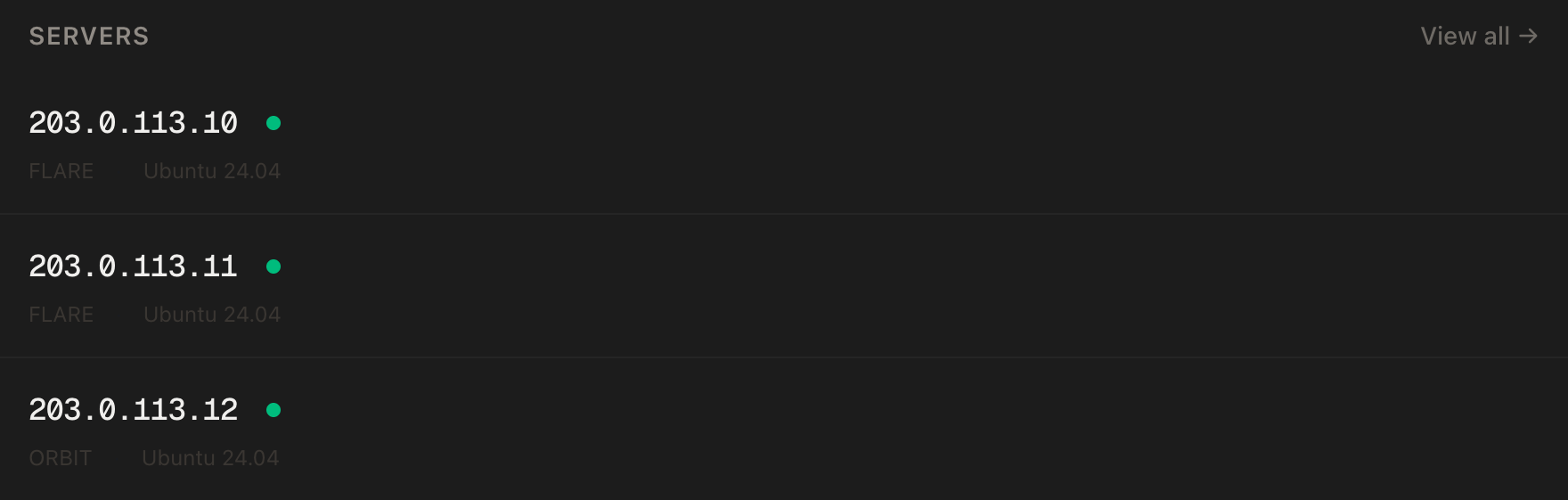
~/n8n, with Postgres and Caddy. Queue mode needs a shared database, and n8n does not support a distributed setup on SQLite. - A PrivateByte VPS with room to grow. We recommend Comet ($15.99/mo: 4 vCPU, 8 GB RAM, 100 GB SSD). That is seven containers before a workflow runs: Postgres, Redis, main and its runner, a worker and its runner, and Caddy. On our test Comet they used about 660 MB at idle, against about 470 MB for the single-instance setup. Each extra worker added about 260 MB, and a webhook processor about 280 MB. Idle is the floor: your workflows use the rest, so Comet gives you cores for workers and room for them. Orbit ($7.99/mo: 2 vCPU, 4 GB RAM, 50 GB SSD) can run one worker on light workflows. Flare is too small.
- About 40 minutes, and a quiet moment: n8n restarts once.
Step 1: Connect and back up first
ssh root@YOUR_SERVER_IP
cd ~/n8n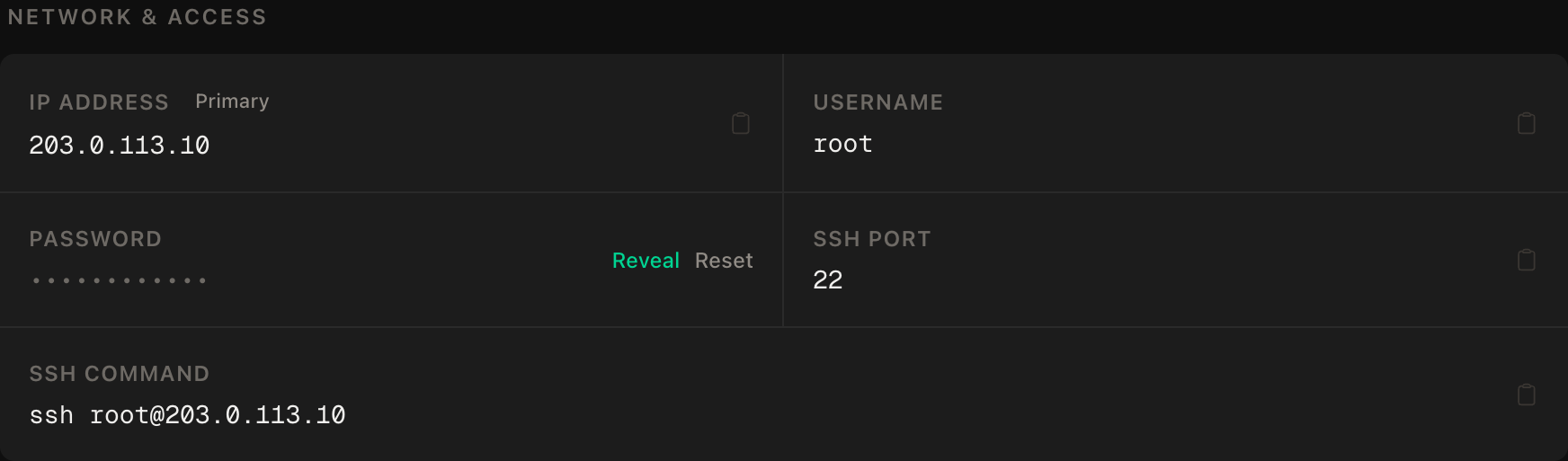
ssh command.Both workflows and credentials live in Postgres, so switching modes should leave them alone, but that is our expectation, not a promise in n8n's docs. Take a dump first:
set -a && . ./.env && set +a
docker compose exec -T postgres pg_dumpall -U "$POSTGRES_USER" > n8n-backup.sql
grep -c "PostgreSQL database cluster dump complete" n8n-backup.sql
chmod 600 n8n-backup.sql
The grep must print 1; zero means an incomplete dump, so stop. The dump holds encrypted credentials, so it only works with N8N_ENCRYPTION_KEY, which must already be in your password manager.
Step 2: Pin the version and add two settings
The containers must run the same n8n version, so stop using latest. Pin the version you already run, never an older one: n8n's database changes as it upgrades, and going backwards is not supported. Check it first:
docker compose exec n8n n8n --versionWe tested on 2.48.4. Put your version in place of it below, and append a shared secret for the Code node runners:
printf '\nN8N_VERSION=2.48.4\nRUNNERS_AUTH_TOKEN=%s\n' "$(openssl rand -hex 32)" >> .env
chmod 600 .env
The token authenticates the helper containers that run Code node scripts. The n8nio/runners image must match the n8n version, so one variable feeds both.
Step 3: Replace the compose file
Keep the old one, then write the new one:
cp docker-compose.yml docker-compose.yml.single-bak
nano docker-compose.yml
x-n8n-env: &n8n-env
DB_TYPE: postgresdb
DB_POSTGRESDB_HOST: postgres
DB_POSTGRESDB_DATABASE: ${POSTGRES_DB}
DB_POSTGRESDB_USER: ${POSTGRES_USER}
DB_POSTGRESDB_PASSWORD: ${POSTGRES_PASSWORD}
N8N_ENCRYPTION_KEY: ${N8N_ENCRYPTION_KEY}
EXECUTIONS_MODE: queue
QUEUE_BULL_REDIS_HOST: redis
QUEUE_HEALTH_CHECK_ACTIVE: "true"
N8N_HOST: ${DOMAIN}
N8N_PROTOCOL: https
N8N_PORT: 5678
N8N_WEBHOOK_URL: https://${DOMAIN}/
GENERIC_TIMEZONE: ${GENERIC_TIMEZONE}
N8N_RUNNERS_MODE: external
N8N_RUNNERS_AUTH_TOKEN: ${RUNNERS_AUTH_TOKEN}
N8N_RUNNERS_BROKER_LISTEN_ADDRESS: 0.0.0.0
OFFLOAD_MANUAL_EXECUTIONS_TO_WORKERS: "true"
N8N_DEFAULT_BINARY_DATA_MODE: database
x-n8n: &n8n
image: docker.n8n.io/n8nio/n8n:${N8N_VERSION}
restart: unless-stopped
stop_grace_period: 35s
environment: *n8n-env
volumes:
- n8n_data:/home/node/.n8n
depends_on:
postgres:
condition: service_healthy
redis:
condition: service_healthy
x-runner: &runner
image: n8nio/runners:${N8N_VERSION}
restart: unless-stopped
services:
postgres:
image: postgres:16-alpine
restart: unless-stopped
environment:
POSTGRES_USER: ${POSTGRES_USER}
POSTGRES_PASSWORD: ${POSTGRES_PASSWORD}
POSTGRES_DB: ${POSTGRES_DB}
volumes:
- postgres_data:/var/lib/postgresql/data
healthcheck:
test: ["CMD-SHELL", "pg_isready -U ${POSTGRES_USER} -d ${POSTGRES_DB}"]
interval: 10s
timeout: 5s
retries: 5
redis:
image: redis:7-alpine
restart: unless-stopped
volumes:
- redis_data:/data
healthcheck:
test: ["CMD", "redis-cli", "ping"]
interval: 5s
timeout: 5s
retries: 10
n8n:
<<: *n8n
n8n-runner:
<<: *runner
environment:
N8N_RUNNERS_AUTH_TOKEN: ${RUNNERS_AUTH_TOKEN}
N8N_RUNNERS_TASK_BROKER_URI: http://n8n:5679
depends_on:
- n8n
n8n-worker-1:
<<: *n8n
command: worker --concurrency=10
environment:
<<: *n8n-env
N8N_EVENTBUS_LOGWRITER_LOGFULLPATH: /home/node/.n8n/n8nEventLog-worker-1.log
n8n-worker-1-runner:
<<: *runner
environment:
N8N_RUNNERS_AUTH_TOKEN: ${RUNNERS_AUTH_TOKEN}
N8N_RUNNERS_TASK_BROKER_URI: http://n8n-worker-1:5679
depends_on:
- n8n-worker-1
caddy:
image: caddy:2-alpine
restart: unless-stopped
ports:
- "80:80"
- "443:443"
volumes:
- ./Caddyfile:/etc/caddy/Caddyfile:ro
- caddy_data:/data
- caddy_config:/config
volumes:
postgres_data:
redis_data:
n8n_data:
caddy_data:
caddy_config:This follows n8n's own withPostgresAndWorker example with these changes: it keeps your Postgres 16 (supported today, though the range shifts each November; the example's Postgres 18 cannot read a 16 volume), puts Caddy in front, publishes no ports, and adds the binary data, event log and shutdown settings below. Your Caddyfile stays as it was.
What each piece does:
EXECUTIONS_MODE: queueis the switch, on the main instance and every worker.QUEUE_BULL_REDIS_HOSTdefaults tolocalhost, so it must name the Redis container.N8N_ENCRYPTION_KEYis the same everywhere, because workers need it to decrypt the main instance's credentials.command: worker --concurrency=10turns the same image into a worker. Ten is n8n's default; the docs recommend five or higher.- The runner containers execute Code node scripts. n8n recommends external mode for production, and each worker needs its own sidecar.
OFFLOAD_MANUAL_EXECUTIONS_TO_WORKERSsends editor test runs to workers. The docs only require a main-instance runner when it is off; we keptn8n-runnerto match the official example.QUEUE_HEALTH_CHECK_ACTIVEswitches on the worker health endpoint.N8N_DEFAULT_BINARY_DATA_MODEis explained in the binary data section.N8N_EVENTBUS_LOGWRITER_LOGFULLPATHgives each worker its own event log file. All containers share onen8n_datavolume, and n8n warns that processes sharing a writable volume must not write the same log file.stop_grace_period: n8n gives a stopping worker 30 seconds by default; Docker allows 10.N8N_WEBHOOK_URLneeds n8n 2.30.0 or later; older versions useWEBHOOK_URL.
Step 4: Start it
docker compose pull
docker compose up -d
docker compose ps
All services should be running. Expect a short outage.
Step 5: Add webhook processors (optional)
A webhook processor only receives webhook calls, so intake scales separately from the editor. Skip it unless webhook volume is the problem; main handles webhooks by default. Add one service:
  n8n-webhook:
    <<: *n8n
    command: webhook
Then split traffic in the Caddyfile. n8n says to send /webhook/* and /webhook-waiting/* to the processors and everything else, including the editor's /webhook-test/*, to the main instance:
n8n.yourdomain.com {
    @hooks path /webhook/* /webhook-waiting/*

    handle @hooks {
        reverse_proxy n8n-webhook:5678
    }

    handle {
        reverse_proxy n8n:5678
    }
}
Run docker compose up -d, then docker compose restart caddy. The docs advise keeping the main instance out of the webhook pool, and offer N8N_DISABLE_PRODUCTION_MAIN_PROCESS=true to stop it serving production webhooks. For several processors, list several upstreams in reverse_proxy and give each its own N8N_EVENTBUS_LOGWRITER_LOGFULLPATH.
Step 6: Add a second worker
Add workers as services, not with --scale. Our reasoning: a sidecar names one worker in its broker address, so replicas of one worker service would not each get their own. Add a matching pair, with its own log path:
  n8n-worker-2:
    <<: *n8n
    command: worker --concurrency=10
    environment:
      <<: *n8n-env
      N8N_EVENTBUS_LOGWRITER_LOGFULLPATH: /home/node/.n8n/n8nEventLog-worker-2.log

  n8n-worker-2-runner:
    <<: *runner
    environment:
      N8N_RUNNERS_AUTH_TOKEN: ${RUNNERS_AUTH_TOKEN}
      N8N_RUNNERS_TASK_BROKER_URI: http://n8n-worker-2:5679
    depends_on:
      - n8n-worker-2
Parallelism is workers times concurrency: two workers at ten is twenty jobs at once. Two cautions from the docs. Very low concurrency with many workers can exhaust the database connection pool. And if N8N_CONCURRENCY_PRODUCTION_LIMIT is not -1, n8n uses it instead of --concurrency, so set one or the other.
The binary data catch
n8n's docs say binary data (downloaded files, images) stays in memory by default, which can crash on large files. The usual fix, filesystem mode, is unsupported in queue mode, most likely because one worker's disk is invisible to the others. n8n's binary data page says to use database mode: files go in Postgres, 512 MiB each by default, 1024 MiB at most. Its queue page points at S3, which needs a Business or Enterprise licence. In the 2.43.7 source, database mode is not licence-gated and is already the queue-mode default, but we set it explicitly. We have not tested large files, so try one. Files then sit in Postgres and in every dump, so if you move big ones, that is a reason to stay in normal mode.
Step 7: Backups, health and updates
A queue-mode backup is the same two things as before: the database, which holds workflows, credentials and history, and the encryption key. Redis only carries pending jobs, so we do not restore from it.
cd ~/n8n && set -a && . ./.env && set +a
docker compose exec -T postgres pg_dumpall -U "$POSTGRES_USER" > n8n-backup-$(date +%F).sql
chmod 600 n8n-backup-*.sql
n8n export:workflow --backup, run with docker exec -u node, writes readable per-workflow files inside the container (copy them out), but the dump is your real backup. Avoid decrypted credential exports: every secret is visible. Copy dumps and the key off the server. PrivateByte's daily server backups are a second layer, not a replacement.
To update, change N8N_VERSION in .env, read the release notes, then docker compose pull and docker compose up -d. Every n8n and runner container moves together.
Verify it works
Health. Readiness also checks the database:
curl -fsS -o /dev/null -w "%{http_code}\n" https://n8n.yourdomain.com/healthz
curl -fsS -o /dev/null -w "%{http_code}\n" https://n8n.yourdomain.com/healthz/readiness
docker compose exec redis redis-cli ping
Expect 200, 200 and PONG. For a worker, ask it from inside its container:
docker compose exec n8n-worker-1 node -e "fetch('http://localhost:5678/healthz/readiness').then(r=>console.log(r.status))"200 means that worker's database and Redis connections are ready. We ran this on our test server and it returned 200. Point Uptime Kuma at the public URLs, or set N8N_METRICS=true and feed /metrics to Prometheus and Grafana.
A workflow runs. Make a workflow with a Webhook trigger set to respond immediately, a Wait node for 20 seconds and a Set node. Activate it and call its production URL. It should finish in the Executions list.
The negative control. This proves the queue. Stop the worker and call the webhook again:
docker compose stop n8n-worker-1
curl https://n8n.yourdomain.com/webhook/your-path
The call is accepted but the execution must not finish, because main runs no workflows. Run docker compose start n8n-worker-1 and it should complete. If it finished with the worker stopped, you are still in normal mode: check EXECUTIONS_MODE.
Troubleshooting
Executions start but never finish. No worker is consuming. Check docker compose logs n8n-worker-1 and that both sides share one Redis and database.
"Credentials could not be decrypted" on a worker. The workers use a different N8N_ENCRYPTION_KEY from the main instance. Every instance needs the same value.
Code nodes fail. The runner cannot reach its broker. Check the token, that N8N_RUNNERS_TASK_BROKER_URI names the right worker, and that both images use N8N_VERSION.
Runner logs show "connection refused" at start. The runners start before n8n is listening and retry. If the warnings stop within a minute or so and Code nodes run, ignore them.
n8n exits after a Redis outage. By default it waits 10,000 ms for Redis, then exits. restart: unless-stopped brings it back; look at the Redis container.
A big webhook response fails. Worker responses travel through Redis, capped at 64 MiB by N8N_WEBHOOK_RESPONSE_RELAY_SIZE_MAX. Return less data, or see n8n's response offload option (2.34.0+).
Webhooks return 404 after Step 5. The Caddy split misroutes a path. Test URLs belong on main, production URLs on the processor.
Workers get killed. Memory. Check free -m and docker stats, lower concurrency, or move up a plan.
Do it with an AI agent
To hand this to Claude Code, Cursor or another agent, don't paste the article at it: agents skim warnings and lose ordering. Copy this instead, and run it from your own machine with your agent able to SSH out.
Prompt for an AI agent
Convert an existing single-instance n8n install on an Ubuntu 24.04 VPS to queue
mode, with Redis, one worker and external task runners, keeping the existing
Postgres and Caddy.

FILL IN BEFORE YOU START:
- SERVER_IP = <VPS IP from the PrivateByte dashboard>
- N8N_DIR   = <usually ~/n8n on the server>
- N8N_VERSION = <the version I run now: docker compose exec n8n n8n --version; never older>
- DOMAIN    = <your n8n hostname>
The n8n encryption key and database password are MINE. Never print them.

WHAT TO DO:
1. SSH to root@SERVER_IP and cd to N8N_DIR. Confirm docker-compose.yml, .env and
   Caddyfile exist and that the n8n service uses DB_TYPE postgresdb. If it uses
   SQLite or the layout differs, STOP and tell me.
2. Make a backup: load .env into the shell, run
   "docker compose exec -T postgres pg_dumpall -U $POSTGRES_USER > n8n-backup.sql",
   and confirm
   'grep -c "PostgreSQL database cluster dump complete" n8n-backup.sql' prints 1.
   chmod 600 the file. Tell me to confirm N8N_ENCRYPTION_KEY is in my password
   manager and WAIT for my yes.
3. Append N8N_VERSION and a new RUNNERS_AUTH_TOKEN (from "openssl rand -hex 32",
   not printed) to .env. chmod 600 .env.
4. Copy docker-compose.yml to docker-compose.yml.single-bak, then write the new
   file with: postgres:16-alpine (unchanged volumes), redis:7-alpine with a
   redis-cli ping healthcheck, n8n and n8n-worker-1 from docker.n8n.io/n8nio/n8n
   pinned to N8N_VERSION with EXECUTIONS_MODE=queue, QUEUE_BULL_REDIS_HOST=redis,
   QUEUE_HEALTH_CHECK_ACTIVE=true, the same N8N_ENCRYPTION_KEY, N8N_WEBHOOK_URL,
   N8N_RUNNERS_MODE=external, N8N_RUNNERS_AUTH_TOKEN,
   N8N_RUNNERS_BROKER_LISTEN_ADDRESS=0.0.0.0 and
   N8N_DEFAULT_BINARY_DATA_MODE=database; the worker uses
   "command: worker --concurrency=10" and its own
   N8N_EVENTBUS_LOGWRITER_LOGFULLPATH (a unique .log path under /home/node/.n8n).
   Add one n8nio/runners:N8N_VERSION sidecar per n8n process with
   N8N_RUNNERS_TASK_BROKER_URI pointing at that process on port 5679. Keep the existing named volumes and the caddy service.
5. docker compose pull, then docker compose up -d.

RULES:
- Publish NO ports for n8n, redis, postgres or the runners. Only Caddy exposes
  80 and 443. Do not rely on ufw to hide Docker-published ports.
- Never use "docker compose down -v", never remove a volume, never change the
  Postgres major version.
- Never run "--scale" on the worker. Extra workers are separate service pairs.
- The encryption key is identical on every n8n service. Never print it.
- Nothing destructive. If anything already exists that this prompt does not
  expect, STOP and ask.
- Do not touch the firewall or edit or activate any workflow.

VERIFY, AND SHOW ME THE OUTPUT OF EACH:
- "docker compose ps" -> every service running, none restarting
- "curl -fsS -o /dev/null -w '%{http_code}' https://DOMAIN/healthz/readiness" -> 200
- "docker compose exec redis redis-cli ping" -> PONG
- worker readiness: "docker compose exec n8n-worker-1 node -e
  \"fetch('http://localhost:5678/healthz/readiness').then(r=>console.log(r.status))\"" -> 200
- THE NEGATIVE CONTROL: with me, stop n8n-worker-1, trigger a production webhook,
  and show the execution does NOT finish; start the worker and show it finishes.
  If it finishes with the worker stopped, stop and report: queue mode is not on.

Do not tell me a step succeeded without showing the command output that proves
it. If a verification fails, stop and report the actual error. Do not retry
silently and do not improvise a workaround.
Two things are worth stealing. The negative control runs the test that can fail: a workflow that merely completes proves nothing, because normal mode completes it too. And the agent may not use --scale or down -v, which would probably break runner pairing or delete data.
Not sure what to run? The n8n AI agent with Claude fits this instance.
Deploy your VPS
Queue mode on one server gives your workflows isolation and your webhooks a front door that stays up while heavy jobs run. It does not add hardware.
The Comet plan gives the main instance, Postgres, Redis and two workers room for real workflows. For light ones, Orbit runs one worker.
- Unmetered bandwidth, no overage
- Free DDoS protection
- Daily automated backups
- Browser console access
Common questions
Do I need queue mode on a small VPS? Almost certainly not. n8n says one instance can handle up to 220 executions per second. Use queue mode when long workflows hurt the editor or webhook intake.
Does queue mode need Postgres? Yes. n8n does not support a distributed setup over SQLite. It lists PostgreSQL 17 and 18 as supported, plus 16 for compatibility.
Can workers run on a different server?
Yes. Install n8n there with the same version, encryption key, database and Redis settings, start it as a worker, and give it its own runner sidecar. Redis and Postgres must then be reachable from it, so use a firewall and a Redis password (QUEUE_BULL_REDIS_PASSWORD), not open ports.
Is queue mode a paid feature? No. n8n's edition comparison lists queue mode as included in the free Community edition. Paid: multi-main and the Settings > Workers view (Enterprise), and S3 binary storage (Business or Enterprise).