
You end up with Navidrome in Docker behind Caddy with automatic HTTPS, streaming the music you own to any Subsonic-compatible app, with the admin account created safely and nightly database backups. The article recommends Flare ($5.99/mo: 1 vCPU, 2 GB RAM, 25 GB SSD), or Orbit for a lossless library. Setup takes about 30 minutes, plus upload time.
Disk decides the plan, not CPU. Flare holds about 2,000 MP3s at 320 kbps. For a FLAC collection, choose Orbit or upload a lossy copy of what you play on the move.
Create the admin before the internet can. The first account becomes admin, so create it over an SSH tunnel before the proxy opens the site.
Files play as they are by default. That costs almost no CPU. One transcode of a 20-minute FLAC held our vCPU near 100% for about 20 seconds.
Use a password you use nowhere else. Subsonic compatibility means Navidrome stores passwords in a form it can decrypt.
Back up the database, not the music. Users, playlists and play counts live only on the server. The built-in backup keeps seven nightly copies; pull them off the box.
Self-hosting Navidrome puts your music collection behind one URL, streamed to your phone and laptop from any Subsonic-compatible app, with no subscription. This guide sets it up on a VPS with Docker and automatic HTTPS in about 30 minutes. It is for music you own: CD rips, purchases, your own recordings.
Using an AI coding agent? There's a ready-made prompt at the end of this guide. Copy that instead of this article.
What Navidrome is, and what it is not
Navidrome is a light music streaming server. It reads a folder of audio files, indexes them by tag, and serves them to apps. The project publishes no memory figure; our tiny test library idled at 12 MB.
It is deliberately not a library manager. Read these first:
- It does not write to your music folder. No tag editing or renaming. That is by design.
- It has no upload button. You put files on the server yourself (Step 8).
- It organises by tags, not folders. Untagged files will not become an album, and folder browsing is not planned. The FAQ recommends MusicBrainz Picard or beets for fixing tags on your own computer.
One more point. For Subsonic compatibility, Navidrome stores user passwords in a form it can decrypt, with a shared key unless you set your own. Use a password you use nowhere else. By default it also looks up artist data online (our log showed Deezer queries); set ND_ENABLEEXTERNALSERVICES: "false" to stop that.
What you'll need
- A PrivateByte VPS. We recommend Flare ($5.99/mo: 1 vCPU, 2 GB RAM, 25 GB SSD). A 320 kbps stream is about 0.3 Mbps and a lossless one around 1 Mbps, so 100 Mbps is plenty. Disk is the limit. Pick Orbit ($7.99/mo: 2 vCPU, 4 GB RAM, 50 GB SSD) for a lossless library or several people who transcode.
- A domain you control DNS for.
- Music you own, tagged properly.
- About 30 minutes, plus upload time.
Step 1: Deploy your VPS
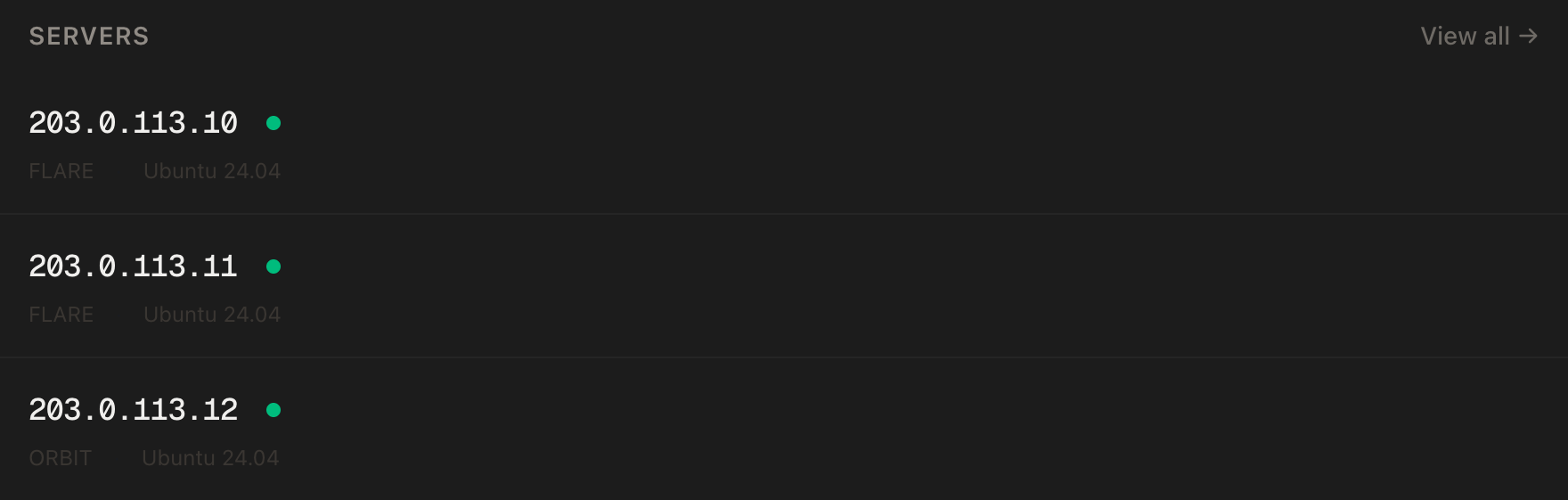
In the PrivateByte dashboard, open the store, choose Flare, pick Ubuntu 24.04, and deploy. It is ready in under a minute. Pick the region nearest you.
Step 2: Point your domain at the server
Do this first; the certificate needs it.
| Type | Name | Value |
|---|---|---|
| A | music |
your server's IP |
dig +short music.yourdomain.comThat must print your server's IP before you continue.
Step 3: Connect over SSH
ssh root@YOUR_SERVER_IP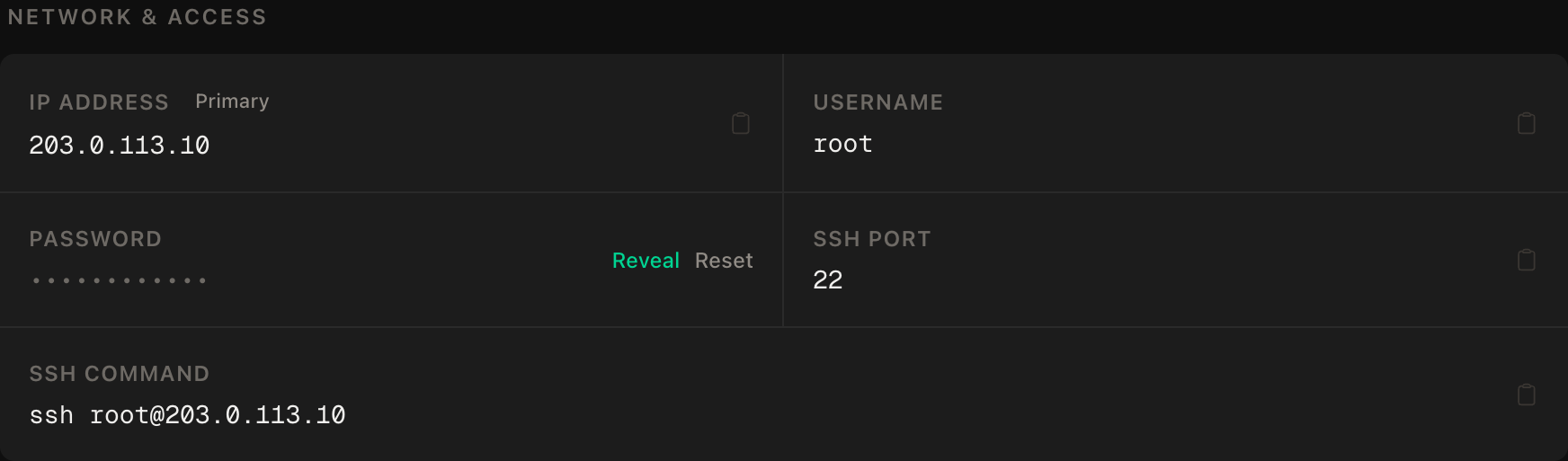
ssh command.Step 4: Install Docker
apt update && apt upgrade -y
curl -fsSL https://get.docker.com | sh
systemctl enable --now docker
docker --version
Docker's docs say this convenience script is not recommended for production and document an apt repository method instead.
Step 5: Set up the firewall
SSH first, then the web ports, then enable. The wrong order locks you out.
ufw allow OpenSSH
ufw allow 80/tcp
ufw allow 443/tcp
ufw --force enable
ufw status
Port 4533, Navidrome's own, stays closed.
Step 6: Write the configuration
mkdir -p ~/navidrome/{data,backup,music,caddy} && cd ~/navidrome
chown -R 1000:1000 data backup
nano docker-compose.yml
services:
navidrome:
image: deluan/navidrome:0.64.2
user: "1000:1000"
restart: unless-stopped
ports:
- "127.0.0.1:4533:4533"
environment:
ND_LOGLEVEL: info
ND_SCANNER_SCHEDULE: "@every 24h"
ND_ENABLESHARING: "false"
ND_BACKUP_PATH: /backup
ND_BACKUP_SCHEDULE: "0 0 * * *"
ND_BACKUP_COUNT: 7
volumes:
- ./data:/data
- ./backup:/backup
- ./music:/music:ro
caddy:
image: caddy:2-alpine
restart: unless-stopped
ports:
- "80:80"
- "443:443"
volumes:
- ./caddy:/etc/caddy:ro
- caddy_data:/data
- caddy_config:/config
volumes:
caddy_data:
caddy_config:The choices that matter:
- The image is pinned to
0.64.2. The docs showlatest, but a pinned tag means upgrades happen when you decide. Read the release notes first: 0.64.0 re-encoded every internal ID, so back up before upgrading. user: "1000:1000"keeps it off root. That user must owndataandbackupand readmusic.PUIDandPGIDdo nothing here.127.0.0.1:4533:4533publishes the port to the server only. Docker can publish ports around ufw: in our test a container published on all interfaces answered from outside with no ufw rule. So we do not rely on the firewall alone. Caddy reaches Navidrome over the compose network.- Scanning runs on startup and watches the folder. The daily schedule is a safety net. Older guides use
ND_SCANSCHEDULE, which no longer exists; the name isND_SCANNER_SCHEDULE. - Sharing is off. By default any user can create a public link that plays without an account. Delete that line if you want it. Tested switched on: the link opens and plays with no login.
- The folder variables are not needed. The image already uses
/musicand/data. SetND_BASEURLonly for a sub-path.
Now the Caddyfile. Caddy's image page recommends mounting a folder, not a single file:
nano caddy/Caddyfilemusic.yourdomain.com {
reverse_proxy navidrome:4533
}Caddy fetches the certificate itself.
Step 7: Create the admin account before the internet can
On a fresh install, the first account created becomes the admin, and the command line cannot create that first one. A public site would let a stranger claim it. In one test on 0.64.2, an empty first-admin request was accepted and made an admin with no username or password, so never leave the port open. Start only Navidrome, on localhost:
docker compose up -d navidrome
docker compose logs navidrome | tail -20
Look for Navidrome server is ready!. Then, from your local machine in a second terminal, open a tunnel:
ssh -L 4533:127.0.0.1:4533 root@YOUR_SERVER_IPBrowse to http://localhost:4533, enter an admin username and password, and click Create Admin. Close the tunnel, then start the proxy on the server:
docker compose up -d
docker compose ps
docker compose logs caddy | tail -20
Open https://music.yourdomain.com for the login page with a valid padlock. Add other people in the web UI, or with docker compose run --rm navidrome user create --username alice, which prompts for the password twice and needs a real terminal (piped input fails). It works while the server runs.
Step 8: Get your music onto the server
rsync is simplest. From your local machine:
rsync -avn ~/Music/ root@YOUR_SERVER_IP:~/navidrome/music/-n is a dry run. Read the list, then repeat without it and add resume support:
rsync -av --partial --progress ~/Music/ root@YOUR_SERVER_IP:~/navidrome/music/Mind the trailing slash on the source: with it rsync copies the folder's contents, without it you get an extra Music level. Skip --delete unless you want deletions mirrored. Navidrome indexed our test files about five seconds after each transfer finished, with no manual scan.
Syncthing suits a changing collection. Set your home folder to Send Only, which ignores remote changes, so the server cannot overwrite your originals.
Then check Navidrome can read the files, since an unreadable folder gives an empty library:
docker compose logs navidrome | grep -i "permission denied"If it prints anything, run chmod -R a+rX ~/navidrome/music, the docs' fix, then docker compose restart navidrome: one unreadable folder stops the file watcher until the restart. To force a rescan:
docker compose run --rm navidrome scan --fullStep 9: Connect an app
Navidrome implements the Subsonic API (1.16.1, with exceptions) plus OpenSubsonic extensions, so any OpenSubsonic app works. Enter https://music.yourdomain.com and your login. Apps on that page include:
- Symfonium (Android, free trial) and Tempo (Android).
- Substreamer (iOS and Android, free, open source), Amperfy (iOS, iPadOS, macOS) and play:Sub (iOS, paid).
- Supersonic on the desktop, Feishin and Airsonic Refix in a browser.
A play counts when the app reports it (a scrobble), not when streaming starts.
Transcoding and the CPU
Navidrome sends files as they are unless the app asks otherwise, which costs almost no CPU. It transcodes when a client wants a lower bitrate or a format it cannot play; the image already contains ffmpeg. A bitrate request without a format gives Opus by default.
Set a transcoding profile or maximum bit rate per player under Settings > Players, where each connecting app appears. Editing transcoding profiles is disabled by default, because it lets whoever controls them run commands on the server. To change one, set ND_ENABLETRANSCODINGCONFIG to true, make the change, then remove it.
ND_TRANSCODING_MAXCONCURRENT caps conversions server-wide. Past the cap, new transcodes get HTTP 429 and a retry-shortly error, not a queue, while direct play still works (tested with a cap of 1). One transcode of a 20-minute FLAC held our vCPU near 100% for about 20 seconds. The transcode cache defaults to 100 MB.
Disk planning
Disk decides your plan. These are rough figures from arithmetic and typical files, not measurements:
| Format | Per 4-minute track | Tracks in 20 GB | Tracks in 45 GB |
|---|---|---|---|
| MP3 at 320 kbps | about 10 MB | about 2,000 | about 4,500 |
| FLAC from a CD | about 20 to 40 MB | about 500 to 1,000 | about 1,100 to 2,200 |
The columns assume 5 GB goes to system, images, database, caches and backups. On a fresh Flare with Docker and both images (about 440 MB), df -h showed 21 GB free of 24 GB. Keep a fifth free. Flare holds a curated library. For lossless files, keep the FLAC at home and upload a lossy copy of what you play on the move, or choose Orbit.
Scan time follows track count: the docs give under a minute below 1,000 songs and 5 to 15 minutes for 10,000 to 50,000. You can browse while it scans.
Backups
Your music is a copy of files you already hold. What exists only on the server is the database: users, playlists, favourites, play counts. Navidrome's built-in backup covers exactly that, not the music or config. The compose file keeps seven nightly copies in ~/navidrome/backup. A manual one ran fine while the server and scans were running. Take one now:
docker compose run --rm navidrome backup create
ls -l ~/navidrome/backup
A backup on the same disk dies with it, so pull it to your machine:
rsync -av root@YOUR_SERVER_IP:~/navidrome/backup/ ~/navidrome-backups/To restore, stop the server first. It asks you to type YES, because it wipes the current database:
docker compose stop navidrome
docker compose run --rm navidrome backup restore --backup-file navidrome_backup_DATE_TIME.db
docker compose start navidrome
Verify it works
docker compose ps
curl -s -o /dev/null -w '%{http_code}\n' -L https://music.yourdomain.com
Both containers should be running, and the status code should be 200. Do not use curl -I: a HEAD request to the root returns 405 Method Not Allowed. Then, from your local machine, confirm port isolation:
curl -m 5 http://YOUR_SERVER_IP:4533This must fail or time out. If it answers, fix the compose file before going further.
Play a track in an app, then run docker stats --no-stream on the server. On our test server, with only seven tracks, Navidrome idled at about 12 MB and 0% CPU, Caddy at about 13 MB. Measure yours. Finally reboot, wait a minute, and confirm the site returns by itself.
Troubleshooting
The site loads but the library is empty. Usually permissions. User 1000 must read the music folder. Look for "permission denied" in the logs, run chmod -R a+rX on it, restart the container and rescan.
The container restarts in a loop. User 1000 cannot write the data folder (the log said "attempt to write a readonly database" in our test). Run chown -R 1000:1000 ~/navidrome/data. Do not remove the user line.
Albums are split, or compilations are scattered. The tags are the problem. Every track needs the same album artist, and compilations need the compilation flag. Fix them with Picard or beets, re-upload, rescan.
New files do not appear. Wait a few seconds after an upload ends, then run the scan command from Step 8. If that finds them but later uploads still lag, an unreadable folder has stopped the watcher: fix permissions and restart the container.
Certificate errors. Check dig +short music.yourdomain.com, ufw status (80 and 443 open) and docker compose logs caddy.
An app shows no covers. Covers come from cover, folder or front images in the album folder, or embedded art.
Do it with an AI agent
If you would rather hand this to Claude Code, Cursor or another coding agent, do not paste the article at it. Agents skim warnings and lose ordering. Copy this instead, and run it from your own machine with an agent able to SSH out.
Prompt for an AI agent
Set up Navidrome (a self-hosted music streaming server) on a fresh Ubuntu 24.04
VPS, behind HTTPS, using Docker and Caddy, for music the owner already owns.

FILL IN BEFORE YOU START:
- SERVER_IP = <VPS IP from the PrivateByte dashboard>
- DOMAIN    = <subdomain, e.g. music.example.com>

WHAT TO DO:
1. FIRST run "dig +short DOMAIN" and confirm it returns SERVER_IP. If not, STOP
   and tell me. The certificate step will fail.
2. SSH to root@SERVER_IP. Confirm Ubuntu 24.04. Run "df -h" and tell me the free
   disk, because disk is the real limit for a music library.
3. apt update && apt upgrade -y. Install Docker from https://get.docker.com and
   enable the service.
4. Firewall, in THIS EXACT ORDER:
       a) ufw allow OpenSSH
       b) ufw allow 80/tcp
       c) ufw allow 443/tcp
       d) ufw --force enable
   Do NOT open port 4533.
5. mkdir -p ~/navidrome/{data,backup,music,caddy}; chown -R 1000:1000 on data
   and backup.
6. Create ~/navidrome/docker-compose.yml with two services.
   navidrome: image deluan/navidrome:0.64.2, user "1000:1000", restart
   unless-stopped, ports "127.0.0.1:4533:4533", environment ND_LOGLEVEL=info,
   ND_SCANNER_SCHEDULE="@every 24h", ND_ENABLESHARING="false",
   ND_BACKUP_PATH=/backup, ND_BACKUP_SCHEDULE="0 0 * * *", ND_BACKUP_COUNT=7;
   volumes ./data:/data, ./backup:/backup, ./music:/music:ro.
   caddy: image caddy:2-alpine, ports 80 and 443, volumes ./caddy:/etc/caddy:ro,
   named volumes caddy_data:/data and caddy_config:/config.
7. Create ~/navidrome/caddy/Caddyfile containing:
       DOMAIN { reverse_proxy navidrome:4533 }
8. Start ONLY Navidrome: "docker compose up -d navidrome". Show me the log line
   "Navidrome server is ready!".
9. The first account created on a fresh Navidrome becomes the admin, so the site
   must not be public yet. Tell me to run, in MY OWN terminal:
       ssh -L 4533:127.0.0.1:4533 root@SERVER_IP
   then open http://localhost:4533 and create the admin account myself. WAIT for
   me to say it is done. Do not create the admin account for me.
10. Only then run "docker compose up -d" to start Caddy.
11. Tell me to upload music from my machine with:
       rsync -av --partial --progress ~/Music/ root@SERVER_IP:~/navidrome/music/
    Do not upload anything yourself.

RULES:
- Never print, echo or log any password. I create the admin password myself.
- The ufw ordering in step 4 is not optional. Enabling the firewall before
  allowing OpenSSH locks me out of my own server.
- Do not expose port 4533 publicly. It stays bound to 127.0.0.1.
- Do not remove "user: 1000:1000", do not run Navidrome as root, and do not set
  ND_ENABLETRANSCODINGCONFIG.
- Never write to, delete, move, retag or re-encode anything in the music
  directory, and never help source music I do not own.
- Nothing destructive. If ~/navidrome exists or containers are running, STOP
  and ask.

VERIFY, AND SHOW ME THE OUTPUT OF EACH:
- "docker compose ps" -> both containers running
- "docker compose logs caddy | tail -20" -> certificate obtained
- "curl -s -o /dev/null -w '%{http_code}\n' -L https://DOMAIN" -> 200 over TLS
- THE NEGATIVE CONTROL, run from MY machine, not the server:
      curl -m 5 http://SERVER_IP:4533
  -> this MUST fail or time out. If it answers, Navidrome is exposed directly
  and the compose file is wrong. Stop and tell me.
- "docker compose run --rm navidrome backup create" then "ls -l ~/navidrome/backup"
  -> a navidrome_backup_*.db file exists
- after I upload music: "docker compose logs navidrome | grep -i 'permission
  denied'" -> no output; if there is output, tell me and wait. After I fix
  permissions, restart the navidrome container so the file watcher recovers.
- reboot, wait 60 seconds, then "docker compose ps" and the same curl status check
  -> everything back up on its own

Do not tell me a step succeeded without showing the command output that proves
it. If a verification fails, stop and report the actual error. Do not retry
silently and do not improvise a workaround, especially around the firewall, the
admin account or the music directory.
Two guardrails: the prompt leaves the admin account to you; the music directory is off limits.
Self-hosting Jellyfin uses the same Docker and Caddy pattern. To keep the server off the public internet, put it behind a WireGuard VPN.
Deploy your VPS
Your own collection, in every pocket.
The Flare plan fits a curated library; Orbit is there when you outgrow 25 GB.
- Unmetered bandwidth, no overage
- Free DDoS protection
- Daily automated backups
- Browser console access
Common questions
Navidrome or Jellyfin for music? Navidrome is built only for music and speaks the Subsonic API, so many dedicated music apps work with it. Jellyfin covers film, TV and music together. If music is the whole job, Navidrome is simpler.
Is it legal to host my own music? Streaming music you own to yourself is the intended use. Sharing beyond your household is where trouble starts, one reason sharing is off here. Laws differ by country; this is not legal advice.
Can Navidrome take uploads or edit tags? No, by design. Upload with rsync, Syncthing or SFTP, and fix tags on your own computer.
How much RAM and CPU does it need? The project publishes no figure. We measured about 12 MB idle on a seven-track library and 25 MB during a transcode, which used most of one vCPU.
What if I lose the server? Pull the nightly backups to your computer and keep your music at home. A rebuild is a new VPS, the same compose file, a restore and an rsync.