A dedicated Counter-Strike 2 server gives your group a private match server that stays up when nobody's PC is hosting. This guide installs one on a VPS with SteamCMD and systemd in about an hour, mostly downloading. It also covers what trips people up: the login token, the disk size, and updates.
Using an AI coding agent? There's a ready-made prompt at the end of this guide. Copy that instead of this article.
Four things to know first
You need a Game Server Login Token. We started the server without one. It logged on to Steam as an anonymous game server and printed "Connections will be restricted to LAN only", so internet players can't join. You create the token on Steam's game server page with App ID 730 and pass it at launch. Each server needs its own token, so a second server means a second token. We have not created a token or joined the server ourselves, so the joining step follows the documentation, not our test.
It's VAC-secure by default. Our log said "VAC secure mode is activated". The -insecure launch option turns anti-cheat off.
CS2 uses sub-tick, not a headline tick rate. Valve's sub-tick system timestamps each shot and movement, so tick rate matters less. We give no number or flag because none is documented.
There's no world to save. A stop or restart ends the match in progress, and that's all you lose.
Sizing, honestly
The disk decides this one. Published figures range from 33 to 85 GB. On a Comet, steamcmd downloaded 73.4 GB and the install is 69 GB on disk, leaving 26 GB free. Budget about 70 GB plus room for updates.
- Comet (100 GB) is our pick. It holds the install with 26 GB to spare, and its 4 vCPU and 8 GB match a published tutorial's advice for 10 to 32 players.
- Orbit (50 GB) is too small for a 69 GB install.
- Flare (25 GB) can't hold the game.
- Pulsar (16 GB, 200 GB) is the step up for several servers or heavy plugins. That is our reasoning, not a measurement.
RAM isn't the constraint. The Pterodactyl CS2 egg lists a 2 GB minimum, and our idle server (map loaded, nobody connected) used about 800 MB and about 1% of one core. We couldn't test with players, so check htop during a full match.
You also need a CPU with x86-64-v2 support (it includes popcnt), and glibc 2.31 or newer, which Ubuntu 24.04 has.
What you'll need
- A PrivateByte VPS. We recommend Comet ($15.99/mo: 4 vCPU, 8 GB RAM, 100 GB SSD).
- A Steam account that owns Counter-Strike 2, has a registered phone number, and isn't limited or community-banned, to create the login token.
- Counter-Strike 2 on each player's PC.
- About an hour, mostly the download.
Step 1: Deploy your VPS
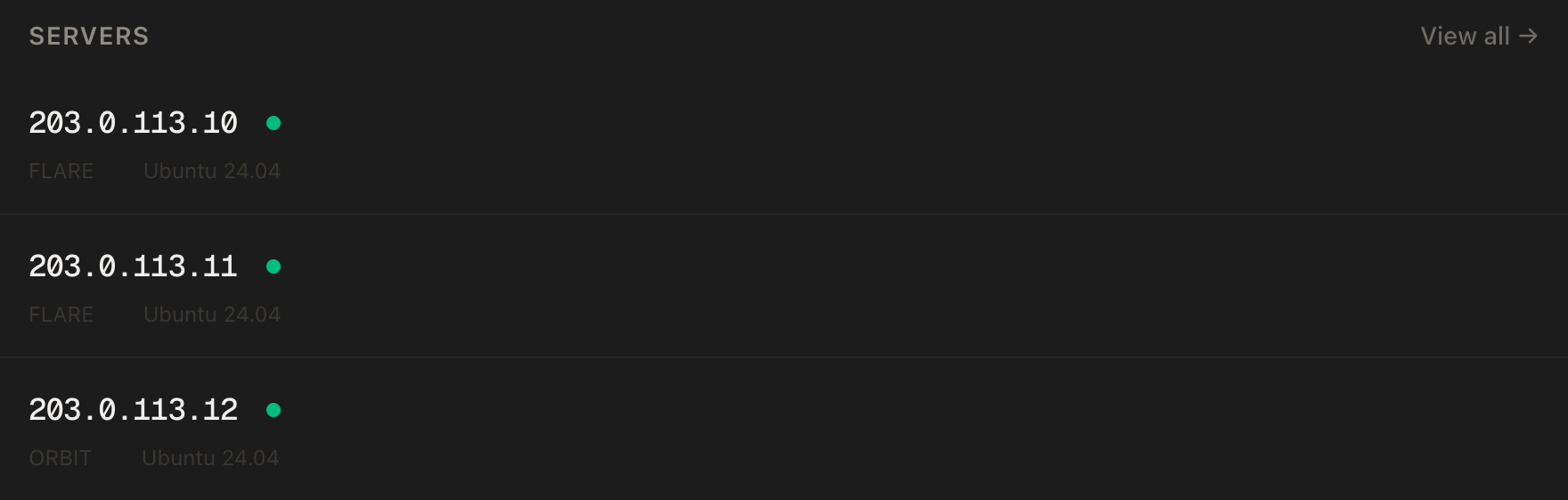
In the PrivateByte dashboard, open the store, choose Comet, pick Ubuntu 24.04 and the region closest to your players, and deploy. Ready in under 60 seconds.
Step 2: Connect and set the firewall
ssh root@YOUR_SERVER_IP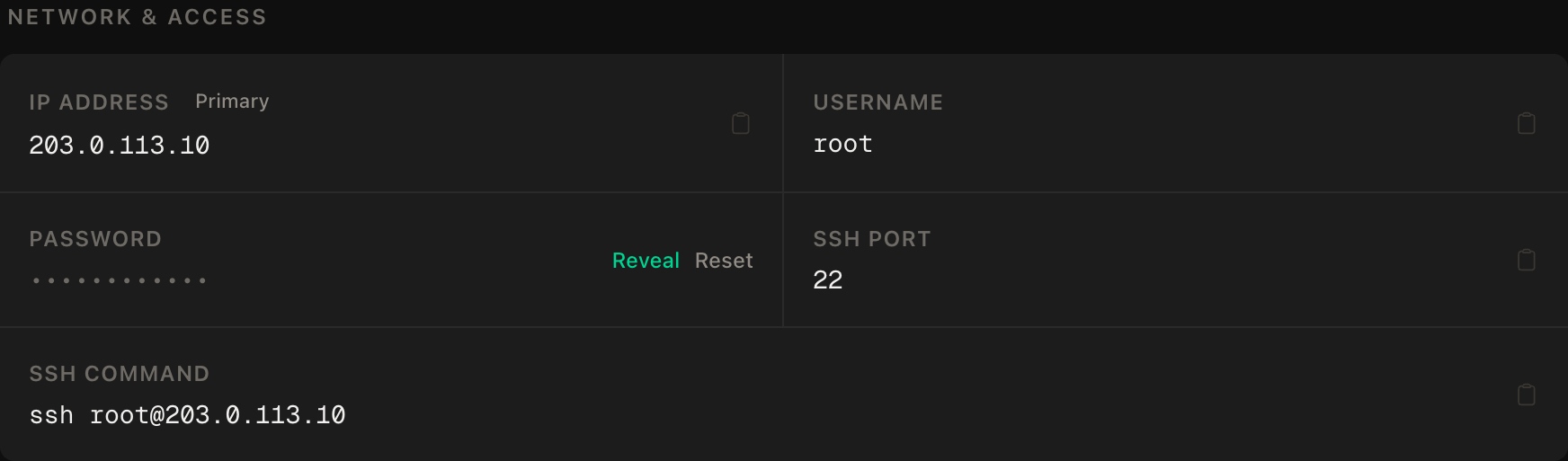
ssh command.SSH first, then the game port, then enable. Enabling before allowing SSH locks you out.
apt update && apt upgrade -y
ufw allow OpenSSH
ufw allow 27015/udp
ufw --force enable
ufw status
27015/udp is the game port. A published setup tutorial lists several more ports but says not all are required for a private server. We open only this one and have players connect by IP. We leave TCP 27015 closed because that tutorial lists it for RCON and pings, and RCON shouldn't face the internet. SourceTV (27020) stays closed because it's optional.
Step 3: Create your login token
On your own computer, open https://steamcommunity.com/dev/managegameservers while signed in to your Steam account. Enter 730 as the App ID, add a memo if the form asks for one, and create the token. Copy it.
Treat it like a password. Steam's page says you alone are responsible for your tokens, and resetting your Steam password regenerates them all. Banned game server accounts may restrict you from the associated games. Don't paste it into chat or commit it to a repo.
Step 4: Install SteamCMD and create a service user
Run the server as a normal user, not root.
add-apt-repository -y multiverse
dpkg --add-architecture i386
apt update
apt install -y lib32gcc-s1 steamcmd
useradd -m -s /bin/bash cs2
On our image add-apt-repository did add the multiverse component, so keep that line. The package installs as steamcmd:i386, which is why the i386 line comes first. apt asks you to accept the Steam license. Accept it yourself (we preseeded the answer to run unattended). Before going on, confirm the CPU has the instruction the server requires:
grep -qw popcnt /proc/cpuinfo && echo "popcnt: yes" || echo "popcnt: NO"Step 5: Download the server
App ID 730 is the CS2 dedicated server, and an anonymous login is enough to install it. This is a big download: 73.4 GB, which took 31 minutes on our Comet (yours may differ).
sudo -u cs2 /usr/games/steamcmd \
  +force_install_dir /home/cs2/cs2-server \
  +login anonymous \
  +app_update 730 validate \
  +quit
The last line should read Success! App '730' fully installed. Then check the size and what's left (we saw 69G and about 26G free):
du -sh /home/cs2/cs2-server
df -h /
Next, link the Steam client library where the server looks for it. On our run steamcmd had created it at the path below, 47 MB. Check that it exists first:
ls -l /home/cs2/.local/share/Steam/steamcmd/linux64/steamclient.so
sudo -u cs2 mkdir -p /home/cs2/.steam/sdk64
sudo -u cs2 ln -s /home/cs2/.local/share/Steam/steamcmd/linux64/steamclient.so /home/cs2/.steam/sdk64/steamclient.so
If the ls finds nothing, stop and find the real path before linking. With the link in place, the log said it loaded /home/cs2/.steam/sdk64/steamclient.so OK.
Step 6: Write server.cfg
Server settings live in game/csgo/cfg/server.cfg under the install directory. We'll keep it small:
sudo -u cs2 nano /home/cs2/cs2-server/game/csgo/cfg/server.cfgsv_password "CHOOSE_A_PASSWORD"chmod 600 /home/cs2/cs2-server/game/csgo/cfg/server.cfgLeave sv_password out if you want an open server. The launch line in the next step loads this file with +exec server.cfg. The log showed the file executing anyway during map setup, so this is belt and braces.
Step 7: Pick a mode and hand it to systemd
The mode comes from two launch options. LinuxGSM's CS2 docs and a hosting provider's guide list the same pairs:
| Mode | +game_type |
+game_mode |
|---|---|---|
| Casual | 0 | 0 |
| Competitive | 0 | 1 |
| Wingman | 0 | 2 |
| Deathmatch | 1 | 2 |
Store the token where only root and the service user can read it. Create the file with its permissions first, then put the token in:
install -d -m 755 /etc/cs2
install -m 640 -o root -g cs2 /dev/null /etc/cs2/gslt.env
nano /etc/cs2/gslt.envGSLT=PASTE_YOUR_TOKEN_HERENow the service:
nano /etc/systemd/system/cs2.service[Unit]
Description=Counter-Strike 2 dedicated server
After=network-online.target
Wants=network-online.target
[Service]
User=cs2
Group=cs2
WorkingDirectory=/home/cs2/cs2-server/game
EnvironmentFile=/etc/cs2/gslt.env
ExecStart=/home/cs2/cs2-server/game/cs2.sh -dedicated -port 27015 -maxplayers 10 +game_type 0 +game_mode 1 +map de_dust2 +hostname "My CS2 Server" +exec server.cfg +sv_setsteamaccount ${GSLT}
Restart=on-failure
RestartSec=10
TimeoutStopSec=30
[Install]
WantedBy=multi-user.targetsystemctl daemon-reload
systemctl enable --now cs2
systemctl status cs2 --no-pager
journalctl -u cs2 -n 50 --no-pagerWe launch through cs2.sh from the game directory, as a published tutorial does. Other setups, such as the Pterodactyl egg, run the binary directly with the library path set, which is more to get wrong. -maxplayers accepts up to 64. Without a token, the server logged on to Steam about four seconds after systemctl start in our run.
About stopping. systemd sends a termination signal and, after 30 seconds, kills whatever is left. On our idle server the game logged "SIGTERM received while server hibernating", shut down in 0.4 seconds and systemd reported "Deactivated successfully". We didn't test a stop with players connected, so warn them first. After kill -9 on the game process, systemd restarted the service ten seconds later.
Two limits. The token appears in the process list while the server runs, and the startup log prints the launch arguments, so it will be in journalctl too (we saw the arguments printed, but couldn't test with a real token). That's fine on a VPS only you use. Redact the log before pasting it. With an empty GSLT, systemd logs a harmless note.
Step 8: Join your server
In Counter-Strike 2, open the developer console and connect by IP:
connect YOUR_SERVER_IP:27015If you set sv_password, players need it to join. Friends use the same command.
Step 9: Updating
When the game updates, update the server and restart it. Players on a newer build may be unable to join a server on an older one, which guides describe as a version mismatch. Warn players, then:
systemctl stop cs2
sudo -u cs2 /usr/games/steamcmd \
  +force_install_dir /home/cs2/cs2-server \
  +login anonymous \
  +app_update 730 \
  +quit
systemctl start cs2
We use validate for the first install, which re-checks every file (a validate pass over the finished install took 3.5 minutes), and plain app_update 730 for routine updates. Ours, with nothing new to fetch, finished in 6 seconds with "already up to date". If an update misbehaves, rerun it with validate. Back up server.cfg before an update.
A word on plugins
Plugin frameworks such as Metamod:Source and CounterStrikeSharp are popular for custom modes. We deliberately don't walk through installing them. They're community projects, not Valve-supported. Metamod's install adds a line to gameinfo.gi, and LinuxGSM's CS2 docs warn that game updates replace that file, so an ordinary update can silently disable your plugins. Read the CounterStrikeSharp documentation, test on a spare server first, and expect repairs after updates.
Verify it works
It's running. systemctl status cs2 --no-pager shows active (running).
It's listening. ss -ulpn | grep 27015 shows a UDP listener on 27015. ss -tlpn also shows the game on TCP 27015, which ufw blocks from outside, so leave that closed.
The log is clean. journalctl -u cs2 --no-pager | grep -E "VAC|token" shows "VAC secure mode is activated", and with a valid token no "restricted to LAN only" banner.
You can join. Use connect from the game console.
The negative control. From your own machine, test a closed port:
nc -zv -w 5 YOUR_SERVER_IP 22222This must fail. Then nc -zv -w 5 YOUR_SERVER_IP 22 must succeed. If the first one connects, check ufw status. Testing UDP 27015 with nc is unreliable. A Source query is better. Run this from your own machine: the game port replies, and a closed port such as 27016 times out.
python3 -c 'import socket,sys;s=socket.socket(2,2);s.settimeout(4);s.sendto(b"\xff\xff\xff\xffTSource Engine Query\x00",(sys.argv[1],int(sys.argv[2])));print(s.recvfrom(512)[0][:60])' YOUR_SERVER_IP 27015Troubleshooting
The server runs but you can't join. Check ufw status for 27015/udp, the connect command, and the password.
The server starts but players can't find or reach it. Run journalctl -u cs2 | grep -A3 "No Steam account token": if that banner appears, the token didn't reach the server. Check that /etc/cs2/gslt.env has GSLT= followed by a non-empty value, and that the token was created for App ID 730.
The log complains about the Steam library (steamclient). The Step 5 symlink is probably missing or broken. Run ls -l /home/cs2/.steam/sdk64/.
The disk filled up. Run df -h / and du -sh /home/cs2/cs2-server. Updates need room to download, so a nearly full disk makes them fail. Move to a plan with more disk.
Players can't join after a game update. Their client is likely newer than your server. Update using Step 9.
Do it with an AI agent
If you'd rather hand this to Claude Code, Cursor, or another coding agent, don't paste the article at it. Agents skim warnings and lose ordering. Copy this instead, and run it from your own machine with your agent able to SSH out.
Prompt for an AI agent
Set up a dedicated Counter-Strike 2 server on a fresh Ubuntu 24.04 VPS with
SteamCMD (app 730) as an unprivileged user under systemd, with a firewall.

FILL IN BEFORE YOU START:
- SERVER_IP = <VPS IP from the PrivateByte dashboard>
- HOSTNAME = <server name shown to players>
- GAME_TYPE and GAME_MODE = <casual 0/0, competitive 0/1, wingman 0/2, deathmatch 1/2>
- MAXPLAYERS = <number, 64 at most>
- SERVER_PASSWORD = <optional>. I will type it into the file myself.
- The Game Server Login Token (GSLT, created at
  https://steamcommunity.com/dev/managegameservers with App ID 730) is something
  I put into /etc/cs2/gslt.env myself. You never see it, never ask for it, and
  never echo it.

WHAT TO DO:
1. SSH to root@SERVER_IP. Confirm Ubuntu 24.04. Run "df -h /" and tell me the free
   space. If under 90 GB free, STOP and tell me: the install is 69 GB on disk
   (73 GB download) and updates need extra room.
2. apt update && apt upgrade -y.
3. Firewall, in THIS EXACT ORDER:
       a) ufw allow OpenSSH
       b) ufw allow 27015/udp
       c) ufw --force enable
4. add-apt-repository -y multiverse; dpkg --add-architecture i386; apt update;
   apt install -y lib32gcc-s1 steamcmd. The Steam license prompt is mine to
   accept: STOP and let me accept it.
5. Check "grep -qw popcnt /proc/cpuinfo". If it says no, STOP and tell me.
6. Create user "cs2" (useradd -m -s /bin/bash). If it exists, STOP and ask.
7. As cs2: /usr/games/steamcmd +force_install_dir /home/cs2/cs2-server
   +login anonymous +app_update 730 validate +quit. Show me the final line.
8. ls -l /home/cs2/.local/share/Steam/steamcmd/linux64/steamclient.so. If it exists,
   as cs2 create /home/cs2/.steam/sdk64 and symlink it to
   /home/cs2/.steam/sdk64/steamclient.so. If it does not exist, STOP and report.
9. Create /etc/cs2 and an EMPTY /etc/cs2/gslt.env (root:cs2, mode 640). Then tell
   me to put GSLT=<token> in it myself. WAIT until I say it is done. Check it is
   non-empty without printing it.
10. Write /home/cs2/cs2-server/game/csgo/cfg/server.cfg (owner cs2, mode 600).
    If SERVER_PASSWORD was given, tell me to add the sv_password line myself.
11. Write /etc/systemd/system/cs2.service: User=cs2, WorkingDirectory
    /home/cs2/cs2-server/game, EnvironmentFile=/etc/cs2/gslt.env, ExecStart
    /home/cs2/cs2-server/game/cs2.sh -dedicated -port 27015 -maxplayers MAXPLAYERS
    +game_type GAME_TYPE +game_mode GAME_MODE +map de_dust2 +hostname "HOSTNAME"
    +exec server.cfg +sv_setsteamaccount ${GSLT}, Restart=on-failure,
    RestartSec=10, TimeoutStopSec=30. daemon-reload, then enable --now.

RULES:
- Never print, echo or log the GSLT or any password. To check it is set, check it
  is non-empty. The server's startup log prints its launch arguments, so never
  show me the raw journal without redacting the token.
- The ufw ordering in step 3 is not optional; enabling first locks me out.
- Open only OpenSSH and 27015/udp. Do not open TCP 27015 or 27020.
- Do not run the game server as root.
- Never use -insecure. It disables anti-cheat.
- Do not install Metamod, CounterStrikeSharp or any plugin.
- Nothing destructive. If /home/cs2/cs2-server or the cs2 user already exists, STOP
  and ask.
- Do not claim the server stops gracefully.

VERIFY, AND SHOW ME THE OUTPUT OF EACH:
- "systemctl status cs2 --no-pager" -> active (running)
- "ss -ulpn | grep 27015" -> a UDP listener
- "journalctl -u cs2 -n 50 --no-pager" -> no repeated errors
- "ufw status" -> only OpenSSH and 27015/udp
- NEGATIVE CONTROL, from MY machine: "nc -zv -w 5 SERVER_IP 22222" -> MUST fail.
  POSITIVE CONTROL: "nc -zv -w 5 SERVER_IP 22" -> MUST succeed.
- I join from the game with "connect SERVER_IP:27015" and confirm.

Do not tell me a step succeeded without showing the command output that proves
it. If a verification fails, stop and report the actual error. Do not retry
silently and do not improvise a workaround.
Two guardrails are worth stealing. The token never passes through the agent, so it stays out of chat history and shell logs. And plugins are banned because they're the likeliest thing to break on an update.
If your group plays more than one game, hosting a Rust server is another shooter with plugin trade-offs, the 7 Days to Die guide shows a systemd stop that saves a world, Satisfactory and Palworld are the memory-hungry ones, and the Minecraft guide is the evergreen.
Deploy your VPS
The Comet plan has the disk and the 4 vCPU and 8 GB that CS2 server guides recommend.
- Unmetered bandwidth, no overage
- Free DDoS protection
- Daily automated backups
- Browser console access
Common questions
How much does a Counter-Strike 2 server need? Minimum RAM is 2 GB, but the install is 69 GB, so disk decides the plan. Comet fits.
Do I need a Game Server Login Token? Yes, for a server others can reach. Without one it runs but restricts connections to LAN only. Each server needs its own token.
What tick rate does it run at? It uses Valve's sub-tick system. We don't give a number or flag because we couldn't find one documented.
Is it VAC-secure?
Yes when started normally. The -insecure option disables anti-cheat, and we don't use it.
Which ports do I open? UDP 27015 only. Other ports exist for RCON and SourceTV, and we leave them closed.
Can I run plugins like Metamod or CounterStrikeSharp? Yes, but updates can disable them. Test on a spare server first.