A dedicated Rust server keeps your wipe running when the host logs off and gives the group a stable place to build and raid. This guide installs one on a VPS with SteamCMD in about 30 minutes, and starts with the number most guides play down.
Using an AI coding agent? There's a ready-made prompt at the end of this guide. Copy that instead of this article.
The honest bit first: Rust wants RAM
Rust's server is one of the heaviest game servers you can self-host, and its memory use grows through a wipe, because every base, chest and item stays loaded. Facepunch's own setup page says 12 GB of free RAM, more for a bigger map, and that the real figure depends on population.
Community measurements: a 3000-size map idles at roughly 4 to 6 GB, and a busy server late in a wipe can reach 12 to 15 GB. Base density matters more than map size. These figures are community-reported, not Facepunch's.
So we recommend Pulsar (16 GB), and we'd rather say so now than have your server fall over on day ten of a wipe. Comet (8 GB) can run a small map for a few friends if you restart often, but it sits below the official floor.
What you'll need
- A PrivateByte VPS. Pulsar ($27.99/mo: 6 vCPU, 16 GB RAM, 200 GB SSD, 1 Gbps) is our recommendation. Quasar (32 GB) if you expect many players or a stack of plugins.
- Rust on Steam for you and your friends. The server needs no Steam account.
- About 30 minutes, plus a few GB of download.
Step 1: Deploy your VPS
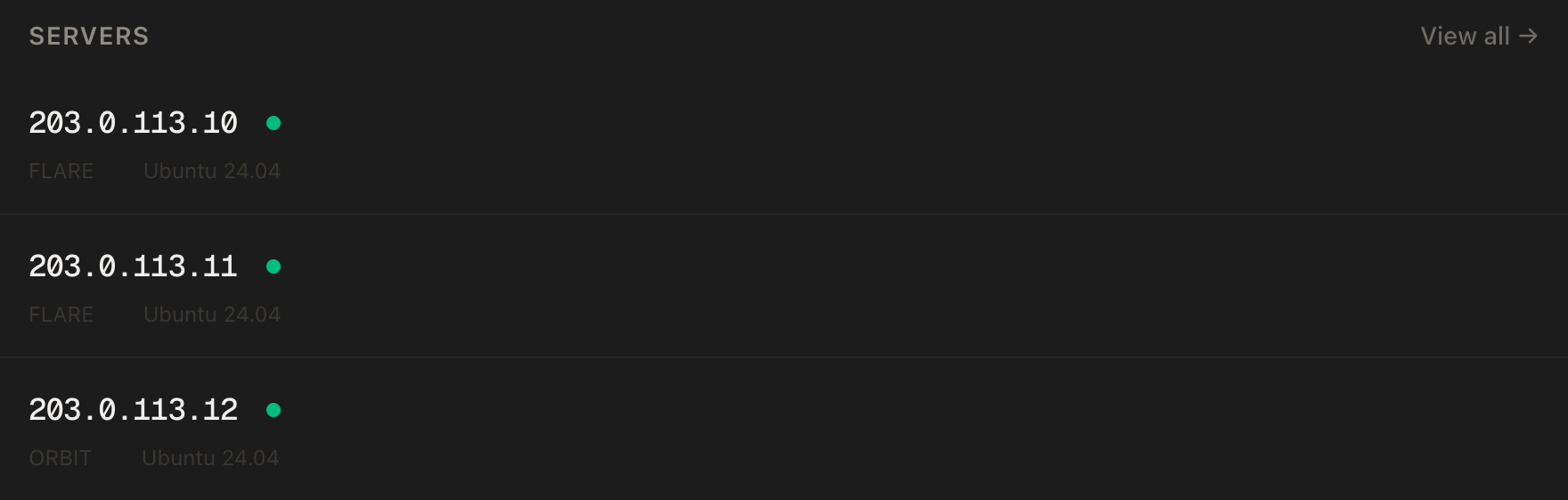
In the PrivateByte dashboard, open the store, choose Pulsar, pick Ubuntu 24.04, and deploy. Ready in a few minutes. Pick the region closest to your players.
Step 2: Connect, firewall, SteamCMD
ssh root@YOUR_SERVER_IP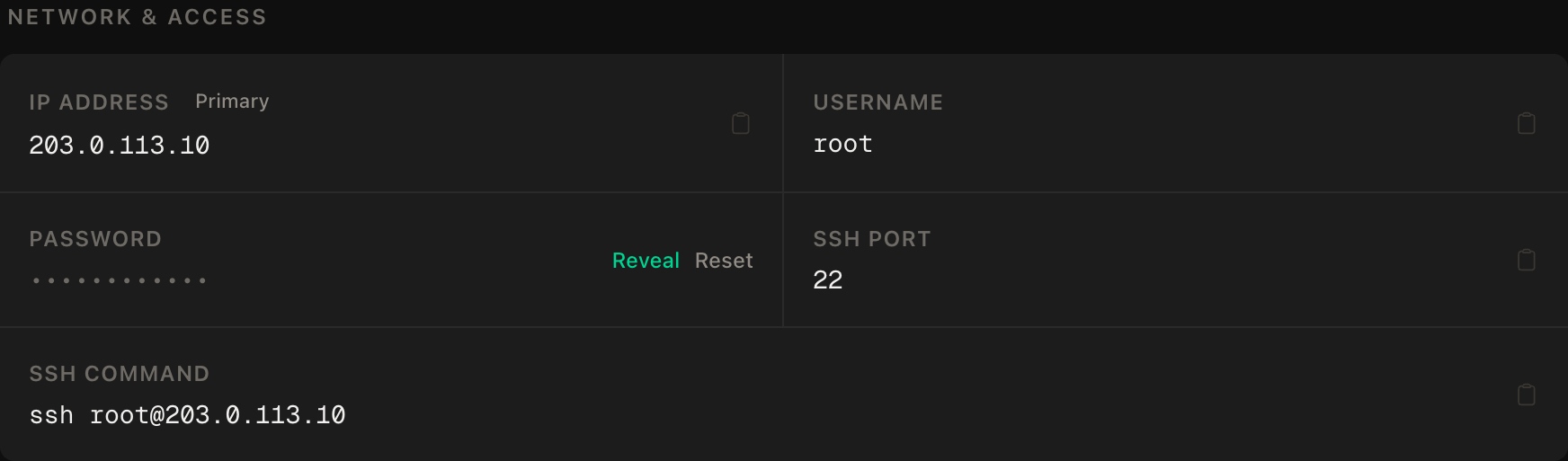
ssh command.SSH first, then the game port, then enable:
apt update && apt upgrade -y
ufw allow OpenSSH
ufw allow 28015/udp
ufw --force enable
Only the game port is opened. Rust also uses TCP 28016 for RCON (remote admin) and a UDP query port, which lists a server in the in-game browser. We'll join by IP, so neither needs to be public.
Now SteamCMD, Valve's command-line installer. It's a 32-bit program, so Ubuntu needs the i386 architecture first:
add-apt-repository -y multiverse
dpkg --add-architecture i386
apt update
apt install -y steamcmd tmux
The install shows Steam's licence agreement. Read it and accept it yourself. Then create the user the server will run as:
adduser --disabled-password --gecos "" rustStep 3: Install the server
As the rust user:
su - rust
/usr/games/steamcmd +@sSteamCmdForcePlatformType linux +force_install_dir /home/rust/rustserver +login anonymous +app_update 258550 validate +quit
258550 is Rust's dedicated server on Steam. It is several GB, so exit back to root's shell only when it finishes.
Step 4: Choose your settings
The server reads server.cfg from a folder named after its identity, an internal name you pick. We'll use prod:
mkdir -p ~/rustserver/server/prod/cfg
nano ~/rustserver/server/prod/cfg/server.cfg
rcon.password "CHANGE_ME_long_random_string"
server.description "Friends only. Be nice."chmod 600 ~/rustserver/server/prod/cfg/server.cfgThe RCON password goes here, not on the command line, because anything on a command line is visible to every user on the box through ps. Facepunch also notes that server.cfg takes priority over the command line. Their note on the password is "Change this value!!!" and they mean it: RCON is full control of the server.
Now the launch script. Save this as ~/start-rust.sh:
nano ~/start-rust.sh#!/bin/bash
cd /home/rust/rustserver
export LD_LIBRARY_PATH=/home/rust/rustserver:$LD_LIBRARY_PATH
exec ./RustDedicated -batchmode \
+server.port 28015 \
+server.identity "prod" \
+server.level "Procedural Map" \
+server.seed 12345 \
+server.worldsize 3000 \
+server.maxplayers 50 \
+server.hostname "My Rust Server" \
+rcon.port 28016 \
+rcon.web 1chmod +x ~/start-rust.shWhat the choices mean:
server.worldsizeaccepts 1000 to 6000. Bigger maps cost disk and memory, and the wiki says a 6000 map uses more than the 12 GB baseline. We picked 3000 for a small group. That is our judgement, not an official number. Many guides suggest 4000 for larger populations.LD_LIBRARY_PATHpoints the binary at the libraries in the install folder. Without it the server can fail to start on Linux.
Step 5: Run it under systemd, with a safe shutdown
Rust saves periodically and on the console command quit. A plain kill or Ctrl+C is not a save, and other operators report the world rolling back. So we run the server in tmux, type quit into its console, and let systemd do that on stop.
As root:
nano /etc/systemd/system/rust.service[Unit]
Description=Rust dedicated server
After=network-online.target
Wants=network-online.target
[Service]
User=rust
Type=forking
WorkingDirectory=/home/rust/rustserver
ExecStart=/usr/bin/tmux new-session -d -s rust "/home/rust/start-rust.sh"
ExecStop=/usr/bin/tmux send-keys -t rust "quit" Enter
ExecStop=/bin/sleep 45
Restart=on-failure
TimeoutStopSec=90
[Install]
WantedBy=multi-user.targetsystemctl daemon-reload
systemctl enable --now rustThe first launch generates the map and can take several minutes. Watch it without interrupting it:
su - rust -c "tmux capture-pane -t rust -p | tail -20"A Type=forking service counts as "up" as soon as tmux starts, so systemctl status says active while the map is still building. Judge readiness by that log output.
Step 6: Connect
Launch Rust, press F1 to open the console, and type:
client.connect YOUR_SERVER_IP:28015The server won't appear in the in-game list, since the query port is closed. Join by IP.
Verify it works
You can join. Connect, place a sleeping bag or a box you'll remember, and craft an item.
It saves on restart, the check that matters. systemctl restart rust, wait for the map to load, rejoin. The box must still be there.
Memory. free -m after a few minutes. A fresh 3000 map should show several GB used. Close to the total means a bigger plan or a smaller map.
The negative control. RCON should not be reachable from outside. From your own machine:
nc -zv -w 5 YOUR_SERVER_IP 28016This should fail, because only SSH and the UDP game port are open. nc -zv -w 5 YOUR_SERVER_IP 22 should succeed, proving the probe works.
It survives a reboot. reboot, wait a few minutes, rejoin.
Wipes and backups
The monthly forced wipe. Rust's developers ship a large update on the first Thursday of every month, at 2 pm US Eastern. Servers must update, the update usually makes old saves incompatible, and blueprints wipe too. On that Thursday, update the server (next section) and wipe.
Wiping the map. With the server stopped, delete the map and save files for your identity. This removes the world but keeps your config:
systemctl stop rust
ls /home/rust/rustserver/server/prod/
rm /home/rust/rustserver/server/prod/*.map /home/rust/rustserver/server/prod/*.sav*
systemctl start rust
Check the ls output first. Maps end in .map and world saves in .sav. Player data, including blueprints, sits in separate player.*.db files. A map wipe leaves those, a blueprint wipe removes them.
Backups. Stop the server first so the save is consistent, then copy the identity folder:
systemctl stop rust
tar czf /root/rust-backup-$(date +%F).tar.gz -C /home/rust/rustserver/server prod
systemctl start rust
PrivateByte's daily server backups also cover this disk. Keep your own copy before any wipe.
Updates
Client and server versions must match, so when Rust updates, your friends can't join until you do too:
systemctl stop rust
su - rust -c "/usr/games/steamcmd +@sSteamCmdForcePlatformType linux +force_install_dir /home/rust/rustserver +login anonymous +app_update 258550 validate +quit"
systemctl start rust
Optional: Oxide (uMod). Oxide adds plugin support. Download it from umod.org, extract it over the server folder, and restart. Facepunch's wiki is explicit that Oxide releases an update after every Rust update and that you must reinstall it each time. Plugins may not load for a short window after big updates, and each costs memory.
Troubleshooting
Won't start, or exits straight away. Check the tmux log with the capture-pane line above. A missing LD_LIBRARY_PATH line in start-rust.sh is the usual cause.
Friends can't connect. ufw status must list 28015/udp. Rust joins on UDP, so a TCP test proves nothing.
Lag late in the wipe, then crashes. Memory has crept up. Check free -m. Restart daily in a quiet hour, lower worldsize next wipe, or move to a bigger plan.
Progress lost after a restart. The ExecStop lines didn't run or the wait was too short. Check systemctl cat rust, and raise the sleep on a big, busy world.
Do it with an AI agent
To hand this to Claude Code, Cursor, or another coding agent, copy this instead of pasting the article, since agents skim warnings and lose ordering. Run it from your machine with SSH access.
Prompt for an AI agent
Set up a Rust dedicated server on a fresh Ubuntu 24.04 VPS with SteamCMD,
running as an unprivileged user in tmux under systemd, with a shutdown that
saves the world.

FILL IN BEFORE YOU START:
- SERVER_IP    = <VPS IP from the PrivateByte dashboard>
- WORLD_SIZE   = <3000 for a small group; 1000-6000 allowed>
- HOSTNAME     = <server name shown to players>
- The RCON password is MINE. You never see it.

WHAT TO DO:
1. SSH to root@SERVER_IP. Confirm Ubuntu 24.04, run "free -m", tell me the RAM.
   If it is under 12 GB, tell me Facepunch recommends 12 GB free and WAIT.
2. apt update && apt upgrade -y.
3. Firewall, in THIS EXACT ORDER: ufw allow OpenSSH; ufw allow 28015/udp;
   ufw --force enable. Do NOT open 28016 or any query port.
4. add-apt-repository -y multiverse; dpkg --add-architecture i386; apt update.
   Then STOP and tell me to run "apt install -y steamcmd tmux" myself, because
   it shows Steam's licence agreement and accepting it is mine to do. WAIT.
5. adduser --disabled-password --gecos "" rust (no sudo).
6. As rust: /usr/games/steamcmd +@sSteamCmdForcePlatformType linux
   +force_install_dir /home/rust/rustserver +login anonymous
   +app_update 258550 validate +quit
7. Create /home/rust/rustserver/server/prod/cfg/ and tell me to create
   server.cfg there myself with a line: rcon.password "<my password>", then
   chmod 600 it. WAIT for my confirmation. Do not read the file.
8. Write /home/rust/start-rust.sh (chmod +x): cd /home/rust/rustserver;
   export LD_LIBRARY_PATH=/home/rust/rustserver:$LD_LIBRARY_PATH; exec
   ./RustDedicated -batchmode +server.port 28015 +server.identity "prod"
   +server.level "Procedural Map" +server.seed 12345
   +server.worldsize WORLD_SIZE +server.maxplayers 50
   +server.hostname "HOSTNAME" +rcon.port 28016 +rcon.web 1
   Never put the RCON password in this file.
9. /etc/systemd/system/rust.service: User=rust, Type=forking,
   WorkingDirectory=/home/rust/rustserver,
   ExecStart=/usr/bin/tmux new-session -d -s rust "/home/rust/start-rust.sh",
   ExecStop=/usr/bin/tmux send-keys -t rust "quit" Enter,
   ExecStop=/bin/sleep 45, Restart=on-failure, TimeoutStopSec=90.
   daemon-reload, enable --now.

RULES:
- Never read, print or log server.cfg or any password.
- The ufw ordering is not optional. SSH first.
- Never run the server as root.
- Do not remove or shorten the ExecStop quit+sleep. It is what saves the world.
- Nothing destructive. If /home/rust/rustserver/server/prod already exists,
  STOP and ask. That folder is the save. Never delete .map, .sav or .db files.
- "systemctl status" says active before the map has finished generating.
  Judge readiness from "tmux capture-pane -t rust -p", not from status.

VERIFY, AND SHOW ME THE OUTPUT OF EACH:
- "systemctl status rust" -> active
- "su - rust -c 'tmux capture-pane -t rust -p | tail -20'" shows the server
  finished loading (allow several minutes on the first start)
- "ufw status" lists OpenSSH and 28015/udp only
- I join with client.connect SERVER_IP:28015 and place a box; then
  "systemctl restart rust"; I rejoin and confirm the box survived.
- THE NEGATIVE CONTROL, from MY machine: "nc -zv -w 5 SERVER_IP 28016" MUST
  fail and "nc -zv -w 5 SERVER_IP 22" MUST succeed.
- reboot, wait 180 s, "systemctl status rust" -> active

Do not tell me a step succeeded without showing the command output that proves
it. If a verification fails, stop and report the actual error. Do not retry
silently and do not improvise a workaround.
Two guardrails worth stealing: the RCON password never touches the agent or the command line, and "is it up" is judged from the console log, not systemctl status.
The same console-in-tmux pattern powers our Project Zomboid guide and Terraria guide. For other survival servers, see Valheim and Palworld, or Minecraft for the classic.
Deploy your VPS
A Rust server that keeps its base standing when everyone logs off, saves itself on every stop, and has the RAM to last a whole wipe. The Pulsar plan is the right start for a real Rust server.
- Unmetered bandwidth, no overage
- Free DDoS protection
- Daily automated backups
- Browser console access
Common questions
Should I open RCON? No. It is remote admin over TCP 28016, protected only by its password. Keep the port closed and tunnel over SSH if you want a web RCON client.