A dedicated Factorio server keeps your factory running while you sleep, and lets friends drop in without the host being online. It's also one of the cheapest game servers to run, because the headless build has no graphics. This guide sets one up on a small VPS with systemd in about 20 minutes, and explains the one resource that decides how far it scales.
Using an AI coding agent? There's a ready-made prompt at the end of this guide. Copy that instead of this article.
What actually limits a Factorio server
It's the CPU, not the RAM. Factorio simulates the whole factory on one thread. A fast core matters far more than a lot of cores, and extra players cost little compared with extra machines, belts and trains. When a factory gets too big for the core it runs on, the symptom is UPS (updates per second) dropping below the target of 60. The game then slows down for everybody, though nothing crashes.
Memory grows with the factory. The headless build skips graphics, sounds and sprites, so it needs much less than a game client. We can't give you an official per-entity figure, so we won't invent one. Measure instead: free -m and htop while people are playing tell you the truth about your own save.
One port, UDP only. Factorio uses 34197 on UDP. There's no TCP rule to add, which makes the firewall step short.
Sizing, honestly
We recommend starting small and moving up when the numbers say so:
- Flare (1 vCPU, 2 GB) suits a young factory and a handful of friends. It's the cheapest way to try this.
- Orbit (2 vCPU, 4 GB) is the next step when
free -mshows memory getting tight, or when you want headroom so the OS and backups don't compete with the game for the same core. - Bigger plans only help if a larger factory runs out of memory. They won't fix a slow single thread, so don't buy vCPUs for their own sake.
Resizing later is simpler than guessing now, and the save file is the only thing you need to carry over.
What you'll need
- A PrivateByte VPS. We recommend Flare to start ($5.99/mo: 1 vCPU, 2 GB RAM, 25 GB SSD), and Orbit ($7.99/mo: 2 vCPU, 4 GB RAM, 50 GB SSD) once the factory grows.
- Factorio on your own machine, at the same version as the server. Players need the game itself. The server download is free, so it doesn't count toward a purchase.
- About 20 minutes.
Step 1: Deploy your VPS
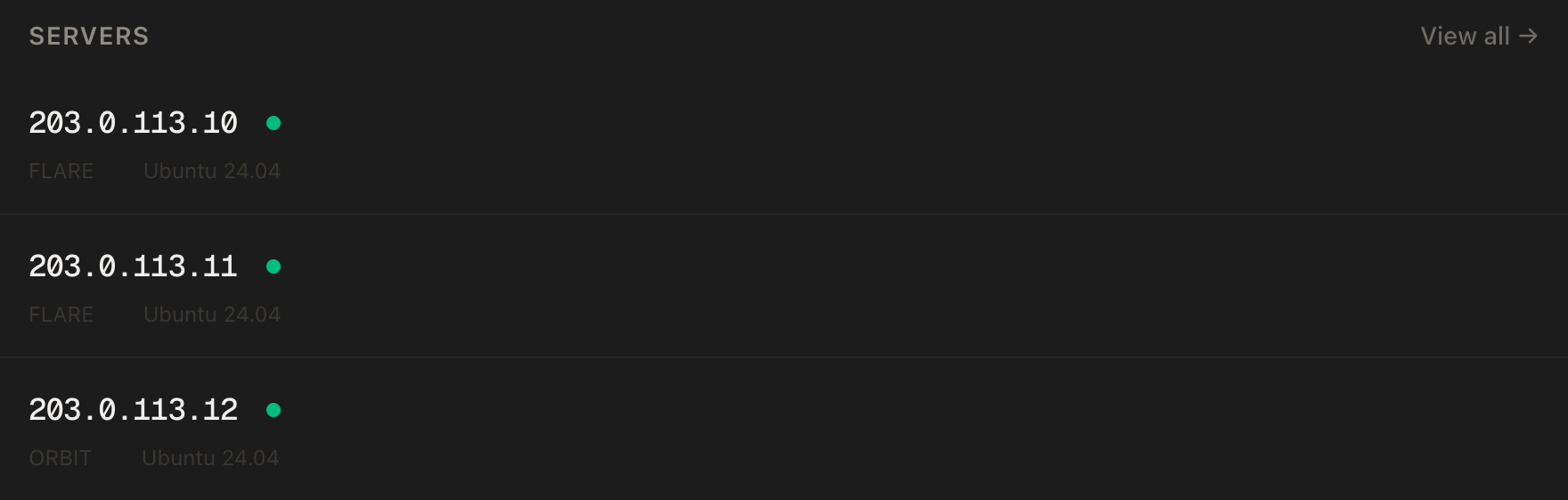
In the PrivateByte dashboard, open the store, choose Flare, pick Ubuntu 24.04, and deploy. Usually ready in a few minutes. Pick the region closest to your players, because latency matters more in a shared factory than raw bandwidth.
Step 2: Connect and set the firewall
ssh root@YOUR_SERVER_IP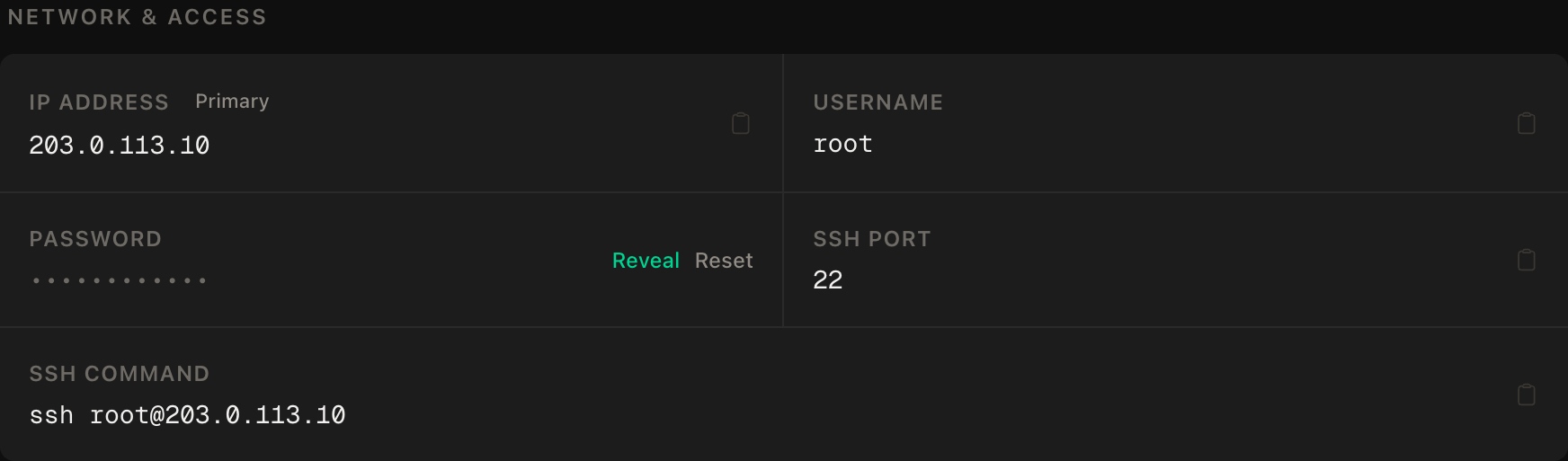
ssh command.SSH first, then the game port, then enable:
apt update && apt upgrade -y
ufw allow OpenSSH
ufw allow 34197/udp
ufw --force enable
ufw status
The game port must be public because players connect straight to it. The game password you set in Step 4 is what keeps strangers out.
Step 3: Download the headless server
Create a service user, then fetch the current stable headless build. The official link always points at the latest stable version:
useradd -r -m -d /opt/factorio -s /usr/sbin/nologin factorio
cd /opt
curl -L -o factorio.tar.xz https://factorio.com/get-download/stable/headless/linux64
tar -xJf factorio.tar.xz
chown -R factorio:factorio /opt/factorio
rm factorio.tar.xz
/opt/factorio/bin/x64/factorio --version
The archive unpacks to a factorio folder, and the --version line is the one to compare with your own game's version on the main menu. They must match exactly. The wiki is blunt about it: every game instance needs exactly the same game version and mods.
Stable or experimental? The link above is the stable branch. If your friends run an experimental build, the versions will not match, so keep everyone on the same branch.
Step 4: Create the world and write the settings
A Factorio server requires a save file before it starts. Create one as the service user:
sudo -u factorio mkdir -p /opt/factorio/saves
sudo -u factorio /opt/factorio/bin/x64/factorio --create /opt/factorio/saves/world.zip
That makes a world with default map settings. To change the map, pass a --map-gen-settings file to --create, which is documented on the wiki's command-line page.
Now the server settings. The download includes an example at data/server-settings.example.json. Copy it and edit the fields below:
sudo -u factorio cp /opt/factorio/data/server-settings.example.json /opt/factorio/server-settings.json
sudo -u factorio nano /opt/factorio/server-settings.json
The fields worth changing:
{
  "name": "Our Factory",
  "description": "Friends only",
  "max_players": 8,
  "visibility": { "public": false, "lan": false },
  "game_password": "CHANGE_ME_TO_SOMETHING_LONG",
  "require_user_verification": true,
  "allow_commands": "admins-only",
  "autosave_interval": 10,
  "autosave_slots": 5,
  "auto_pause": true
}
Keep the other keys from the example file as they are. Remove or ignore the _comment_ entries, since the server accepts them, but they aren't needed. A few notes:
visibilityispublic: falsehere, so the server isn't listed on the official matching server. Players join by IP. If you want a public listing, the example file sayspublicneeds your factorio.comusernameplus atoken(a token can be used instead of apassword). Never paste that token anywhere public.game_passwordis what players type to join.autosave_intervalis in minutes. The example file ships 10. Lower it if you can't bear to lose that much work, but remember each autosave briefly stalls the game on a big map.autosave_slotsare cycled, so five slots means the five most recent autosaves exist at any time.auto_pausepauses the simulation when nobody is connected, which also keeps the factory from running (or being attacked) while empty.
Next, the admin list: a JSON array of Factorio usernames.
echo '[ "YOUR_FACTORIO_USERNAME" ]' | sudo -u factorio tee /opt/factorio/server-adminlist.jsonFor access control beyond the password, the server also takes --server-whitelist and --use-server-whitelist. In the game console, /whitelist adds or removes players, and an empty whitelist switches the feature off.
Step 5: Run it under systemd
nano /etc/systemd/system/factorio.service[Unit]
Description=Factorio dedicated server
After=network-online.target
Wants=network-online.target
[Service]
User=factorio
Group=factorio
WorkingDirectory=/opt/factorio
ExecStart=/opt/factorio/bin/x64/factorio \
--start-server /opt/factorio/saves/world.zip \
--server-settings /opt/factorio/server-settings.json \
--server-adminlist /opt/factorio/server-adminlist.json
KillSignal=SIGINT
TimeoutStopSec=120
SuccessExitStatus=1
Restart=on-failure
RestartSec=10
[Install]
WantedBy=multi-user.targetsystemctl daemon-reload
systemctl enable --now factorio
systemctl status factorio --no-pagerKillSignal=SIGINT is the line that protects your world. Wube staff say that stopping the server with SIGINT saves the game to the save it started from and then quits. systemd sends SIGTERM by default, and we have no official statement that it saves the same way, so we ask for SIGINT instead. TimeoutStopSec=120 gives a large save time to finish before systemd gives up. SuccessExitStatus=1 is belt and braces: older versions returned exit code 1 on a clean SIGINT shutdown, which Wube say was fixed, and the line does no harm.
If you want the unit to start whatever your latest save is rather than a fixed file, the wiki lists --start-server-load-latest as an alternative.
Step 6: Join, mods and admin
In Factorio, choose Multiplayer, then Connect to address, and enter YOUR_SERVER_IP (the default port is 34197, so you don't type it). Enter the game password.
Mods sync from the server. If you add mods, put them in the server's mods folder, restart it, and players who join are offered a mod sync that downloads the exact versions the server uses. Mod versions have to match as strictly as the game does, so change them on the server first and let players sync.
Admins are the usernames in server-adminlist.json. In the game console, /promote makes another player an admin while the server runs. With allow_commands set to admins-only, regular players can't run console commands.
RCON exists, through the --rcon-port and --rcon-password flags, but this guide leaves it off. If you add it, keep the port closed in ufw unless you really need it from outside, and never put the password in a shared script.
Step 7: Backups and updates
Autosaves live in the saves folder next to your world file. They protect you from a crash, not from a dead disk or a corrupted world. Add a nightly copy for the service user:
crontab -u factorio -e30 4 * * * mkdir -p /opt/factorio/backups && cp /opt/factorio/saves/world.zip /opt/factorio/backups/world-$(date +\%F).zip && find /opt/factorio/backups -name 'world-*.zip' -mtime +14 -deleteThat keeps two weeks of copies. Download them off the server occasionally, because a backup on the same disk shares its fate.
Updating. A game update means a matching server update. Stop the server first so it saves, then fetch and unpack the new build over the old one:
systemctl stop factorio
cd /opt
cp -a /opt/factorio/saves /root/factorio-saves-before-update
curl -L -o factorio.tar.xz https://factorio.com/get-download/stable/headless/linux64
tar -xJf factorio.tar.xz
chown -R factorio:factorio /opt/factorio
rm factorio.tar.xz
systemctl start factorio
Your saves, settings and admin list live in the same folder, and the archive only adds or replaces game files, but the save copy above costs nothing. Check the version again with --version and tell your friends to update.
Verify it works
It's running. systemctl status factorio shows active (running), and journalctl -u factorio -n 30 --no-pager shows the world loading and the server waiting for players.
It's listening on UDP. ss -ulpn | grep 34197 shows the factorio process.
You can join. Connect from Factorio with the password.
It saves on stop. Join, build something small, then run systemctl restart factorio. Rejoin and check the build survived. This proves the SIGINT stop path works, and it matters more than any config.
The negative control. UDP is hard to probe, so test the firewall with something that must be closed. From your machine, nc -zv -w 5 YOUR_SERVER_IP 22222 must fail. Then check ufw status shows only OpenSSH and 34197/udp. A rule you didn't add means something else opened it.
Troubleshooting
You can't connect at all. Check ufw status lists 34197/udp, and check your own router or network isn't blocking outbound UDP. The wiki notes some routers randomise source ports and need extra configuration, a problem on the player's side that no server setting fixes.
Version mismatch. The game shows a version error on join. The server and every client must run the same version, and the same mods. Update the server (Step 7), or move the client to the matching branch.
Lag or the game running slow. Look at htop during play. If one core sits at 100 percent, that's the simulation and the factory has outgrown the core. The fix is a faster core or a smaller factory, not more RAM. If memory is nearly full, move up a plan.
Stalls every few minutes. That's the autosave on a big map. Raise autosave_interval or accept the pause. The settings file has a non_blocking_saving option, but it describes it as highly experimental with a risk of losing saves, so leave it off.
The server won't start after an edit. A stray comma in the settings JSON is the usual cause. journalctl -u factorio -n 50 shows the parse error. Check python3 -m json.tool /opt/factorio/server-settings.json.
Do it with an AI agent
If you'd rather hand this to Claude Code, Cursor, or another coding agent, don't paste the article at it. Agents skim warnings and lose ordering. Copy this instead, and run it from your own machine with your agent able to SSH out.
Prompt for an AI agent
Set up a dedicated Factorio headless server on a fresh Ubuntu 24.04 VPS as an
unprivileged user under systemd, with a firewall, safe-stop saves and nightly
save backups.

FILL IN BEFORE YOU START:
- SERVER_IP = <VPS IP from the PrivateByte dashboard>
- MY_FACTORIO_USERNAME = <my factorio.com username, for the admin list>
- I give you the game password by editing the settings file myself. You never
  see it and never set one.

WHAT TO DO:
1. SSH to root@SERVER_IP. Confirm Ubuntu 24.04. Run "free -m" and "nproc" and
   tell me the RAM and CPU count.
2. apt update && apt upgrade -y.
3. Firewall, in THIS EXACT ORDER:
       a) ufw allow OpenSSH
       b) ufw allow 34197/udp
       c) ufw --force enable
4. Create user "factorio" (useradd -r -m -d /opt/factorio -s /usr/sbin/nologin).
   If it or /opt/factorio already exists, STOP and ask.
5. Download https://factorio.com/get-download/stable/headless/linux64 to
   /opt/factorio.tar.xz, extract it in /opt, chown -R factorio:factorio
   /opt/factorio, remove the archive. Run "/opt/factorio/bin/x64/factorio
   --version" and show me the output.
6. As user factorio: mkdir /opt/factorio/saves, then run
   "/opt/factorio/bin/x64/factorio --create /opt/factorio/saves/world.zip".
7. Copy /opt/factorio/data/server-settings.example.json to
   /opt/factorio/server-settings.json (as factorio). Set name, description,
   max_players 8, visibility public false and lan false, allow_commands
   admins-only, autosave_interval 10, autosave_slots 5, auto_pause true. Leave
   game_password EMPTY and tell me to fill it in myself. Do not touch
   username or token.
8. Write /opt/factorio/server-adminlist.json containing a JSON array with
   MY_FACTORIO_USERNAME only.
9. Write /etc/systemd/system/factorio.service: User/Group factorio,
   WorkingDirectory /opt/factorio, ExecStart
   "/opt/factorio/bin/x64/factorio --start-server /opt/factorio/saves/world.zip
   --server-settings /opt/factorio/server-settings.json --server-adminlist
   /opt/factorio/server-adminlist.json", KillSignal=SIGINT,
   TimeoutStopSec=120, SuccessExitStatus=1, Restart=on-failure,
   RestartSec=10. daemon-reload. Do NOT start it until I confirm game_password
   is set.
10. After I confirm, "systemctl enable --now factorio".
11. Add a crontab for user factorio at 04:30 daily that copies
    /opt/factorio/saves/world.zip into /opt/factorio/backups/world-DATE.zip and
    deletes copies older than 14 days (escape % as \% in crontab).

RULES:
- Never print, echo or log a password or token.
- The ufw ordering in step 3 is not optional; enabling first locks me out.
- UDP only for 34197. Open nothing else. Do not enable RCON.
- Do not run the game server as root.
- Nothing destructive. If /opt/factorio/saves or world.zip already exists, STOP
  and ask: that folder is the world.
- Never use SIGTERM or kill -9 on the server; stop it only with
  "systemctl stop factorio" so the SIGINT save runs.
- Do not edit any file in /opt/factorio other than the ones named above.

VERIFY, AND SHOW ME THE OUTPUT OF EACH:
- "systemctl status factorio --no-pager" -> active (running)
- "ss -ulpn | grep 34197" -> the factorio process on UDP 34197
- "ufw status" -> only OpenSSH and 34197/udp
- NEGATIVE CONTROL, from MY machine: "nc -zv -w 5 SERVER_IP 22222" -> MUST fail.
- "crontab -u factorio -l" -> the backup line
- "journalctl -u factorio -n 30 --no-pager" -> world loaded, no errors
- I join from the game with the game password and confirm.

Do not tell me a step succeeded without showing the command output that proves
it. If a verification fails, stop and report the actual error. Do not retry
silently and do not improvise a workaround.
Two guardrails are worth stealing. The agent is told never to stop the server any way except systemd, because the stop signal is what saves the world. And it never sees the game password, so it can't end up in shell history or a transcript.
If your group plays more than one game, hosting a Satisfactory server is the other factory-builder, Terraria is similarly light, Valheim has a similar pattern, and the Minecraft guide is the evergreen.
Deploy your VPS
The Flare plan is plenty for a young factory and a few friends, and you can move up when UPS or memory tells you to.
- Unmetered bandwidth, no overage
- Free DDoS protection
- Daily automated backups
- Browser console access
Common questions
What port does a Factorio server use? 34197 on UDP, and nothing else. There's no TCP rule to add.
How much RAM does a Factorio server need?
It grows with the factory, and we can't quote an official figure. A young factory with a few friends runs on Flare. Watch free -m and move to Orbit when memory gets tight.
Why is my server lagging when memory is fine? Factorio simulates on a single thread, so a big factory slows the game by lowering UPS while memory stays free. A faster core helps. More RAM does not.
Do all players need the same version? Yes. The server and every client must run exactly the same game version and mods. Mods can be synced from the server when a player joins.
Does stopping the server save the world?
Stopping with SIGINT saves to the save it started from, so the unit file uses KillSignal=SIGINT. Autosaves run on the interval you set in the settings file.