An Ark Survival Ascended server keeps your tribe's base and tames alive while you are offline, with no gaming PC as host. This guide sets one up on a VPS with Docker, and says plainly, before any command, that developers do not support this setup.
Using an AI coding agent? There's a ready-made prompt at the end of this guide. Copy that instead of this article.
The honest bit first: Linux is unsupported
The server for Ark Survival Ascended (ASA) is a Windows program. The ARK community wiki, the nearest thing to official server documentation we found, says it "requires Windows (or a Windows-like environment) and does not support Linux natively." We found no announcement of a native Linux build.
The supported route is a Windows machine, covered near the end. This guide takes the common alternative: the Windows server runs under Proton, Valve's compatibility layer, in the community Docker image mschnitzer/asa-linux-server. acekorneya/asa_server is the other.
In practice:
- If it breaks, nobody official will help. The maintainers' issue trackers will.
- Updates can break it. In July 2026 a user reported an "Invalid platform" error when the image updated the game. The maintainer could not reproduce it, and in September another user said it worked again. The issue is still open. Our 17 October test of 1.5.1 did not hit it.
- Ubuntu version matters. The README says 22.04 fails with constant high CPU use. 24.04 is listed as tested, so we use it.
A licence note
The same wiki says self-hosted ASA servers are for personal, non-commercial use unless you obtain a licence from Nitrado, with an allowance for donations and costs. We have not read the licence. Friends are fine; selling slots is not.
Sizing, honestly
ASA is among the hungriest servers you can host, and the sources disagree:
- The wiki lists memory for an empty new world with no players: The Island 8 to 10 GiB, The Center 10.5 to 12 GiB, growing with players, world age and mods. Our idle Island on Quasar reached about 10.5 GiB in
docker stats. - The
mschnitzerREADME says about 13 GB,acekorneya16 GB, and IONOS (for Windows) at least 16 GB.
Nobody publishes a figure for a busy, modded server, and we could not load ours.
- Quasar (32 GB, 8 vCPU) is our recommendation: headroom for players, mods and the operating system.
- Pulsar (16 GB, 6 vCPU) is the floor. Idle use leaves about 5 GB: one map, a few friends, no mods. Untested by us.
- Comet (8 GB) and below cannot reliably hold even an empty world.
The wiki recommends four logical cores per instance and fast single-thread speed. Ours used about one core while loading, then near 20 percent of one; no loaded figure. By our own arithmetic, a two-map cluster at 16 GB each needs 32 GB, so plan on Nebula (64 GB).
What you'll need
- A PrivateByte VPS: Quasar ($49.99/mo: 8 vCPU, 32 GB RAM, 400 GB SSD, 1 Gbps port), or Pulsar ($27.99/mo: 6 vCPU, 16 GB RAM, 200 GB SSD) as the floor.
- ASA on Steam for every player, and about 45 minutes; our first start took under three minutes.
Step 1: Deploy your VPS
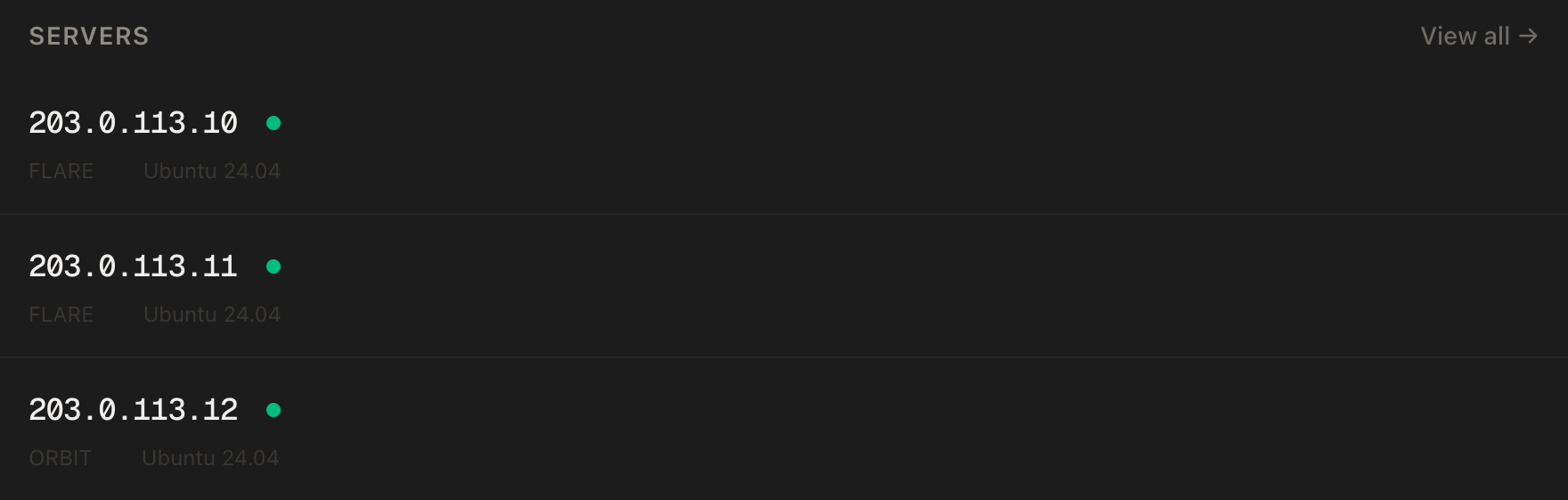
In the PrivateByte dashboard, open the store, choose Quasar, pick Ubuntu 24.04, and deploy. It is ready in under 60 seconds.
Step 2: Connect and set the firewall
ssh root@YOUR_SERVER_IP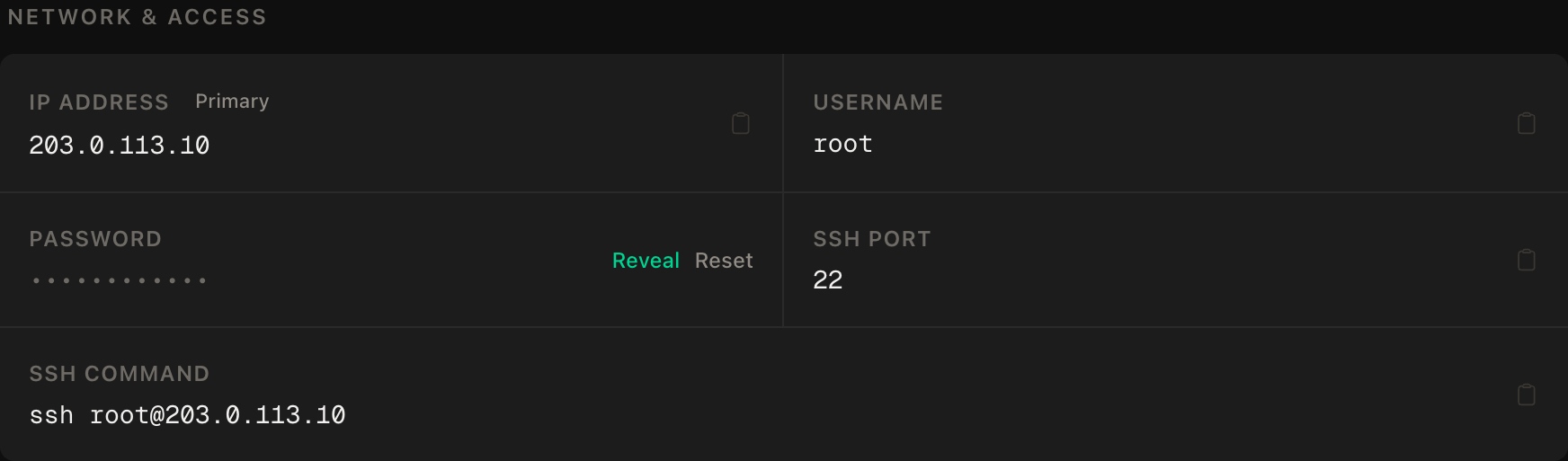
ssh command.SSH first, then the game port. If /var/run/reboot-required exists afterwards (ours did, after a kernel update), run reboot and reconnect.
apt update && apt upgrade -y
ufw allow OpenSSH
ufw allow 7777/udp
ufw --force enable
ufw status
7777/UDP is the game port. mschnitzer publishes only that, plus optional RCON on 27020/TCP, and says no query port is needed. The wiki also lists 7778/UDP and 27015/UDP; neither listened in our test, so we open only 7777.
One trap: Docker publishes container ports ahead of ufw's rules, which its documentation says effectively ignores your firewall. ufw protects SSH; the compose file in Step 4 decides what the game container exposes.
Step 3: Install Docker
We use Docker's apt repository; Docker says its convenience script is not for production.
apt install -y ca-certificates curl
install -m 0755 -d /etc/apt/keyrings
curl -fsSL https://download.docker.com/linux/ubuntu/gpg -o /etc/apt/keyrings/docker.asc
chmod a+r /etc/apt/keyrings/docker.asc

tee /etc/apt/sources.list.d/docker.sources <<EOF
Types: deb
URIs: https://download.docker.com/linux/ubuntu
Suites: $(. /etc/os-release && echo "${UBUNTU_CODENAME:-$VERSION_CODENAME}")
Components: stable
Architectures: $(dpkg --print-architecture)
Signed-By: /etc/apt/keyrings/docker.asc
EOF

apt update
apt install -y docker-ce docker-ce-cli containerd.io docker-buildx-plugin docker-compose-plugin
systemctl enable --now docker
docker run --rm hello-world
The other image's README says vm.max_map_count must be at least 262144; the mschnitzer README never mentions it. Our Ubuntu 24.04 default was 1048576 and the image ran untouched. Check yours, and raise it only if lower:
sysctl vm.max_map_count
# only if the number is below 262144:
sysctl -w vm.max_map_count=262144
echo "vm.max_map_count=262144" >> /etc/sysctl.conf
Step 4: Write the compose file
mkdir -p ~/asa-server && cd ~/asa-server
nano docker-compose.yml
Keep the folder name asa-server: Docker names the volumes after it, and the paths below depend on it.
This is the image's example, trimmed to one server. Ours differs: the image is pinned to 1.5.1 (newest numbered tag on 16 October 2026), the player limit is 10 not 50, RCON is published to the VPS only, cluster options are gone, and restart: unless-stopped is ours.
services:
  asa-server-1:
    container_name: asa-server-1
    hostname: asa-server-1
    entrypoint: "/usr/bin/start_server"
    user: gameserver
    image: "mschnitzer/asa-linux-server:1.5.1"
    restart: unless-stopped
    tty: true
    environment:
      - ASA_START_PARAMS=TheIsland_WP?listen?Port=7777?RCONPort=27020?RCONEnabled=True -WinLiveMaxPlayers=10
      - ENABLE_DEBUG=0
    ports:
      - 0.0.0.0:7777:7777/udp
      - 127.0.0.1:27020:27020/tcp
    depends_on:
      - set-permissions-1
    volumes:
      - steam-1:/home/gameserver/Steam:rw
      - steamcmd-1:/home/gameserver/steamcmd:rw
      - server-files-1:/home/gameserver/server-files:rw
      - cluster-shared:/home/gameserver/cluster-shared:rw
      - /etc/localtime:/etc/localtime:ro
    networks:
      asa-network:
  set-permissions-1:
    entrypoint: "/bin/bash -c 'chown -R 25000:25000 /steam ; chown -R 25000:25000 /steamcmd ; chown -R 25000:25000 /server-files ; chown -R 25000:25000 /cluster-shared'"
    user: root
    image: "opensuse/leap"
    volumes:
      - steam-1:/steam:rw
      - steamcmd-1:/steamcmd:rw
      - server-files-1:/server-files:rw
      - cluster-shared:/cluster-shared:rw
volumes:
  cluster-shared:
  steam-1:
  steamcmd-1:
  server-files-1:
networks:
  asa-network:
    attachable: true
    driver: bridge
    driver_opts:
      com.docker.network.bridge.name: 'asanet'
Three details:
ASA_START_PARAMSholds the map and launch options. Keep?listen, or the ports will not bind. The player limit is-WinLiveMaxPlayers; the README says the ini file's limit does not work.set-permissions-1sets volume ownership to 25000:25000, thegameserveruser the server runs as (docker exec asa-server-1 idconfirmed it).127.0.0.1:27020keeps RCON, the remote console, off the internet. Docker's default would publish it everywhere, past ufw. The image's tools run inside the container.
Step 5: First start, then stop
docker compose up -d
docker logs -f asa-server-1
The first start installs Steam, Proton and the game: 12.3 GB downloaded in about 100 seconds, 13 GB on disk. The Starting the ARK... line appeared after 2 minutes 45 seconds, and the game needed 40 more. Press Ctrl+C (the server keeps running) and wait for the game's own log:
docker exec asa-server-1 grep "Full Startup" server-files/ShooterGame/Saved/Logs/ShooterGame.logWhen it prints Full Startup: 42.06 seconds or similar, read the session name, then stop the server:
docker exec asa-server-1 cat server-files/ShooterGame/Saved/Config/WindowsServer/GameUserSettings.ini | grep SessionName
docker stop asa-server-1
Always stop the server before editing: the wiki says to close the game before changing the ini files.
Step 6: Configure the server
The settings files live in the Docker volume:
cd /var/lib/docker/volumes/asa-server_server-files-1/_data/ShooterGame/Saved/Config/WindowsServer
nano GameUserSettings.ini
Change SessionName=, near the bottom under [SessionSettings]. Under [ServerSettings] at the top, add the password lines; the first start already wrote the RCON lines from the launch options, so edit those instead:
ServerPassword=choose-a-join-password
ServerAdminPassword=choose-a-different-admin-password
RCONEnabled=True
RCONPort=27020
Until the admin password exists, nothing listens on RCON inside the container. Use no quotes, per the wiki. Set the admin password here, not on the command line, where the README reports problems. Never reuse a password.
The wiki also lists serverPVE (PvP off when true) and the XPMultiplier, TamingSpeedMultiplier and HarvestAmountMultiplier rates. Finer rules go in a Game.ini you create beside it, under [/script/shootergame.shootergamemode].
Start the server again:
cd ~/asa-server && docker compose up -dStep 7: Join
We could not join with a game client, so this step is untested. In the Unofficial list, tick the option that shows player servers (the README calls it "Show player server settings"), because only Nitrado servers show by default. Failing that, third-party guides describe a console command, once console access is enabled. They say it cannot take a password, so remove ServerPassword to test:
open YOUR_SERVER_IP:7777Step 8: Mods
ASA mods are CurseForge mods. Find the ID on the mod's page, then add -mods to ASA_START_PARAMS. The README's example:
-WinLiveMaxPlayers=10 -mods=12345,67891Run docker compose up -d; the server downloads mods on start (untested by us). A map mod needs its map name in place of TheIsland_WP: the README's example is Svartalfheim_WP with mod ID 893657. We found no mod memory figure, so add mods one at a time and watch docker stats.
For a cluster, the README gives a second server definition and a random -clusterid, never default.
Step 9: Saves, backups and restarts
The wiki says ShooterGame/Saved holds all tribe, player and world data, autosaved every 15 minutes (ours did). It contains Config, Logs, SavedArks, Cache and ServerMetrics. The world is SavedArks/TheIsland_WP/TheIsland_WP.ark:
ls -l /var/lib/docker/volumes/asa-server_server-files-1/_data/ShooterGame/Saved/SavedArks/TheIsland_WPOn first start that file is a 40 KB stub; the first saveworld made it 41 MB. Each save also leaves a timestamped .arkrbf copy, and the folder hit 370 MB after a handful of saves and restarts. Back up the whole Saved folder nightly. saveworld took 18 seconds on an empty world; allow longer for a busy one. It exits 0 and prints nothing even when RCON is down, so check the file's timestamp:
crontab -e10 3 * * * docker exec asa-server-1 asa-ctrl rcon --exec 'saveworld' ; sleep 60 ; mkdir -p /root/asa-backups && tar -czf /root/asa-backups/saved-$(date +\%F).tar.gz -C /var/lib/docker/volumes/asa-server_server-files-1/_data/ShooterGame Saved && find /root/asa-backups -name 'saved-*.tar.gz' -mtime +7 -delete
30 3 * * * docker exec asa-server-1 asa-ctrl rcon --exec 'serverchat Server restart in 30 minutes'
50 3 * * * docker exec asa-server-1 asa-ctrl rcon --exec 'serverchat Server restart in 10 minutes'
57 3 * * * docker exec asa-server-1 asa-ctrl rcon --exec 'serverchat Server restart in 3 minutes'
58 3 * * * docker exec asa-server-1 asa-ctrl rcon --exec 'saveworld'
0 4 * * * docker restart asa-server-1The last five lines are the README's daily restart schedule, and restarting is how updates arrive. Through cron, the first line made a 24 MB archive containing SavedArks. The archive includes GameUserSettings.ini, so both passwords: keep it private.
Run saveworld before stopping by hand. docker stop took 10.8 seconds and ended in exit code 137, a kill, with no shutdown message in the game log.
Updating
Back up, then restart; the image applies game updates on restart:
docker restart asa-server-1Allow two and a half minutes: the image re-verifies the install each time. The container also returned by itself after a reboot.
For a newer image, read the releases page, change the tag, and run docker compose up -d.
The supported route: a Windows VPS
For the wiki's setup, use Windows 10 22H2 or later, or Windows Server 2016, with the Visual C++ 2013 x64 and June 2010 DirectX runtimes. Fetch the server with SteamCMD (app ID 2430930) and use the wiki's launch options. Pick a Windows image in the deploy wizard if offered, starting from Quasar. We have not tested ASA on Windows.
Verify it works
It's running. docker ps shows asa-server-1 up, and the Full Startup grep from Step 5 says it is ready.
It's listening. ss -ulpn | grep 7777 shows the UDP port; docker port asa-server-1 shows RCON on 127.0.0.1 only.
You can join. Use the Unofficial list or the console command (no join password), and place something small.
It saves. Run saveworld, then docker restart asa-server-1, rejoin, and check your item survived. We could not run this one.
The negative control. From your own machine, test a port that must be closed:
nc -zv -w 5 YOUR_SERVER_IP 27020This must fail. Ours timed out, while port 22 connected and the same test against 127.0.0.1 on the server succeeded. If yours connects, check the ports lines. A throwaway container published on 0.0.0.0 with no ufw rule was reachable from outside, so Docker does bypass ufw.
Memory. Run docker stats --no-stream after a long session. Ours showed 10.5 GiB idle.
Troubleshooting
Not in the list. Allow five minutes, show player servers, and try the console command without a password. The repo has open reports (issues 144, 145).
High CPU and no start. Check lsb_release -a: the README says 22.04 fails this way.
Container crashes at start. Check vm.max_map_count and memory pressure.
An "Invalid platform" error on update. That is how the July 2026 issue looked; we never saw it. Check the issue tracker first.
Out of memory. Check dmesg | grep -i kill. Remove mods or move up a plan.
Settings keep reverting. You probably edited the ini files while the server ran. Stop it first.
Do it with an AI agent
Rather hand this to Claude Code, Cursor, or another coding agent? Don't paste the article at it; agents skim warnings and lose ordering. Copy this instead, and run it from your machine with an agent that can SSH out.
Prompt for an AI agent
Set up an Ark Survival Ascended dedicated server on a fresh Ubuntu 24.04 VPS
using Docker (image mschnitzer/asa-linux-server:1.5.1). The server is Windows-only
and runs under Proton in that image; it is NOT officially supported on Linux.

FILL IN BEFORE YOU START:
- SERVER_IP = <VPS IP from the PrivateByte dashboard>
- The join password and the admin password are MINE. You never see them.

WHAT TO DO:
1. SSH to root@SERVER_IP. Confirm Ubuntu 24.04 (not 22.04). Run "free -m" and
   tell me the RAM. If it is under 16 GB, STOP and tell me: it is too small.
   If it is 16 GB, warn me that it is the bare floor and 32 GB is recommended.
2. apt update && apt upgrade -y.
3. Firewall, in THIS EXACT ORDER:
       a) ufw allow OpenSSH
       b) ufw allow 7777/udp
       c) ufw --force enable
4. Install Docker from Docker's official apt repository for Ubuntu
   (docker-ce, docker-ce-cli, containerd.io, docker-buildx-plugin,
   docker-compose-plugin). Do NOT use get.docker.com. Enable the service.
5. Run "sysctl vm.max_map_count". Only if it is below 262144, run
   "sysctl -w vm.max_map_count=262144" and append
   "vm.max_map_count=262144" to /etc/sysctl.conf.
6. Create ~/asa-server/docker-compose.yml from the image README's example,
   one server only: container asa-server-1, image
   mschnitzer/asa-linux-server:1.5.1, restart unless-stopped, tty true,
   ASA_START_PARAMS=TheIsland_WP?listen?Port=7777?RCONPort=27020?RCONEnabled=True -WinLiveMaxPlayers=10,
   ENABLE_DEBUG=0, ports "0.0.0.0:7777:7777/udp" and
   "127.0.0.1:27020:27020/tcp" ONLY, the set-permissions-1 helper container
   (opensuse/leap, chown 25000:25000), the four named volumes, the asa-network
   with bridge name asanet. Do not use -clusterid.
7. docker compose up -d. Follow "docker logs -f asa-server-1" until the line
   "Starting the ARK: Survival Ascended dedicated server..." appears. That is
   NOT ready. Then wait until this prints a "Full Startup" line:
   docker exec asa-server-1 grep "Full Startup" server-files/ShooterGame/Saved/Logs/ShooterGame.log
   Only then docker stop asa-server-1. The first start is slow.
8. STOP and tell me to edit GameUserSettings.ini myself in
   /var/lib/docker/volumes/asa-server_server-files-1/_data/ShooterGame/Saved/Config/WindowsServer :
   set SessionName, and under [ServerSettings] set ServerPassword,
   ServerAdminPassword, RCONEnabled=True, RCONPort=27020. WAIT for my
   confirmation, then cd ~/asa-server && docker compose up -d.
9. Add a root crontab line at 03:10 daily that runs
   "docker exec asa-server-1 asa-ctrl rcon --exec 'saveworld'", sleeps 60, then
   tars the ShooterGame/Saved folder from the volume path above into
   /root/asa-backups/saved-DATE.tar.gz and deletes archives older than 7 days
   (escape % as \% in crontab).

RULES:
- Never print, echo or log either password. Never cat GameUserSettings.ini after
  I edit it. Container logs can contain launch arguments, so do not paste logs
  that include passwords.
- The ufw ordering in step 3 is not optional; enabling first locks me out.
- Open only 7777/udp. Never publish 27020 on 0.0.0.0. Docker bypasses ufw for
  published ports, so the compose file is what protects RCON.
- Nothing destructive. If ~/asa-server exists or an asa-server-1 container is
  running, STOP and ask: the volumes hold the world.
- Never edit the ini files while the container is running.
- Do not edit the game files in the volume.

VERIFY, AND SHOW ME THE OUTPUT OF EACH:
- "docker ps" -> asa-server-1 up
- "docker logs --tail 30 asa-server-1" -> the start line
- "ufw status" -> only OpenSSH and 7777/udp
- "ss -ulpn | grep 7777" -> the UDP port
- "docker port asa-server-1" -> 27020 shown as 127.0.0.1 only
- NEGATIVE CONTROL, from MY machine: "nc -zv -w 5 SERVER_IP 27020" -> MUST fail.
- "crontab -l" -> the backup line
- I join with the Unofficial list or "open SERVER_IP:7777" and confirm.

Do not tell me a step succeeded without showing the command output that proves
it. If a verification fails, stop and report the actual error. Do not retry
silently and do not improvise a workaround. In particular, never lower the
player limit or disable saves to make it start.
Two guardrails are worth stealing. The RAM check runs before anything is installed, and only you type the passwords, so they never pass through the agent.
If your group plays more games, V Rising and Enshrouded are other Windows servers on Linux, Palworld is memory-hungry too, and Minecraft is the evergreen.
Deploy your VPS
An Ark world that stays up while your tribe sleeps, with nightly backups. The Quasar plan covers the highest published memory figure with room to spare.
- Unmetered bandwidth, no overage
- Free DDoS protection
- Daily automated backups
- Browser console access
Common questions
Does Ark Survival Ascended have an official Linux server? No. The community wiki says the server requires Windows. On Linux it runs under Proton in a community image, unsupported, and an update can break it.
How much RAM does an ASA server need? The wiki says 8 to 10 GiB for an empty Island world; the two READMEs say about 13 GB and 16 GB. We measured 10.5 GiB idle. Busy or modded servers need more, and nobody publishes a figure. We recommend Quasar, with Pulsar as the floor.
Which ports does it use? 7777/UDP for the game, and optionally 27020/TCP for RCON. Nothing listened on the wiki's 7778 or 27015 in our test.
How do I add mods?
Add -mods= with CurseForge IDs to the start parameters and restart. Map mods need their map name too.
Can I charge people to join? Not by default. The wiki limits self-hosted servers to personal, non-commercial use unless you get a licence from Nitrado. Read it before taking any money.