A dedicated V Rising server keeps your castle and your clan's world running while you sleep, and lets friends play without anyone's gaming PC acting as host. This guide sets one up on a VPS with Docker in about 30 minutes. It also tells you plainly that the server was not built for Linux.
Using an AI coding agent? There's a ready-made prompt at the end of this guide. Copy that instead of this article.
The honest bit first: this runs on Wine
Stunlock Studios' own instructions say it directly: "At the moment there is only a Windows version of the server available." There is no official Linux build.
So how does everyone run it on Linux? With Wine, a compatibility layer that lets Windows programs run on Linux, packaged inside community-maintained Docker images. We use one called trueosiris/vrising. It runs the real Windows server, and plenty of people host this way.
What that means in practice:
- It isn't officially supported. If something breaks, Stunlock's instructions won't cover it. The image maintainers' notes will.
- Updates can break it. A game patch may need a newer Wine, or a newer image, before the server starts again. The image documents a
winehqtag for that situation. - The first start is slow. The image's documentation warns that launching can take up to ten minutes, longer with an existing save. Wait for it before assuming it is broken.
- The log is noisy. Wine prints plenty of warnings. Most are harmless, and the image maintainers say so.
The only way to avoid the layer is a Windows machine, which costs more and takes more work. Most people accept the caveats above.
Sizing, honestly
Stunlock's own instruction pages list no hardware figures at all. The figure that gets repeated is 16 GB of RAM, a quad-core CPU and about 5 GB of disk, widely reported as coming from Stunlock. We could only confirm it through press coverage, not from the instructions themselves. Hosting companies that publish their own numbers say 8 GB minimum and 16 GB recommended. Nobody we found claims 4 GB works.
Wine adds some overhead, and we have no measurement of how far memory grows over a long session, so we won't invent one.
- Pulsar (16 GB) is our recommendation. It matches the widely reported figure and leaves room for Wine, a full 40-slot server and a world that grows.
- Comet (8 GB) is the floor for a small clan. Expect to watch memory and restart now and then.
- Orbit (4 GB) and below are not enough. Don't try.
After a long evening of play, run docker stats --no-stream. That tells you whether you picked right.
What you'll need
- A PrivateByte VPS. We recommend Pulsar ($27.99/mo: 6 vCPU, 16 GB RAM, 200 GB SSD), or Comet ($15.99/mo: 4 vCPU, 8 GB RAM, 100 GB SSD) for a small group.
- V Rising on Steam for you and your friends.
- Your SteamID64, for the admin list. Look it up from your Steam profile URL.
- About 30 minutes, plus the slow first start. Every command is copy-paste.
Step 1: Deploy your VPS
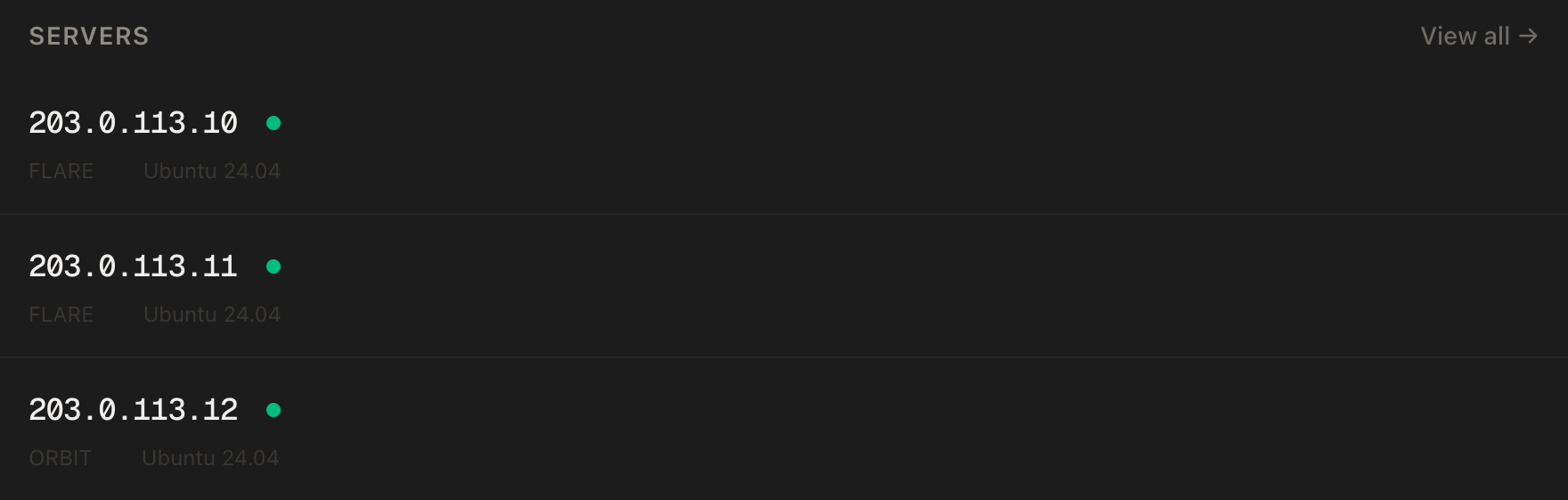
In the PrivateByte dashboard, open the store, choose Pulsar, pick Ubuntu 24.04, and deploy. It is usually ready in a few minutes. Pick the region closest to most of your players, because game servers feel every millisecond.
Step 2: Connect and set the firewall
ssh root@YOUR_SERVER_IP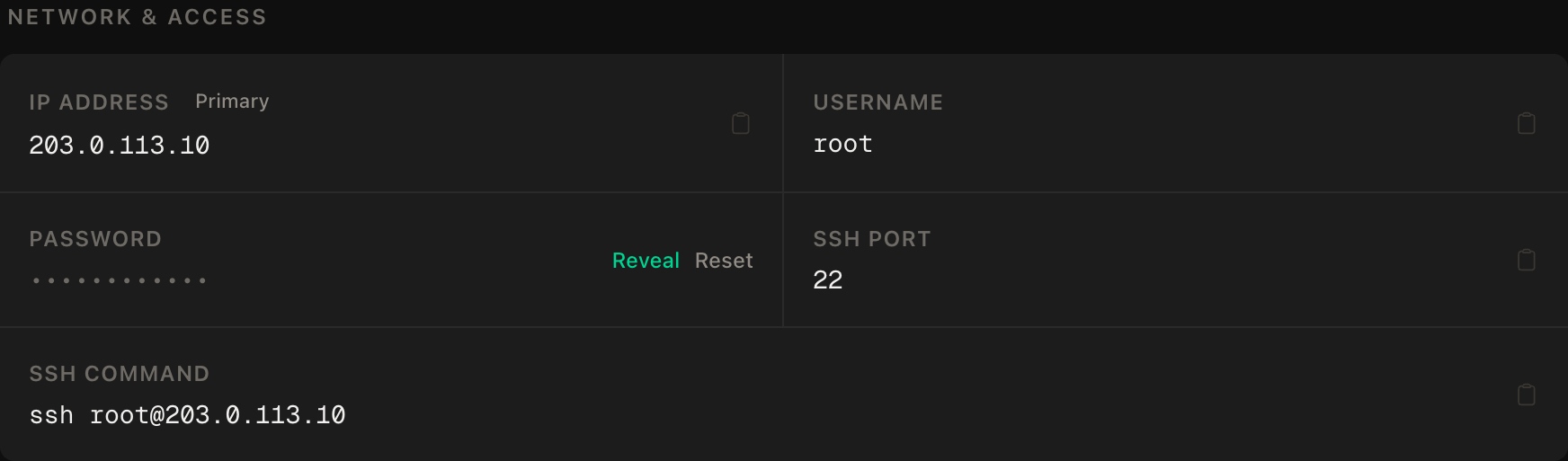
ssh command.SSH first, then the two game ports, then enable:
apt update && apt upgrade -y
ufw allow OpenSSH
ufw allow 9876/udp
ufw allow 9877/udp
ufw --force enable
ufw status
9876/UDP is the game port and 9877/UDP is the query port, the one Steam uses to list the server. Both are UDP, so a TCP rule won't help. They are the ports the community image documents. Stunlock's instructions use 27015 and 27016 only as example values, so the numbers are simply whatever your settings file says. The ports must be public, because players connect straight to them. RCON, the remote console, stays closed.
Step 3: Install Docker
curl -fsSL https://get.docker.com | sh
systemctl enable --now docker
Step 4: Write the compose file
mkdir -p ~/vrising && cd ~/vrising
nano docker-compose.yml
services:
vrising:
image: trueosiris/vrising
container_name: vrising-server
restart: unless-stopped
stop_grace_period: 60s
environment:
TZ: "Europe/London"
SERVERNAME: "My V Rising Server"
WORLDNAME: "world1"
WINEDEBUG: "fixme-all"
volumes:
- ./server:/mnt/vrising/server
- ./persistentdata:/mnt/vrising/persistentdata
ports:
- "9876:9876/udp"
- "9877:9877/udp"Two folders matter. ./server holds the game files that Steam downloads, and the image overwrites them on updates. ./persistentdata holds your settings and your world. That second folder is the one you back up.
Step 5: Start it, then stop it again
docker compose up -d
docker compose logs -f
The first start downloads the server and creates the settings files. This is the slow part. Once the files appear in ./persistentdata, press Ctrl+C to stop watching the log. The server keeps running. Then stop it, because you want to edit the settings before anyone joins:
docker compose stop
ls persistentdata/Settings
You should see ServerHostSettings.json and ServerGameSettings.json. If the folder is empty, wait for the first start to finish and look again.
Step 6: Configure the server
Stunlock's instructions say the two files live in the Settings folder under the persistent data path. Edit the host file first:
nano persistentdata/Settings/ServerHostSettings.jsonThe settings that matter, as named in Stunlock's instructions:
Nameis what appears in the server list.Passwordis what friends type to join. Set one. Don't reuse it from anywhere else.MaxConnectedUsersis the player cap. Stunlock's example is 40, and memory is the practical limit, so lower it on Comet.ListOnSteamregisters the server on Steam's list. Set it tofalsefor a private clan server, and friends join by IP.Secureenables VAC protection. Players with VAC bans can't connect while it is on.AutoSaveInterval,AutoSaveCountandAutoSaveSmartKeepcontrol autosaves.
Leave the Rcon block disabled. Stunlock describes RCON as having limited functionality, and nothing in this setup needs it.
Autosave. AutoSaveInterval is the number of seconds between saves, and AutoSaveCount is how many autosaves are kept. Stunlock's examples are 120 seconds and 20 saves. They are examples, and we couldn't find a stated default, so set both yourself. Shorter intervals lose less work after a crash and cost a small hitch each time. AutoSaveSmartKeep is an advanced rule for thinning old saves, and you can ignore it.
Admins. Create the admin list, one SteamID64 per line:
echo "YOUR_STEAMID64" >> persistentdata/Settings/adminlist.txtThe official location is adminlist.txt in the Settings folder. Anyone listed has admin rights on the server, so list only people you trust.
The game settings file, ServerGameSettings.json, holds the rules: PvP or PvE, clan size, loot and blood rates. The community image warns that without your own files, a PvP server is created with built-in defaults, so open it and choose deliberately. Then start the server again:
docker compose up -dStep 7: Join
Wait for the long first start to finish. In V Rising, open Online Play, then Direct Connect, and enter YOUR_SERVER_IP:9876. If you listed it on Steam, search for the name instead.
One known quirk from the image maintainers: with a password set, joining through the Steam list can fail, so use the in-game server list or Direct Connect.
Step 8: Where the saves are, and backing them up
Saves live under your persistent data folder, in Saves/v4/ with one subfolder per world, named after your save. In our layout that is:
~/vrising/persistentdata/Saves/v4/Autosaves protect you from a crash. They don't protect you from a dead disk or a corrupted world. Add a nightly copy with cron:
crontab -e30 4 * * * mkdir -p /root/vrising-backups && tar -czf /root/vrising-backups/saves-$(date +\%F).tar.gz -C /root/vrising/persistentdata Saves && find /root/vrising-backups -name 'saves-*.tar.gz' -mtime +14 -deleteThat keeps two weeks of archives. Copy them off the server now and then, because a backup on the same disk shares its fate.
Updating
Game updates need a matching server. The image fetches server files on start, so restart it after an official patch:
cd ~/vrising && docker compose pull && docker compose up -dBack up first. If the server fails to start after a patch, it is often the Wine layer. Check the image's notes, and try its winehq tag.
Verify it works
It's running. docker compose ps shows the container as running, and docker compose logs --tail 50 stops scrolling after the long first start.
It's listening. ss -ulpn | grep -E ':(9876|9877)' shows both UDP ports.
You can join. Connect by IP and port, enter the password, and build something small.
It saves. Wait one autosave interval, restart with docker compose restart vrising, rejoin, and check that your work is there.
Backups exist. After 04:30, ls /root/vrising-backups shows a dated archive.
The negative control. From your own machine, check a port that should be closed:
nc -zv -w 5 YOUR_SERVER_IP 25575This must fail. RCON's example port is 25575, and it should not be reachable. If it connects, something opened it, so check ufw status and your compose file.
Memory, honestly. Run docker stats --no-stream after a long session and note the number. That is your real headroom.
Troubleshooting
Nothing happens for ages after the first start. Normal, up to ten minutes. Watch the logs.
You can't find the server in the list. Check ListOnSteam, the query port rule for 9877/UDP, and remember that listing can take a while. Direct Connect with the IP always works if the game port is open.
Friends can't connect. Check that 9876/udp is in ufw status and in the compose ports. Joining a passworded server through the Steam list can fail, so try Direct Connect.
Wine errors in the log. Most are noise. If you see an assertion failure that stops the server, the image notes suggest the winehq tag for a newer Wine.
Out of memory. Look in docker stats and dmesg | grep -i kill. Lower MaxConnectedUsers, or move from Comet to Pulsar.
The world is empty after a move. Move ./persistentdata along with the compose file.
Do it with an AI agent
If you'd rather hand this to Claude Code, Cursor, or another coding agent, don't paste the article at it. Agents skim warnings and lose ordering. Copy this instead, and run it from your own machine with your agent able to SSH out.
Prompt for an AI agent
Set up a dedicated V Rising server on a fresh Ubuntu 24.04 VPS using Docker
(image trueosiris/vrising). The server is Windows-only and runs under Wine in
that image; it is not officially supported on Linux.

FILL IN BEFORE YOU START:
- SERVER_IP = <VPS IP from the PrivateByte dashboard>
- ADMIN_STEAMID64 = <my SteamID64, for the admin list>
- The server password is MINE. You never see it.

WHAT TO DO:
1. SSH to root@SERVER_IP. Confirm Ubuntu 24.04. Run "free -m" and tell me the
   RAM. If it is under 8 GB, STOP and tell me: it is too small. If it is
   8 GB, warn me that 16 GB is the figure widely reported for this server.
2. apt update && apt upgrade -y.
3. Firewall, in THIS EXACT ORDER:
       a) ufw allow OpenSSH
       b) ufw allow 9876/udp
       c) ufw allow 9877/udp
       d) ufw --force enable
   Do NOT open 25575 (RCON) or any TCP port.
4. Install Docker from https://get.docker.com and enable it.
5. Create ~/vrising/docker-compose.yml: image trueosiris/vrising, restart
   unless-stopped, stop_grace_period 60s, env TZ, SERVERNAME, WORLDNAME world1,
   WINEDEBUG fixme-all, volumes ./server:/mnt/vrising/server and
   ./persistentdata:/mnt/vrising/persistentdata, ports "9876:9876/udp" and
   "9877:9877/udp" only.
6. docker compose up -d. The first start is slow (up to about ten minutes).
   Wait until ./persistentdata/Settings contains ServerHostSettings.json and
   ServerGameSettings.json, then docker compose stop.
7. Append ADMIN_STEAMID64 to persistentdata/Settings/adminlist.txt.
8. STOP and tell me to edit ServerHostSettings.json myself: set Password, set
   ListOnSteam to false, choose MaxConnectedUsers and the autosave values, and
   keep Rcon disabled. Also tell me to review ServerGameSettings.json.
   WAIT for my confirmation. Then docker compose up -d.
9. Add a root crontab line at 04:30 daily that tars
   /root/vrising/persistentdata/Saves into /root/vrising-backups/saves-DATE.tar.gz
   and deletes archives older than 14 days (escape % as \% in crontab).

RULES:
- Never print, echo or log the server password. Never cat
  ServerHostSettings.json after I edit it.
- The ufw ordering in step 3 is not optional; enabling first locks me out.
- Open only 9876/udp and 9877/udp. Do not enable RCON.
- Nothing destructive. If ~/vrising exists or a vrising container is running,
  STOP and ask: persistentdata is the world save.
- Do not edit the game files under ./server.

VERIFY, AND SHOW ME THE OUTPUT OF EACH:
- "docker compose ps" -> running
- "docker compose logs --tail 30" -> after the first start settles
- "ufw status" -> only OpenSSH, 9876/udp, 9877/udp
- "ss -ulpn | grep -E ':(9876|9877)'" -> both UDP ports
- NEGATIVE CONTROL, from MY machine: "nc -zv -w 5 SERVER_IP 25575" -> MUST fail.
- "crontab -l" -> the backup line
- I join with Direct Connect at SERVER_IP:9876 and confirm.

Do not tell me a step succeeded without showing the command output that proves
it. If a verification fails, stop and report the actual error. Do not retry
silently and do not improvise a workaround. In particular, never lower the
RAM settings or disable autosave to make it start.
Two guardrails are worth stealing. The RAM check happens before anything is installed, so an undersized box is a decision, not a crash. And the password is something only you type, so the one secret in the setup never passes through the agent.
If your group plays more than one game, hosting a Valheim server uses a similar Docker pattern, the Palworld guide covers another memory-hungry one, Satisfactory is the other sizing story, and the Minecraft guide is the evergreen.
Deploy your VPS
A V Rising world that stays up while your clan sleeps, with nightly backups behind it. The Pulsar plan matches the widely reported memory figure and leaves room for Wine.
- Unmetered bandwidth, no overage
- Free DDoS protection
- Daily automated backups
- Browser console access
Common questions
Does V Rising have an official Linux server? No. Stunlock's instructions say only a Windows server is available. On Linux, the Windows server runs under Wine inside a community Docker image. It works for many people, but it isn't officially supported and a patch can break it until the image catches up.
How much RAM does a V Rising server need?
Stunlock's instruction pages list no hardware figures. 16 GB is widely reported as the requirement, and hosting companies say 8 GB minimum and 16 GB recommended. Start with Pulsar, or Comet for a small group, and check docker stats after a long session.
Which ports does it use? 9876 for the game and 9877 for the query, both UDP, as documented by the community image. Stunlock's examples use other numbers, so the ports are whatever your settings file says.
How do I make myself admin?
Add your SteamID64 to adminlist.txt in the Settings folder, one ID per line, then restart the server.
Can I keep it off the Steam server list?
Yes. Set ListOnSteam to false in ServerHostSettings.json, and friends join by IP with Direct Connect.
Where are my saves, and how often do they happen?
Under Saves/v4/ in your persistent data folder. AutoSaveInterval sets the seconds between autosaves and AutoSaveCount how many are kept. Set both deliberately, and keep a nightly backup as well.