Every useful AI agent needs to search the web, and the moment you wire that up you hit a choice: pay per query through someone's search API, or hand every question your agent asks to a third party for free. SearXNG is the third option — a self-hosted metasearch engine that queries the big engines, merges the results, and returns them as JSON to anything on your network. No key, no bill, no log of your agent's questions anywhere but your own server. About 20 minutes on a VPS, and it stays private by construction.
Using an AI coding agent? There's a ready-made prompt at the end of this guide. Copy that instead of this article.
What SearXNG is — and isn't
It isn't a private index of the web. It's a metasearch layer: your query goes out to Google, Bing, DuckDuckGo, Wikipedia and whichever engines you enable, and comes back merged and de-duplicated. The privacy is about who sees the query — the engines see your server's IP asking, not your agent, your API key or your account.
Which leads to the rule this guide is built on: a SearXNG instance open to the internet gets found and hammered by bots within days, and then the upstream engines rate-limit or block your server's IP, and your agent's search silently degrades. So nothing here is public. The instance binds to localhost and your VPN address only; agents on the same box use 127.0.0.1, agents elsewhere come in over WireGuard.
What you'll need
- A PrivateByte VPS. The Flare plan ($5.99/mo: 1 vCPU, 2 GB RAM, 25 GB SSD) — SearXNG is light; it's a proxy, not an index.
- WireGuard already running if agents on other machines will use it — our WireGuard guide puts the server at
10.8.0.1, and this article assumes that. Skip it if everything lives on this one box. - About 20 minutes. Every command is copy-paste.
Step 1: Deploy your VPS
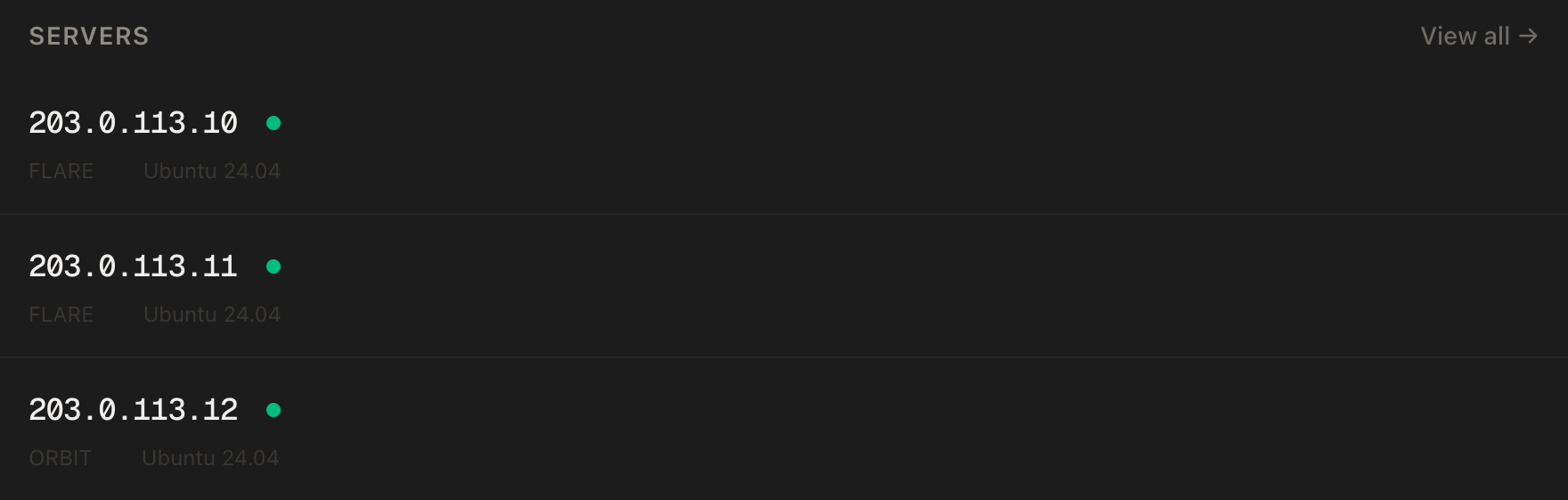
In the PrivateByte dashboard, open the store, choose Flare, pick Ubuntu 24.04, and deploy. Ready in a few minutes.
Step 2: Connect, firewall, Docker
ssh root@YOUR_SERVER_IP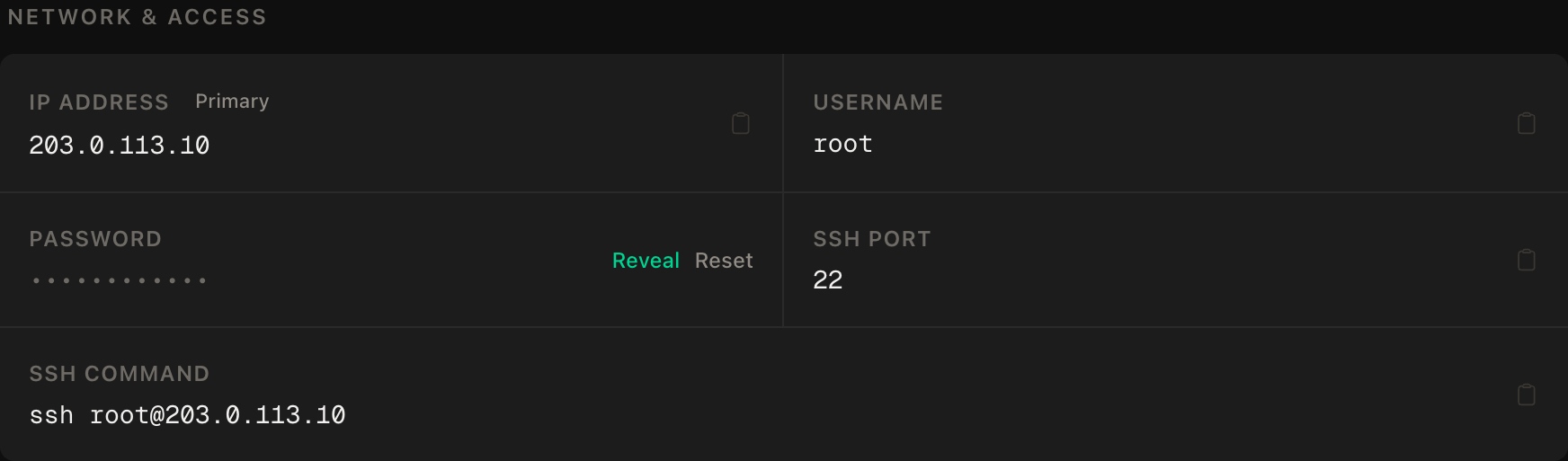
ssh command.SSH first, then enable. No web ports — the search engine is not public:
apt update && apt upgrade -y
ufw allow OpenSSH
ufw --force enable
curl -fsSL https://get.docker.com | sh
systemctl enable --now docker
Step 3: Write the settings — JSON on, secret set
mkdir -p ~/searxng/config ~/searxng/data && cd ~/searxng
openssl rand -hex 32 > .secret && chmod 600 .secret
nano config/settings.yml
use_default_settings: true
server:
limiter: false # bot protection needs Valkey; pointless when not public
image_proxy: false
search:
formats:
- html
- json # OFF by default — this line is what makes it an API
ui:
static_use_hash: trueTwo lines carry this file. json in formats — SearXNG ships with HTML only, and every "SearXNG returns 403 to my script" thread on the internet is this line missing. And limiter: false: the bot limiter needs a Valkey database and exists to protect public instances; ours isn't one, so it's an extra container for nothing.
use_default_settings: true means everything you don't mention keeps the project's defaults — engines, categories, the lot — so this file stays four settings long instead of four hundred.
Step 4: The compose file — bound to private addresses only
nano docker-compose.ymlservices:
searxng:
image: docker.io/searxng/searxng:latest
restart: unless-stopped
ports:
- "127.0.0.1:8888:8080"
- "10.8.0.1:8888:8080" # remove this line if you don't run WireGuard
volumes:
- ./config:/etc/searxng
- ./data:/var/cache/searxng
environment:
SEARXNG_BASE_URL: http://127.0.0.1:8888/
env_file:
- .envecho "SEARXNG_SECRET=$(cat .secret)" > .env && chmod 600 .envThe two ports: lines with address prefixes are the entire security model, exactly as in our Pi-hole guide: a bare "8888:8080" publishes to every interface and you've built the public instance from the top of this guide. SEARXNG_SECRET sets the server's secret_key, which must not be the default — the container reads it from the environment, so it never sits in settings.yml.
Step 5: Start it
docker compose up -d
docker compose logs --tail 20 searxng
ss -tlnp | grep 8888
Every ss line must show 127.0.0.1:8888 or 10.8.0.1:8888. A 0.0.0.0:8888 line means a prefix went missing — fix it now, not after the first bot finds it.
Step 6: Query it as an API
From the server itself:
curl -s "http://127.0.0.1:8888/search?q=privatebyte+vps&format=json" | head -c 800You get JSON: a results array with title, url, content per hit, plus suggestions and which engines answered. That is the entire API. From an agent on another machine over the VPN, swap in 10.8.0.1.
A tool for the Anthropic SDK is about ten lines:
import requests
from anthropic import beta_tool

@beta_tool
def web_search(query: str) -> str:
    """Search the web via the private SearXNG instance. Returns top results as text.

    Args:
        query: The search query.
    """
    r = requests.get("http://127.0.0.1:8888/search",
                     params={"q": query, "format": "json"}, timeout=15)
    r.raise_for_status()
    hits = r.json().get("results", [])[:8]
    return "\n\n".join(f"{h['title']}\n{h['url']}\n{h.get('content','')}" for h in hits) or "no results"
Drop that into any tool-runner agent and it can search; for OpenClaw, point its web-search tool at the same 127.0.0.1:8888 endpoint.
Verify it works
It searches. The curl in Step 6 returns results with real URLs.
JSON is actually enabled. Same request with format=json returns JSON, not a 403 — the negative control is to temporarily remove - json from settings.yml, docker compose restart, and watch the same request fail. Put it back. Now you know what that failure looks like before an agent shows it to you.
The negative control: it is NOT public. From your machine, VPN disconnected:
curl -m 5 http://YOUR_SERVER_PUBLIC_IP:8888/This must fail. Any response means the bind prefixes are gone.
It survives a reboot. reboot, wait a minute, re-run the Step 6 curl.
Troubleshooting
403 Forbidden on format=json. The formats list in settings.yml doesn't include json, or the file isn't being read — check docker compose logs searxng mentions your settings, and that the file is at ~/searxng/config/settings.yml exactly.
Results are empty or only one engine answers. Upstream engines throttle new IPs sometimes; wait a minute and retry. If it persists, open http://127.0.0.1:8888/preferences through a tunnel and look at which engines are erroring. Disable the flaky ones.
ss shows 0.0.0.0:8888. The ports: prefix was dropped. Fix the compose file and docker compose up -d --force-recreate.
cannot assign requested address on start. The 10.8.0.1 line is present but WireGuard isn't up, so that address doesn't exist. Bring wg0 up first, or remove the line if you don't use a VPN.
Every search suddenly returns nothing. Your server's IP has been rate-limited by an upstream engine — the classic symptom of the instance having been public, or of an agent looping on searches. Check the bind, check the agent's turn cap, and give it an hour.
Agents get stale results. SearXNG caches nothing by default, but your agent might. Nothing to fix here; check the calling code.
Do it with an AI agent
If you'd rather hand this to Claude Code, Cursor, or another coding agent, don't paste the article at it. Articles are written for humans, and agents skim the warnings and lose the ordering. Copy this instead, and run it from your own machine with your agent able to SSH out.
Prompt for an AI agent
Set up SearXNG on a fresh Ubuntu 24.04 VPS as a PRIVATE JSON search API for
AI agents: Docker, bound to localhost (and the WireGuard address if present),
never reachable from the public internet, JSON output enabled.

FILL IN BEFORE YOU START:
- SERVER_IP = <VPS public IP from the PrivateByte dashboard>
- VPN_IP    = <the server's WireGuard address, 10.8.0.1 in our guide, or NONE>

WHAT TO DO:
1. SSH to root@SERVER_IP. Confirm Ubuntu 24.04.
2. Firewall: "ufw allow OpenSSH" FIRST, then "ufw --force enable". Open no
   other ports — nothing here is public.
3. Install Docker from https://get.docker.com; enable the service.
4. Create ~/searxng/config and ~/searxng/data. Generate a secret with
   "openssl rand -hex 32" into ~/searxng/.env as SEARXNG_SECRET=... (chmod 600).
5. Write ~/searxng/config/settings.yml with: use_default_settings: true;
   server.limiter: false; server.image_proxy: false; search.formats: [html,
   json]. The json entry is REQUIRED — without it the API returns 403.
6. Write ~/searxng/docker-compose.yml: image docker.io/searxng/searxng:latest,
   restart unless-stopped, ports "127.0.0.1:8888:8080" and, only if VPN_IP is
   set, "VPN_IP:8888:8080"; volumes ./config:/etc/searxng and
   ./data:/var/cache/searxng; environment SEARXNG_BASE_URL=http://127.0.0.1:8888/;
   env_file .env.
7. docker compose up -d.

RULES:
- Every published port MUST carry an address prefix (127.0.0.1 or VPN_IP).
  Never publish "8888:8080" bare and never use 0.0.0.0. A public SearXNG gets
  its upstream engines blocked within days. If a bind to VPN_IP fails, remove
  that line and tell me — do not widen it.
- Never print the secret. Tell me the file exists.
- Do not modify WireGuard or ufw beyond step 2.
- Nothing destructive. If ~/searxng exists or a searxng container is running,
  STOP and ask.

VERIFY, AND SHOW ME THE OUTPUT OF EACH:
- "docker compose ps" -> running
- "ss -tlnp | grep 8888" -> only 127.0.0.1 and/or VPN_IP lines; no 0.0.0.0
- from the server: curl "http://127.0.0.1:8888/search?q=test&format=json"
  -> JSON with a results array (not 403)
- THE NEGATIVE CONTROL, from MY machine, VPN disconnected:
      curl -m 5 http://SERVER_IP:8888/
  -> MUST fail or time out. Any response means the instance is public; stop
  and tell me.
- reboot, wait 60 s, repeat the JSON curl -> works

Do not tell me a step succeeded without showing the command output that proves
it. If a verification fails, stop and report the actual error. Do not retry
silently and do not improvise a workaround — in particular never publish the
port on all interfaces to "test it first".
Two things in that prompt are worth stealing for your own agent work. The consequence of the forbidden shortcut is spelled out in the rule itself — not "don't bind to 0.0.0.0" but why, in one clause — because an agent weighing "the user's instruction" against "the thing that would make the test pass" needs the cost on the scale. And the JSON check is tested in the direction that matters: an API that returns 403 is indistinguishable from "search is down" to an agent, so you want to have seen that failure with your own eyes first.
This is the search half of a self-hosted agent stack: pair it with a headless browser for reading the pages it finds, inside the OpenClaw agent that ties the tools together.
Deploy your VPS
A search API your agents can hit ten thousand times a day, with no key to leak, no per-query invoice and no log of what they asked anywhere but a server you own — on the cheapest plan there is.
The Flare plan is exactly enough; SearXNG shares the box with WireGuard and a small agent without noticing.
- Unmetered bandwidth, no overage
- Free DDoS protection
- Daily automated backups
- Browser console access
Common questions
Is this actually private? From the third party's side, yes: the engines see queries from your server's IP with no account attached. From your side, the query log is whatever you choose to keep — SearXNG itself logs nothing about queries by default. The engines still answer the question, so it's privacy from attribution, not from observation of the query text.
Why not just use a search API? They're fine — and metered, keyed, and rate-limited by someone else's plan. For an agent that searches hundreds of times a day, a self-hosted instance removes the bill and the key; the trade is that upstream engines may throttle your server if you hammer them, which is why the guide keeps it private.
Can several agents and machines share it?
That's what the WireGuard bind is for. Every peer on the VPN reaches 10.8.0.1:8888; nothing else can. One instance, all your agents.
Why is the limiter off? It exists to fend off bots on public instances and needs a Valkey database to work. A private instance has no bots to fend off, so it's a dependency with no job.
Can I turn on more engines?
Yes — settings.yml under engines: enables and disables them individually, and the /preferences page shows which ones are healthy. Fewer, reliable engines beat many flaky ones for an agent, which just wants a good top eight.