AI agents keep hitting the same wall: the page they need is rendered by JavaScript, behind a cookie banner, or only makes sense as a screenshot — and curl returns a skeleton. The fix is a headless browser they can call: Playwright driving Chromium on a VPS, wrapped in a tiny private API that returns page text or a screenshot. This guide builds it in Python in about 30 minutes, keeps it off the public internet, and is honest about the one resource a browser actually eats.
Using an AI coding agent? There's a ready-made prompt at the end of this guide. Copy that instead of this article.
Two things to decide before you start
RAM is the constraint, not CPU. A Chromium page costs roughly 150–300 MB while it's open. The service below keeps one browser warm and opens a fresh context per request, then closes it — so memory stays flat — but two or three concurrent renders on a 2 GB box is the ceiling. Orbit (4 GB) is the honest recommendation; Flare works for a single agent that renders one page at a time.
This API is never public. "Render any URL I give you" is, from the internet's point of view, an open proxy that will fetch internal addresses, metadata endpoints and anything else an attacker types. So it binds to 127.0.0.1 only and you reach it over an SSH tunnel or a WireGuard VPN. There is also a bearer token — even on localhost — so a later "let me just bind it wider for a minute" doesn't turn into an incident.
What you'll need
- A PrivateByte VPS. We recommend Orbit ($7.99/mo: 2 vCPU, 4 GB RAM, 50 GB SSD).
- About 30 minutes. Every command is copy-paste.
- Optional: if the pages you need block datacenter IPs, our scraper guide covers routing Playwright through rotating proxies.
Step 1: Deploy your VPS
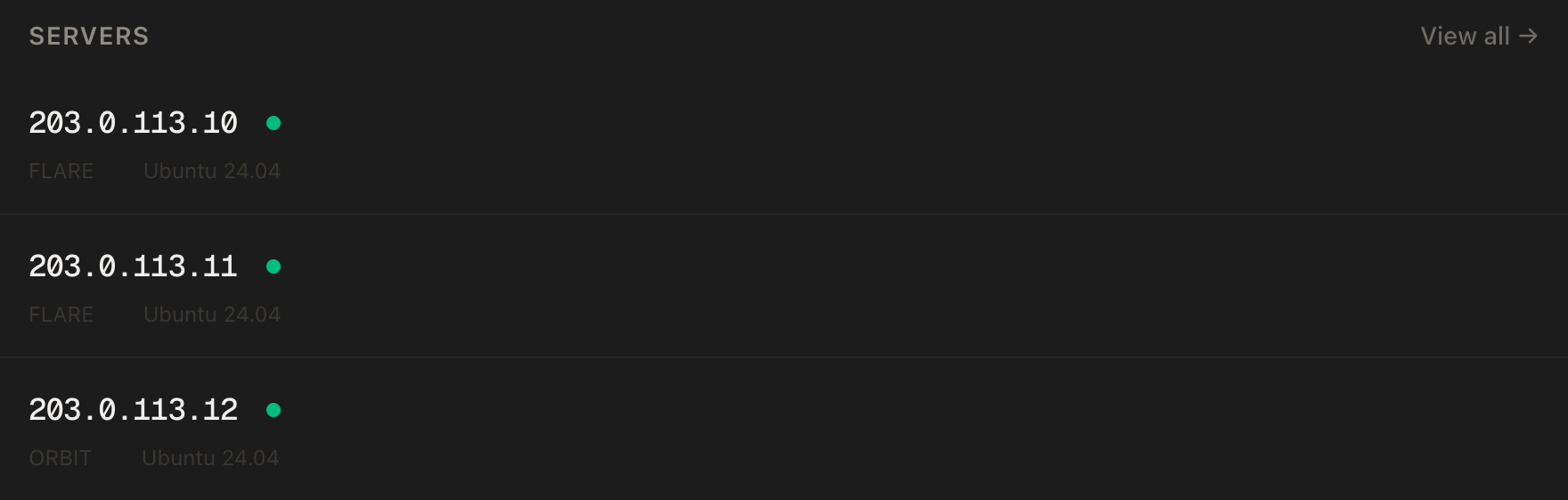
In the PrivateByte dashboard, open the store, choose Orbit, pick Ubuntu 24.04, and deploy. Ready in a few minutes.
Step 2: Connect and set the firewall
ssh root@YOUR_SERVER_IP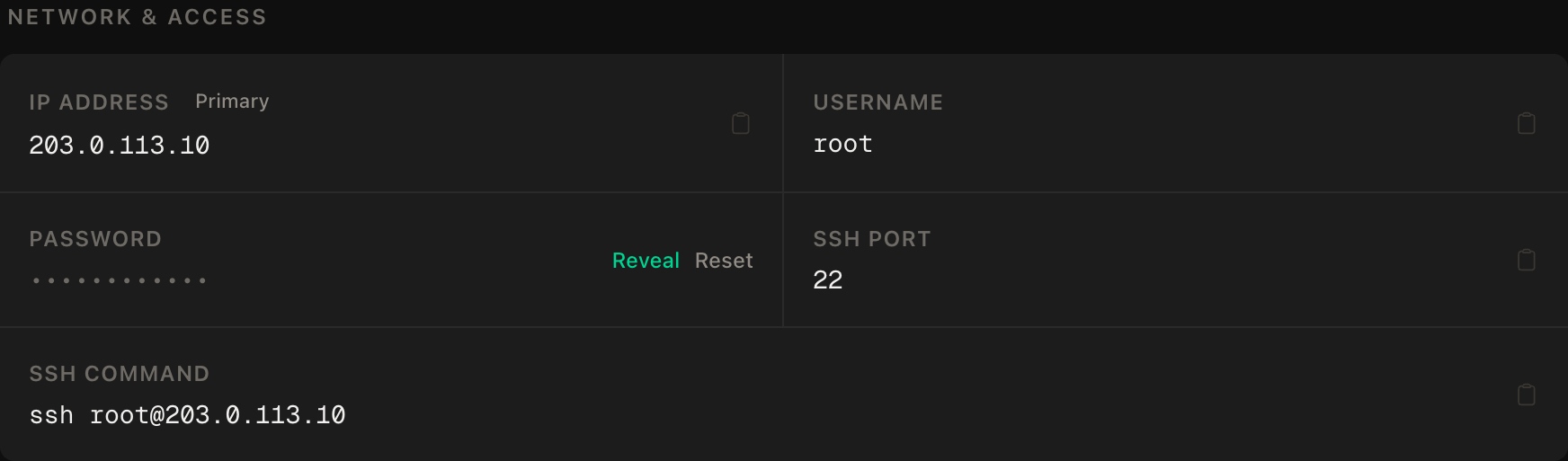
ssh command.SSH first, then enable. No web ports — nothing here is public:
apt update && apt upgrade -y
apt install -y python3 python3-venv
ufw allow OpenSSH
ufw --force enable
adduser --disabled-password --gecos "" browser
rsync --archive --chown=browser:browser ~/.ssh /home/browser
Step 3: Install Playwright and Chromium
Browser system libraries are installed as root; the Python side runs as browser. First, as root, the system dependencies:
python3 -m venv /opt/pw && /opt/pw/bin/pip install playwright
/opt/pw/bin/playwright install-deps chromium
Then as browser (su - browser):
cd ~ && python3 -m venv .venv && source .venv/bin/activate
pip install playwright fastapi uvicorn
playwright install chromium
The split is deliberate: install-deps touches the OS and needs root; install chromium downloads the browser into the user's own cache and doesn't.
Step 4: The service
Still as browser:
openssl rand -hex 24 > ~/.token && chmod 600 ~/.token && cat ~/.token
nano ~/render.py
Keep the printed token — your agent will send it.
import base64, os
from pathlib import Path
from fastapi import FastAPI, Header, HTTPException
from pydantic import BaseModel
from playwright.async_api import async_playwright

TOKEN = Path.home().joinpath(".token").read_text().strip()
MAX_CONCURRENT = 2

app = FastAPI()
_pw = _browser = None
_slots = None

class RenderRequest(BaseModel):
    url: str
    wait_ms: int = 1500
    screenshot: bool = False

def check(auth: str | None):
    if auth != f"Bearer {TOKEN}":
        raise HTTPException(status_code=401, detail="bad token")

@app.on_event("startup")
async def start():
    global _pw, _browser, _slots
    import asyncio
    _slots = asyncio.Semaphore(MAX_CONCURRENT)
    _pw = await async_playwright().start()
    _browser = await _pw.chromium.launch()      # headless by default

@app.on_event("shutdown")
async def stop():
    await _browser.close(); await _pw.stop()

@app.post("/render")
async def render(req: RenderRequest, authorization: str | None = Header(default=None)):
    check(authorization)
    if not req.url.startswith(("http://", "https://")):
        raise HTTPException(status_code=400, detail="http(s) URLs only")
    async with _slots:
        context = await _browser.new_context(viewport={"width": 1280, "height": 900})
        try:
            page = await context.new_page()
            await page.goto(req.url, wait_until="domcontentloaded", timeout=30000)
            await page.wait_for_timeout(req.wait_ms)
            text = await page.evaluate("document.body.innerText")
            out = {"url": page.url, "title": await page.title(), "text": text[:200000]}
            if req.screenshot:
                png = await page.screenshot(full_page=True)
                out["screenshot_png_base64"] = base64.b64encode(png).decode()
            return out
        finally:
            await context.close()      # this is what keeps memory flat
Three things to notice. One browser, many contexts: launching Chromium is the expensive part, so it happens once at startup; each request gets an isolated context (own cookies, own storage) that's closed in finally whatever happens. The semaphore caps concurrent pages at two, which is the RAM budget from the top of the guide made mechanical. And innerText, not HTML — what an agent wants is the words on the page, not 400 KB of markup.
Step 5: Keep it alive with systemd
As root:
nano /etc/systemd/system/render.service[Unit]
Description=Headless browser render API
After=network-online.target
[Service]
User=browser
WorkingDirectory=/home/browser
ExecStart=/home/browser/.venv/bin/uvicorn render:app --host 127.0.0.1 --port 8787
Restart=always
RestartSec=5
[Install]
WantedBy=multi-user.targetsystemctl daemon-reload
systemctl enable --now render
systemctl status render--host 127.0.0.1 is the line that makes this private. Don't change it to 0.0.0.0; if a remote agent needs it, use the VPN address (10.8.0.1) from the WireGuard guide instead.
Step 6: Call it from your laptop
Open a tunnel, then call the API as if it were local:
ssh -N -L 8787:127.0.0.1:8787 browser@YOUR_SERVER_IP &
curl -s -X POST http://127.0.0.1:8787/render \
  -H "Authorization: Bearer YOUR_TOKEN" -H "Content-Type: application/json" \
  -d '{"url":"https://example.com","screenshot":true}' | head -c 600
You get JSON with the title, the page text and a base64 PNG. From an agent, that's one tool: render(url) -> text.
Verify it works
It renders JavaScript. Point it at a page you know is client-rendered; the text field contains content curl wouldn't.
Memory stays flat. Fire ten requests in a row, then free -m on the server — usage should return to roughly where it started. If it climbs with every request, a context isn't being closed.
The negative control: it is NOT reachable from the internet. From your machine, with the tunnel closed:
curl -m 5 http://YOUR_SERVER_IP:8787/renderThis must fail. A connection refused or timeout is the design holding. An HTTP response of any kind means the bind address changed — fix it before anything else.
The token is enforced. Through the tunnel, the same request without the header returns 401.
It survives a reboot. reboot, wait a minute, systemctl status render — active.
Troubleshooting
Executable doesn't exist on startup. Chromium was installed as a different user than the service runs as. Re-run playwright install chromium as browser.
Host system is missing dependencies. Step 3's root half was skipped. /opt/pw/bin/playwright install-deps chromium as root.
Renders hang, then time out. The page is waiting on something that never arrives (an ad network, a websocket). wait_until="domcontentloaded" plus a fixed wait_ms is already the forgiving setting; lower wait_ms for that site, or block third-party requests with context.route.
A site returns a block page or captcha. Datacenter IPs are recognised. That's a routing problem, not a browser problem — the scraper guide covers proxying Playwright.
Out of memory, process killed. Concurrency is above what the plan holds. Lower MAX_CONCURRENT, or move to Orbit/Comet — a browser's appetite is the one thing this guide can't optimise away.
Text comes back empty. The page renders into a shadow DOM or an iframe. innerText on body won't see inside; grab page.content() instead for that site and extract from the HTML.
Do it with an AI agent
If you'd rather hand this to Claude Code, Cursor, or another coding agent, don't paste the article at it. Articles are written for humans, and agents skim the warnings and lose the ordering. Copy this instead, and run it from your own machine with your agent able to SSH out.
Prompt for an AI agent
Set up a private headless-browser render API on a fresh Ubuntu 24.04 VPS:
Playwright + Chromium behind a small FastAPI service, bound to 127.0.0.1 only,
bearer-token protected, kept alive by systemd.

FILL IN BEFORE YOU START:
- SERVER_IP = <VPS IP from the PrivateByte dashboard>

WHAT TO DO:
1. SSH to root@SERVER_IP. Confirm Ubuntu 24.04 and run "free -m"; tell me the
   RAM — it decides the concurrency cap (2 for 4 GB, 1 for 2 GB).
2. apt update && apt upgrade -y; install python3 and python3-venv.
3. Firewall: "ufw allow OpenSSH" FIRST, then "ufw --force enable". Open no
   other ports.
4. Create user "browser" (no password, no sudo) with root's authorized_keys.
5. As root: a venv at /opt/pw with playwright, then
   "/opt/pw/bin/playwright install-deps chromium".
6. As browser: a venv at ~/.venv with playwright, fastapi, uvicorn; then
   "playwright install chromium". Generate a token with
   "openssl rand -hex 24 > ~/.token; chmod 600 ~/.token".
7. Write ~/render.py: one shared chromium browser launched at startup; POST
   /render {url, wait_ms, screenshot} that requires "Authorization: Bearer
   <token>", rejects non-http(s) URLs, opens a NEW context per request, goes to
   the URL (domcontentloaded, 30 s timeout), waits wait_ms, returns title +
   document.body.innerText (capped) + optional full-page PNG as base64, and
   closes the context in a finally block; an asyncio.Semaphore caps
   concurrency.
8. /etc/systemd/system/render.service: User=browser, ExecStart uvicorn
   render:app --host 127.0.0.1 --port 8787, Restart=always. Enable and start.

RULES:
- The service binds to 127.0.0.1 ONLY. Never 0.0.0.0. If I need remote
  access I will use an SSH tunnel or a VPN address; do not open port 8787 in
  ufw under any circumstances.
- Never print the token. Tell me where it is; I will read it myself.
- The context must be closed in a finally block — that is the memory model.
- Nothing destructive. If ~/render.py or render.service exists, STOP and ask.

VERIFY, AND SHOW ME THE OUTPUT OF EACH:
- "systemctl status render" -> active (running)
- from the server: curl through 127.0.0.1:8787 with the token to
  https://example.com -> JSON with title and text
- the same request WITHOUT the header -> HTTP 401
- ten sequential renders, then "free -m" before vs after -> roughly flat
- THE NEGATIVE CONTROL, from MY machine: "curl -m 5 http://SERVER_IP:8787/"
  -> MUST fail (refused or timeout). Any HTTP response means the bind is
  wrong; stop and tell me.
- reboot, wait 60 s, "systemctl status render" -> active

Do not tell me a step succeeded without showing the command output that proves
it. If a verification fails, stop and report the actual error. Do not retry
silently and do not improvise a workaround — in particular never "fix"
connectivity by changing the bind address or opening the port.
Two things in that prompt are worth stealing for your own agent work. It states the bind rule and names the forbidden workaround, because "it's not reachable, let me open the port" is precisely the helpful move an agent makes at the moment it's most dangerous. And the memory test is a before/after measurement rather than a feeling — a browser service that leaks is fine for ten minutes and dead by morning, which is the worst kind of bug to ship to an unattended agent.
This is the browser half of an agent stack: the OpenClaw agent is the process that would call it, and private search for agents is how it finds URLs worth rendering in the first place.
Deploy your VPS
A browser your agents can drive, on hardware you control, that no one else on the internet can reach — the second half of most "can the agent look at this page?" problems, solved once.
The Orbit plan has the headroom a real browser wants; Flare if it's one agent rendering one page at a time.
- Unmetered bandwidth, no overage
- Free DDoS protection
- Daily automated backups
- Browser console access
Common questions
Why not run Playwright inside the agent itself? You can, for one agent on one machine. A separate service means every agent, script and n8n workflow you own shares one warm browser with one RAM budget, and the thing that can fetch arbitrary URLs lives behind its own token on its own user.
Can I make it public with authentication? You could put Caddy and a token in front of it, but you'd be exposing "fetch any URL" to the internet with a single shared secret. Tunnel or VPN costs you one command and removes the whole class of problem.
Does this work for logged-in pages?
Add cookies to the context (context.add_cookies) from a session you created yourself. Never store anyone else's credentials in it, and remember the cookies then live on the server — treat the box accordingly.
How many renders per minute can Orbit do? Depends entirely on the sites — a light page is a second or two, a heavy SPA is ten. With two concurrent slots, think in the range of dozens per minute, not hundreds. Need more: Comet, and raise the semaphore.
Firefox or WebKit instead?
playwright install firefox and _pw.firefox.launch() — one word each. Chromium is the default because it's what most sites are tested against, and what most anti-bot systems expect to see.