AI agents run shell commands now. That's the feature. They install packages, edit files, execute what they wrote, and loop. And almost everyone runs them on the same laptop that holds their SSH keys, their browser sessions, their password manager and every repo they've ever touched. This guide is the case for giving an agent its own cheap, disposable server — and the 20-minute build of one done properly.
Using an AI coding agent? There's a ready-made prompt at the end of this guide. Copy that instead of this article.
The problem, stated honestly
The risk with an autonomous agent isn't malice and it isn't science fiction. It's that an agent is an enthusiastic executor of plausible commands, and plausible commands are occasionally catastrophic in context. The real failure modes are mundane:
- The over-eager cleanup. "Remove the build artifacts" interpreted one directory too high. On your laptop that can be your home directory.
- The credential sprawl. Your laptop's environment is a museum of tokens — cloud CLIs logged in,
.npmrc,.aws, browser cookies. An agent doesn't need to be hostile to read what's lying around; it needs to be thorough, which is what you asked for. - The dependency you didn't vet. Agents install packages to solve problems. A malicious or compromised package runs with the agent's privileges — which are your privileges.
- The loop that doesn't stop. A retry loop calling a billed API, unattended, overnight.
None of these are exotic, and none are fixed by prompting the agent to "be careful." They're fixed by changing what's reachable when something goes wrong — which is an infrastructure decision, not a prompting one.
What a good agent box looks like
Four properties, each mechanical:
- Nothing on it you'd miss. The machine holds the working repo and the tools to build it. No personal files, no unrelated projects, no password manager.
- Nothing on it that unlocks anything else. Scoped, minimal credentials: a deploy key for one repo, an API key with a spend cap, no cloud-account credentials at all unless the task demands them — and then scoped to expire.
- An undo button you've actually tested. Snapshots before every autonomous run. Restore is the difference between an incident and a shrug — and an untested restore is a hope, not a plan.
- A price that makes it disposable. The entire security model rests on being able to say "wipe it" without wincing. That's a $5.99 machine, deliberately.
Your laptop fails all four. A fresh VPS passes them by default — the work is mostly not adding things back.
What you'll need
- A PrivateByte VPS. The Flare plan ($5.99/mo: 1 vCPU, 2 GB RAM, 25 GB SSD) — disposability is the point, so cheap is correct. Size up only if the agent's workload (builds, containers) demands it.
- Snapshots from the dashboard. This article leans on them hard.
- An agent to run — Claude Code, Aider, OpenHands; the box doesn't care.
- About 20 minutes.
Step 1: Deploy your VPS
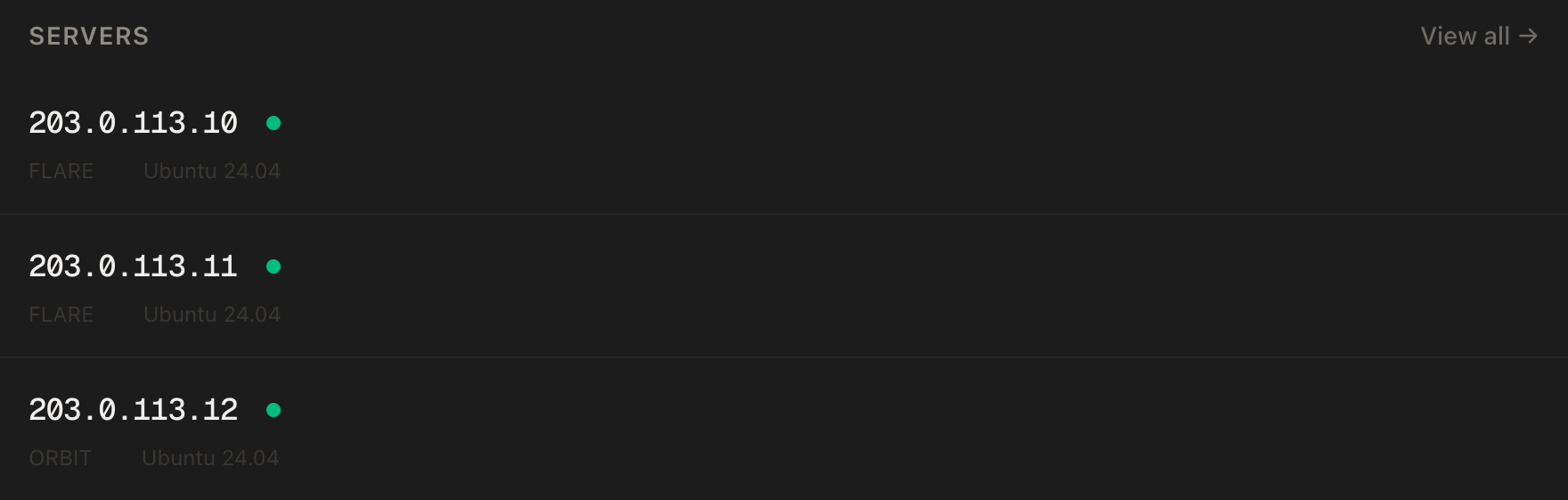
In the PrivateByte dashboard, open the store, choose Flare, pick Ubuntu 24.04, and deploy. Ready in a few minutes.
Step 2: Connect and lock the doors
ssh root@YOUR_SERVER_IP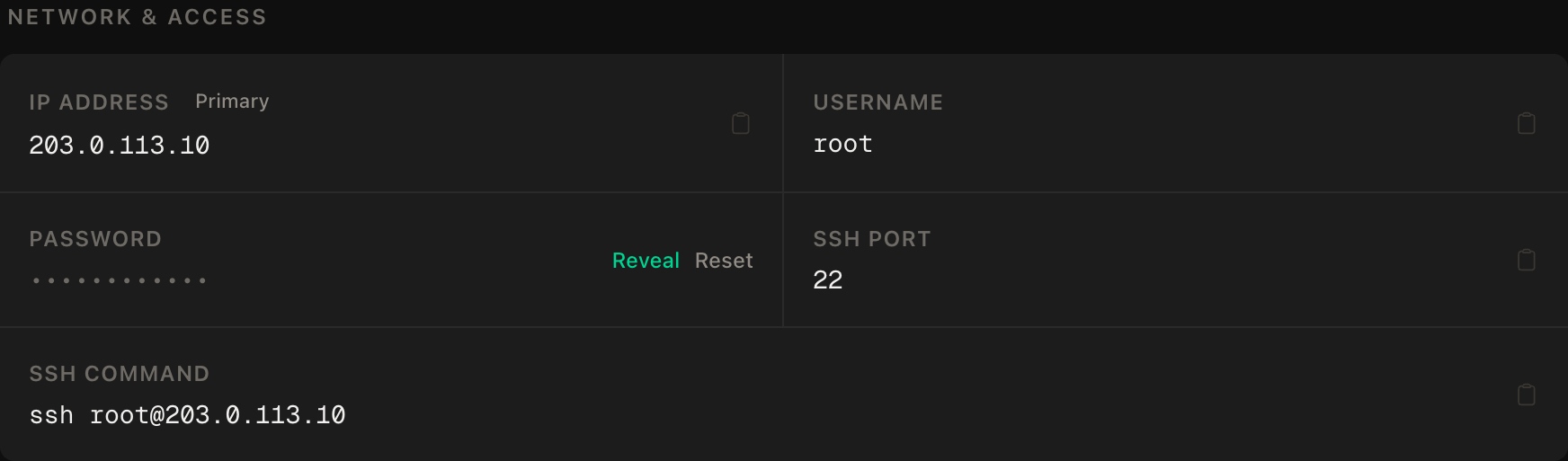
ssh command.The agent box serves nothing to the internet, so the firewall is one rule — SSH first, then enable:
apt update && apt upgrade -y
ufw allow OpenSSH
ufw --force enable
ufw status
No web ports. If a task later needs one, open it for that task and close it after. Default-deny is cheap here precisely because the box has one job.
Step 3: Create the agent's user
apt install -y git tmux
adduser --disabled-password --gecos "" agent
rsync --archive --chown=agent:agent ~/.ssh /home/agent
No password, no sudo. Root stays yours, for installing system things and for cleaning up. Everything the agent does happens as agent, which turns "the agent broke the OS" from a possibility into a permissions error.
Step 4: Install only the toolchain the work needs
As root, install what the current project genuinely requires — and stop there:
# example: a Node project
curl -fsSL https://deb.nodesource.com/setup_22.x | bash -
apt install -y nodejs
The restraint is the feature. Every extra tool is surface area; a box with five binaries on it is a box you can reason about. When the project changes, snapshot, wipe, start clean — that's what disposable means.
Then install your agent of choice as the agent user — for Claude Code that's its own short setup with a headless login, and the same non-root rule applies to any of them.
Step 5: Scoped credentials — the part everyone skips
The agent box gets credentials that answer one question: what's the least this task needs?
Git: a deploy key for one repo, not your identity. As agent:
ssh-keygen -t ed25519 -f ~/.ssh/id_ed25519 -N "" -C "agent-box"
cat ~/.ssh/id_ed25519.pub
Add that public key to the single repository (GitHub → repo → Settings → Deploy keys, write access only if the agent should push). Your personal SSH key never touches this machine. If the box is compromised, the attacker holds access to one repo — not your account.
API keys: capped and dedicated. Create a separate key for the agent in your provider's console and set a monthly spend limit on it. A dedicated key means you can revoke the agent without rotating everything you own, and the cap turns a runaway loop into a stopped agent instead of an invoice.
Everything else: absent. No cloud CLI logins, no .npmrc tokens, no production database strings. If a task needs one, add it scoped and time-boxed, and remove it after. Store what does exist in a file the agent's user owns and nobody else reads:
chmod 600 ~/.envStep 6: Snapshot — the undo button
Before the first autonomous run, take a snapshot from the dashboard: your server → Snapshots → create, named for the state (clean-toolchain, not snapshot1).
The discipline that makes this work: snapshot before every unattended run, not after. The cost of the habit is one click. The state you're saving is "known good, before the agent touched anything" — which is exactly the state you'll want back at 2am.
Verify it works — by breaking it
This is the step that separates this guide from a hopeful one. An undo you've never used is an assumption, and the middle of an incident is the wrong time to test it. So run the drill once, now, deliberately:
- Snapshot the box (
pre-drill). - As the agent user, do visible damage on purpose:
rm -rf ~/work— delete the working directory. Confirm it's gone withls ~. - In the dashboard, restore the
pre-drillsnapshot. - Reconnect.
ls ~— the directory is back.
Time it while you're there. That number — usually a couple of minutes — is your actual worst case for an entire category of agent failure, and knowing it changes how you feel about unattended runs. If restore didn't work, you want to be finding that out today, with a directory you deleted on purpose.
PrivateByte also takes daily automated backups of the whole server underneath your snapshots — the belt to your braces, covering the day you forget Step 6.
The teardown habit
The last property of a disposable box is that you actually dispose of it. When a project wraps:
- Revoke the deploy key on the repo and the agent's API key in the console — before you think about the server itself. Credentials outlive machines unless you kill them first.
- Then wipe the box: restore the
clean-toolchainsnapshot for the next project, or destroy the server entirely and deploy a fresh one next time. At $5.99 there's no sunk cost worth honoring.
An agent box that has run for eight months and accumulated four projects' credentials has quietly become the thing this article told you not to build.
Troubleshooting
The agent needs sudo for something. It almost certainly needs root to do one setup task — which is your job, once, over SSH. Do it as root and hand back the unprivileged environment. If a workflow genuinely requires the agent to have sudo, that workflow wants a rethink before it wants a server.
Git pushes fail as the agent. The deploy key isn't attached to that repo, or lacks write access, or the remote is HTTPS instead of SSH. git remote -v and check the key in the repo settings — this is scoping working as intended, not an outage.
The API bill is bigger than expected. The cap in Step 5 is what stops it becoming much bigger. Check the provider's usage page for which runs did it — long unattended loops with retries are the usual culprit — and lower the cap until you trust the pattern.
The box ran out of RAM mid-build. Flare's 2 GB fits the agent and light work; big builds and containers are workload, not agent, and want Orbit or Comet. The security model is identical at any size.
Restore seems to hang or the box comes back odd. Give it the couple of minutes it needs and hard-refresh your SSH connection. And note the failure you just avoided: you learned this during a drill with fake damage, not during an incident — which is why the drill is in this guide.
Do it with an AI agent
If you'd rather hand this to Claude Code, Cursor, or another coding agent, don't paste the article at it. Articles are written for humans, and agents skim the warnings and lose the ordering. Copy this instead — and appreciate the recursion of an agent building its own containment.
Prompt for an AI agent
Prepare a fresh Ubuntu 24.04 VPS as a dedicated, disposable box for running an
autonomous AI coding agent, with scoped credentials and a tested snapshot undo.

FILL IN BEFORE YOU START:
- SERVER_IP = <VPS IP from the PrivateByte dashboard>
- REPO      = <the single git repo the agent will work on>
- TOOLCHAIN = node | python | none

WHAT TO DO:
1. SSH to root@SERVER_IP. Confirm Ubuntu 24.04 before changing anything.
2. apt update && apt upgrade -y. Install git and tmux.
3. Firewall: "ufw allow OpenSSH" and ONLY that, then "ufw --force enable". This
   box serves nothing; do not open any other port.
4. Create user "agent" with no password and NO sudo rights, and copy my SSH key
   to it.
5. Install only TOOLCHAIN system-wide as root (Node 22 from NodeSource, or
   python3 + venv). If TOOLCHAIN is "none", install nothing extra.
6. As the agent user, generate a dedicated SSH keypair with no passphrase and
   show me ONLY the public key. Tell me to add it to REPO as a deploy key, and
   WAIT for me to confirm. My personal keys never come to this machine.
7. As the agent user, clone REPO over SSH into ~/work and prove the deploy key
   works by the clone succeeding.
8. Tell me to (a) create a DEDICATED API key for this box in my provider's
   console, with a monthly spend cap, and add it to /home/agent/.env myself,
   chmod 600 — never paste it to you; and (b) take a snapshot named
   "clean-toolchain" in the PrivateByte dashboard. WAIT for me to confirm both.

RULES:
- The agent user never gets sudo, a password, or my personal credentials.
- Never print, echo or log any key or token. To check one is set, check the
  variable or file is non-empty, never what it contains.
- Do not open firewall ports beyond OpenSSH for any reason.
- Do not install anything beyond git, tmux and TOOLCHAIN. If a task seems to
  need more, stop and ask — restraint is the point of this box.
- Nothing destructive outside ~/work. If the "agent" user exists, STOP and ask.

VERIFY, AND SHOW ME THE OUTPUT OF EACH:
- "ufw status" -> OpenSSH only, default deny incoming
- "sudo -l -U agent" as root -> agent has no sudo privileges. This must FAIL to
  show privileges — it is the negative control on the whole containment model.
- as agent: "git -C ~/work pull" -> works via the deploy key
- as agent: "ls ~/.ssh" -> only the dedicated keypair, nothing of mine
- THE RESTORE DRILL, after I confirm the snapshot exists: tell me to delete
  ~/work on purpose, restore the snapshot from the dashboard, and confirm ~/work
  is back. Do not call this box ready until I confirm the drill worked — an
  undo that has never been used is an assumption, not an undo.

Do not tell me a step succeeded without showing the command output that proves
it. If a verification fails, stop and report the actual error. Do not retry
silently and do not improvise a workaround, especially around credentials or
the firewall.
Two things in that prompt are worth stealing for your own agent work. The credentials never pass through the agent — you add the key yourself, and the agent only verifies that something exists. And the box isn't declared ready when everything works; it's declared ready when the undo has been proven, on damage done deliberately, because that's the property the whole design was bought for.
If the agent you're housing is Claude Code, running it on a VPS is this box's companion guide. And the same watch-it-from-outside logic applies here as everywhere: self-hosting Uptime Kuma on a different box tells you when your agent's server dies, and if what your agent mostly does is fetch the web at volume, running a scraper with rotating proxies covers that side properly.
Deploy your VPS
The whole argument compresses to one line: an autonomous agent should run somewhere you can afford to lose. That's a $5.99 machine with a snapshot button, and it's a better security control than any prompt you'll ever write.
The Flare plan is the honest recommendation precisely because it's the cheapest — with snapshots and daily backups doing the heavy lifting.
- Daily automated backups
- Unmetered bandwidth, no overage
- Free DDoS protection
Common questions
Isn't this overkill for a coding assistant I supervise? For an assistant you watch, mostly yes. The calculus flips the moment you stop watching — unattended loops, scheduled runs, "let it finish overnight". The box exists for the unattended case, and at $5.99 it's cheap insurance even for the supervised one.
Why not just use Docker on my laptop?
Containers isolate the filesystem, but the agent still shares your machine, your network position and whatever you've mounted in — and one -v ~/:/host convenience undoes the whole thing. A separate machine makes the boundary physical, and adds the snapshot-restore undo that a container on your laptop doesn't give your data.
What about the agent leaking the repo it works on? In scope, and worth naming: the box protects everything outside it, not the project on it. Don't put code on the agent box that the agent shouldn't read, and treat the deploy key's repo as shared with the agent by definition.
Snapshots or backups — which am I relying on? Both, for different failures. Snapshots are your deliberate, pre-run undo points; the daily automated backups are the safety net for the day you forgot to take one. The drill in this guide tests the one you'll reach for first.
Does the agent run slower on a cheap VPS than my laptop? The agent itself, no — it's a thin client driving APIs and tools. Heavy builds, yes. If compile times matter, size the box to the workload; the security model doesn't change with the plan.