Running Claude Code on a VPS turns an AI coding agent from something that dies when your laptop lid closes into something that works while you sleep. Long refactors, test-fixing loops, scheduled maintenance jobs — they keep going on a machine built to stay on. About 20 minutes to set up, and one honest section about why an agent deserves its own machine in the first place.
Using an AI coding agent? There's a ready-made prompt at the end of this guide — yes, even for this one. Copy that instead of this article.
Why put an agent on a VPS at all
Three reasons, in increasing order of importance.
It survives you leaving. An agent mid-task on your laptop dies with your wifi, your battery, or your commute. On a VPS inside a tmux session, you disconnect and it keeps working; you reattach from your phone an hour later and read what happened.
It can run on a schedule. A server that's always on can run an agent every night — triage new issues, update dependencies, draft the changelog — with nobody at a keyboard.
Blast radius. This is the one that matters. A coding agent executes shell commands. On your laptop, the thing it can damage is everything you have — your SSH keys, your browser sessions, every repo you've ever cloned. On a $7.99 VPS, the worst case is a $7.99 VPS, and the dashboard has a snapshot button. An agent you plan to leave unattended belongs on hardware you can afford to lose.
One expectation to set: Claude Code needs a paid Claude account — Pro, Max, Team, or an API key from the Console. The free plan doesn't include it. If you don't have one, get that sorted first; nothing below works without it.
What you'll need
- A PrivateByte VPS. We recommend Orbit ($7.99/mo: 2 vCPU, 4 GB RAM, 50 GB SSD) — Claude Code's own documentation lists 4 GB+ RAM as the system requirement, so our 2 GB Flare plan is below documented spec. It's the agent's workload (builds, tests, containers) that uses the memory, and Orbit gives it room.
- A Claude subscription (Pro/Max) or a Console API key.
- About 20 minutes. Every command is copy-paste.
Step 1: Deploy your VPS
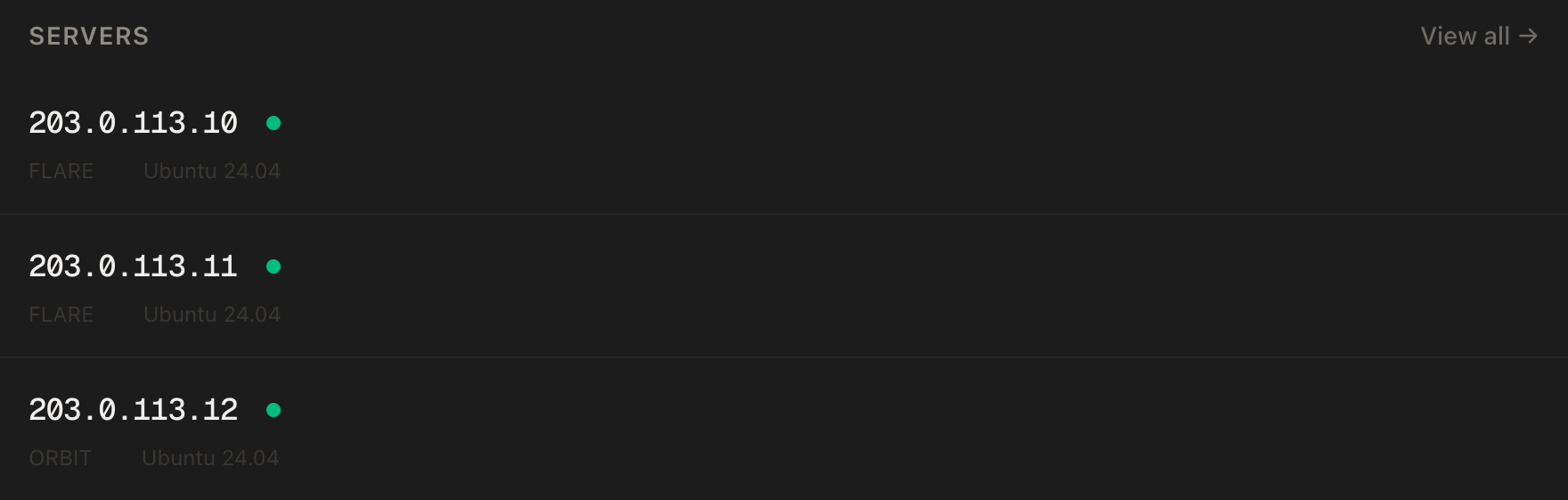
In the PrivateByte dashboard, open the store, choose Orbit, pick Ubuntu 24.04, and deploy. Ready in a few minutes.
Step 2: Connect over SSH
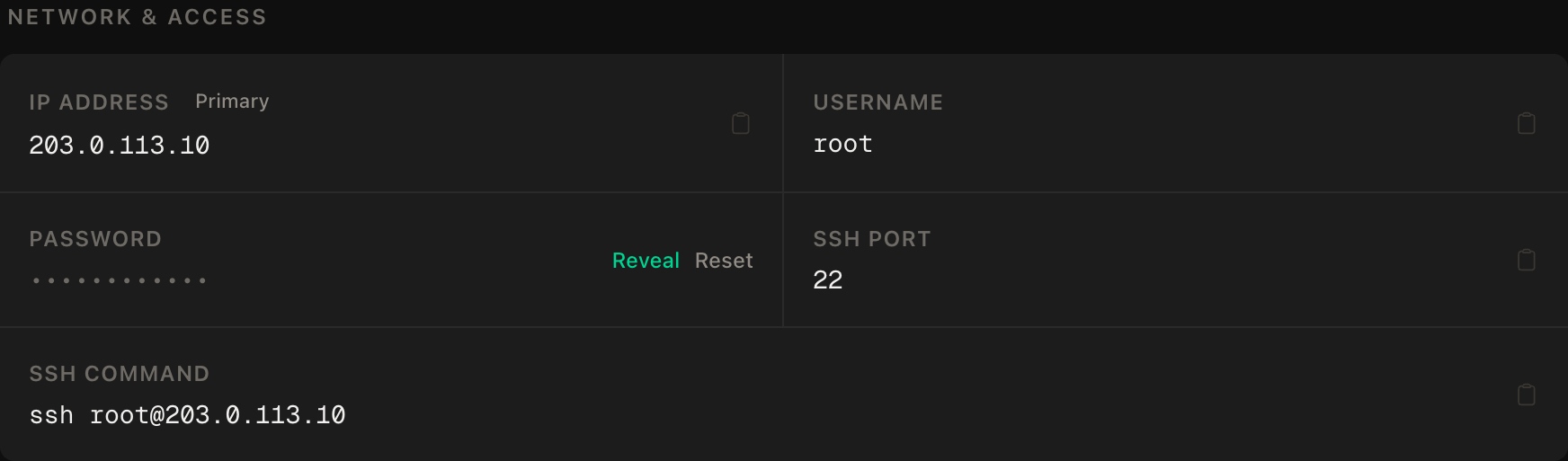
ssh root@YOUR_SERVER_IPWindows users: PowerShell has ssh built in, or use PuTTY. The dashboard also has a browser console if you'd rather install nothing.
ssh command.Step 3: Create the agent's user
An agent that runs shell commands should not be running them as root. Give it its own account, with no password and no sudo:
apt update && apt upgrade -y
apt install -y git tmux
adduser --disabled-password --gecos "" agent
rsync --archive --chown=agent:agent ~/.ssh /home/agent
That copies your SSH key across so you can log in directly as agent later. The pattern is the same one from our bot tutorials: system-wide things happen as root, the workload runs unprivileged.
Step 4: Install Claude Code
Switch to the agent user — the installer puts the binary in the user's home, so run it as the user who'll use it:
su - agent
curl -fsSL https://claude.ai/install.sh | bash
Then reload your shell profile and confirm:
exec $SHELL
claude --version
claude doctor
claude --version printing a version number means the install worked; claude doctor is the fuller diagnostic if anything looks off. The native installer keeps itself updated in the background, which on an always-on server is exactly what you want.
Step 5: Log in — the headless part
This is the step that's different on a server, because there's no browser here. Two routes:
Subscription (Pro/Max). Run claude, choose the subscription login, and it prints a URL. Open that URL in the browser on your own machine, log in, and paste the resulting code back into the terminal. Done once; the credential persists on the server.
Console API key. Create a key in the Anthropic Console, then put it in the agent user's environment:
echo 'export ANTHROPIC_API_KEY=YOUR_KEY_HERE' >> ~/.bashrc
chmod 600 ~/.bashrc
exec $SHELL
Start claude and it asks once to approve the key instead of opening a browser.
Treat that key like the credit card it is. API usage is billed per token, so a leaked key is a drained balance. Set a monthly spend limit in the Console before the agent runs a single task — it turns "runaway loop" from a billing incident into a stopped agent.
Step 6: Make sessions survive you — tmux
tmux is the piece that makes this a 24/7 setup rather than "SSH with extra steps". Start a named session and run the agent inside it:
tmux new -s agent
cd ~/your-project
claude
Now the three commands that matter, and the mental model in one line each:
# detach — leave the session running, return to your shell   (inside tmux)
#   Ctrl+b, then d
tmux ls                # list running sessions
tmux attach -t agent   # reattach from any SSH connection, any device
Close your laptop mid-task, reconnect from your phone's SSH app on the train, tmux attach -t agent, and the agent is exactly where you left it — still working. That round trip is the whole product.
Step 7: Scheduled runs — print mode
Interactive sessions are for work you watch. For work that runs without you, Claude Code has a non-interactive print mode:
claude -p "Update the dependencies in this project, run the test suite, and write a summary of what changed to REPORT.md"It runs the task, prints the result, and exits — which makes it cron-able. As the agent user, crontab -e:
0 6 * * * cd /home/agent/your-project && claude -p "Pull latest, run the tests, and append any failures with your diagnosis to triage.md" >> /home/agent/agent.log 2>&1Start with tasks whose worst case is a bad file in a git repo — triage, reports, drafts. Anything that pushes, deploys or deletes should stay interactive until you trust the loop, and honestly, some of it should stay interactive forever.
Verify it works
Prove the persistence claim rather than trusting it, because it's the entire point of the setup:
- Inside
tmux, give Claude Code a real multi-minute task in a throwaway repo. - Detach (
Ctrl+b,d) and close your SSH connection entirely. - Wait five minutes. Reconnect,
tmux attach -t agent.
The task should have progressed while you were gone. If the session is missing, you were running outside tmux — the difference between "on when I watch" and "on" is exactly this check.
Then verify the spend controls: check the Console's usage page shows your test task's tokens, and that the monthly limit you set in Step 5 is actually saved. An agent with an unmonitored budget is a bill you haven't opened yet.
Troubleshooting
claude: command not found after installing. The installer added ~/.local/bin to the PATH of a shell you haven't reloaded. exec $SHELL, or log out and back in. If you installed as root but run as agent, reinstall as agent — it's per-user.
The login URL flow fails. Copy the full URL to your local browser and complete it there — the server has no browser and doesn't need one. Codes are short-lived; if it expired, run claude again for a fresh one.
The session was gone when you reattached. Either the server rebooted (tmux sessions don't survive reboots — check uptime) or you started the agent outside tmux. After a reboot, start a new session; the conversation can be resumed with claude --resume.
Cron jobs do nothing. Cron's environment is nearly empty: no ANTHROPIC_API_KEY, minimal PATH. Either source the profile in the crontab line or set the key explicitly at the top of the crontab. The log file in the example exists precisely so this fails loudly instead of silently.
Everything slows down when the agent builds a big project. free -m while it runs. The agent itself is light; the toolchain it drives is not — this is the 4 GB requirement making its point. Bigger jobs want Comet.
You're asked to log in again out of nowhere. Credentials on the server can expire like anywhere else. Re-run the login; for unattended cron use, the API-key route is the more durable of the two.
Do it with an AI agent
If you'd rather hand this to Claude Code, Cursor, or another coding agent, don't paste the article at it. Articles are written for humans, and agents skim the warnings and lose the ordering. Copy this instead, and run it from your own machine with your agent able to SSH out — yes, you're using an agent to install an agent; it's fine, everyone does it.
Prompt for an AI agent
Set up Claude Code on a fresh Ubuntu 24.04 VPS so it can run long tasks in tmux
sessions that survive disconnects, under a non-root user.

FILL IN BEFORE YOU START:
- SERVER_IP = <VPS IP from the PrivateByte dashboard>
- AUTH      = subscription | api_key

WHAT TO DO:
1. SSH to root@SERVER_IP. Confirm Ubuntu 24.04, and run "free -m" — Claude Code's
   documented requirement is 4 GB+ RAM. If total RAM is under 4 GB, tell me and
   ask whether to continue anyway.
2. apt update && apt upgrade -y, then install git and tmux.
3. Create user "agent" with no password and no sudo rights, and copy my SSH key
   to it (rsync --archive --chown=agent:agent ~/.ssh /home/agent).
4. AS THE AGENT USER, install Claude Code with the native installer:
       curl -fsSL https://claude.ai/install.sh | bash
   Then verify with "claude --version" and "claude doctor".
5. Authentication, by AUTH:
   - subscription: start "claude", choose subscription login, and give ME the
     URL it prints. WAIT for me to complete it in my own browser and paste the
     code back. Do not try to complete a browser flow on the server.
   - api_key: ASK ME to add ANTHROPIC_API_KEY to /home/agent/.bashrc myself,
     then chmod 600 it. Never ask me to paste the key to you.
6. Show me the exact tmux workflow I'll use, as three commands with one-line
   explanations: new session, detach, reattach.
7. Remind me to set a monthly spend limit in the Anthropic Console before any
   unattended run, and do not mark this task complete until I confirm it's set.

RULES:
- Never print, echo or log the API key or any login code. To check the key is
  set, check the variable is non-empty as the agent user, never what it contains.
- Claude Code must be installed and run as "agent", never as root. An agent that
  executes shell commands does not get root.
- Do not configure any cron jobs, and do not run any Claude Code task other than
  the verification below. What the agent works on is my decision.
- Do not install Docker, Node or other toolchains unless I ask — the projects
  I'll run decide what they need.
- Nothing destructive. If the "agent" user already exists, STOP and ask.

VERIFY, AND SHOW ME THE OUTPUT OF EACH:
- "claude --version" as the agent user -> a version number
- "claude doctor" -> no errors
- as the agent user: "echo ${ANTHROPIC_API_KEY:+set}" -> prints "set" (api_key
  route only) — this checks presence without revealing the value
- THE PERSISTENCE CHECK, which is the entire point: start "claude" inside
  "tmux new -s agent" with a trivial multi-step task in a throwaway directory,
  detach, fully close the SSH connection, reconnect, "tmux attach -t agent" ->
  the session is alive and the task progressed. Show me the session output.

Do not tell me a step succeeded without showing the command output that proves
it. If a verification fails, stop and report the actual error. Do not retry
silently and do not improvise a workaround, especially around authentication.
Two things in that prompt are worth stealing for your own agent work. It refuses to let the credential pass through the agent at all — the human puts the key in the file, and the agent only ever checks that something is set. And it ends on a confirmation gate for the spend limit, because "the install works" and "the install is safe to walk away from" are different claims, and only the second one is the goal here.
The blast-radius case gets a full article of its own in giving your AI agent its own server. Beyond that, an agent on its own server pairs naturally with the rest of your stack: self-hosting n8n gives scheduled workflows a place to hand work to the agent, and deploying a Node app with a domain and HTTPS covers shipping the things it builds.
Deploy your VPS
An always-on agent is one of the best new reasons to own a small server: the work continues when you close the laptop, and the blast radius stays the size of the box.
The Orbit plan matches Claude Code's documented 4 GB requirement with room for the toolchains it drives.
- Unmetered bandwidth, no overage
- Free DDoS protection
- Browser console access
Common questions
Does this run the AI model on my server? No — Claude Code is a client. The model runs on Anthropic's side; your server runs the agent loop, the tools and your code. That's why no GPU is involved and why a modest VPS is enough.
Do I need an API key, or does my Claude subscription work? Either. A Pro/Max subscription logs in via the URL-and-code flow; a Console API key is billed per token and is the more natural fit for unattended scheduled runs. The free plan doesn't include Claude Code at all.
What does it cost to run? The server is $7.99/month. Usage depends entirely on how much the agent works — a subscription makes it a flat known cost, while API billing scales with use, which is exactly why the spend limit in Step 5 is non-negotiable.
Is it safe to let it run unattended? Safer here than anywhere else you could put it, which is the point of the setup: no sudo, its own user, a machine with nothing else on it, and snapshots one click away. Still, graduate it — watched tasks first, then boring unattended ones, and keep anything irreversible interactive.
Can I run other agents the same way? Yes — the pattern (own user, tmux, scoped credentials, spend caps) is agent-agnostic. Aider, OpenHands and friends all slot into the same skeleton; only Step 4 and 5 change.