MCP — the Model Context Protocol — is how AI assistants call your tools. Run an MCP server on a VPS and every Claude you use, on any machine, can reach the same capabilities: your data, your scripts, your infrastructure, wrapped as tools with typed inputs. This guide builds a small real one and hosts it properly — HTTPS, and authentication that most guides on this topic simply skip. About 30 minutes.
Using an AI coding agent? There's a ready-made prompt at the end of this guide. Copy that instead of this article.
The part most guides get wrong
An MCP server is a tool endpoint. Whoever can reach it can call your tools — and tools do things. Plenty of tutorials end with a server listening happily on 0.0.0.0:3000, no auth, findable by any port scanner within hours.
So this guide's shape is fixed before we write a line of code: the server binds to loopback only, Caddy terminates HTTPS in front of it, and every request without a bearer token gets a 401. At the end we prove the closed door, not just the open one.
One more correction worth a sentence: the current MCP spec has two transports — stdio for local servers, and Streamable HTTP for remote ones. Guides still teaching a separate SSE transport are describing a previous revision; what we build here is the current shape.
What you'll need
- A PrivateByte VPS. The Flare plan ($5.99/mo: 1 vCPU, 2 GB RAM, 25 GB SSD) is plenty — an MCP server idles at almost nothing.
- A domain name you control the DNS for.
- Basic comfort with JavaScript — the server is ~40 lines and we walk through all of them.
- About 30 minutes.
Step 1: Deploy your VPS
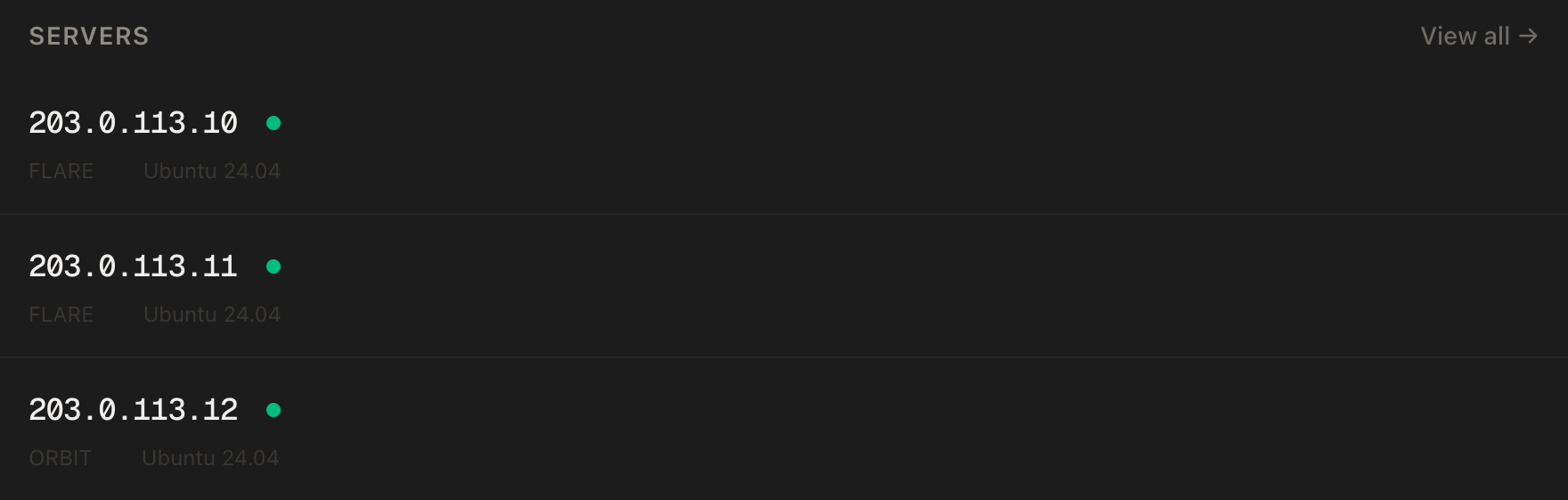
In the PrivateByte dashboard, open the store, choose Flare, pick Ubuntu 24.04, and deploy. Ready in a few minutes.
Step 2: Point your domain at the server
| Type | Name | Value |
|---|---|---|
| A | mcp |
your server's IP |
dig +short mcp.yourdomain.comThat must print your server's IP before you continue — the HTTPS step depends on it.
Step 3: Connect over SSH
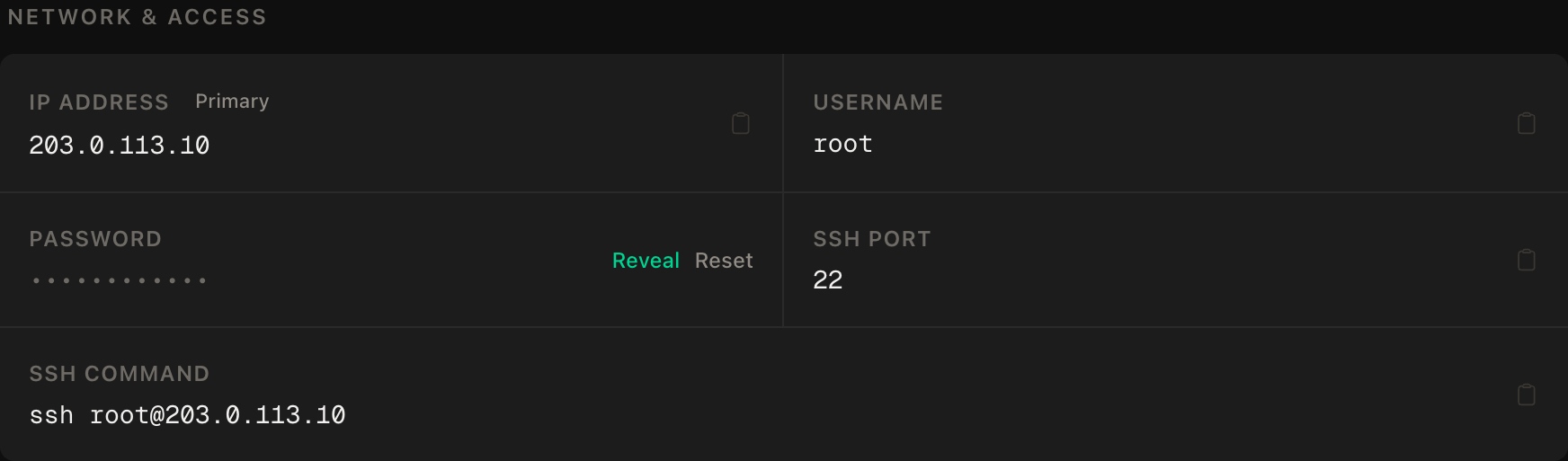
ssh root@YOUR_SERVER_IPWindows users: PowerShell has ssh built in, or use PuTTY. The dashboard also has a browser console if you'd rather install nothing.
ssh command.Step 4: Firewall, Node and pm2
SSH first, then the web ports, then enable. Wrong order locks you out:
ufw allow OpenSSH
ufw allow 80/tcp
ufw allow 443/tcp
ufw --force enable
ufw status
Note what's absent: port 3000, where the MCP server itself listens. It will never be reachable directly.
Then Node 22 and pm2:
curl -fsSL https://deb.nodesource.com/setup_22.x | bash -
apt install -y nodejs
npm install -g pm2
Step 5: Write the server
mkdir -p ~/mcp && cd ~/mcp
npm init -y
npm pkg set type=module
npm install @modelcontextprotocol/server @modelcontextprotocol/express @modelcontextprotocol/node express zod
Mint the token that will guard the whole thing, and keep it out of the source:
echo "MCP_TOKEN=$(openssl rand -hex 32)" > .env
chmod 600 .env
Now the server — nano index.js:
import { readFileSync } from 'node:fs';
import { execFileSync } from 'node:child_process';
import { createMcpExpressApp } from '@modelcontextprotocol/express';
import { toNodeHandler } from '@modelcontextprotocol/node';
import { createMcpHandler, McpServer } from '@modelcontextprotocol/server';
import * as z from 'zod/v4';

// load MCP_TOKEN from .env without extra dependencies
const MCP_TOKEN = readFileSync('.env', 'utf8').match(/^MCP_TOKEN=(.+)$/m)[1].trim();

// each tool runs a FIXED command — no caller input reaches a shell, ever
const CHECKS = {
  uptime: ['uptime'],
  disk:   ['df', '-h'],
  memory: ['free', '-m'],
};

const handler = createMcpHandler(() => {
  const server = new McpServer({ name: 'server-stats', version: '1.0.0' });
  server.registerTool(
    'server-stats',
    {
      description: 'Read-only health stats from this VPS: uptime, disk or memory',
      inputSchema: z.object({ check: z.enum(['uptime', 'disk', 'memory']) }),
    },
    async ({ check }) => ({
      content: [{ type: 'text', text: execFileSync(...toArgs(CHECKS[check])).toString() }],
    }),
  );
  return server;
});

function toArgs([cmd, ...args]) { return [cmd, args]; }

const app = createMcpExpressApp();

// auth gate: no valid bearer token, no MCP — runs before the handler
app.use((req, res, next) => {
  if (req.headers.authorization !== `Bearer ${MCP_TOKEN}`) return res.status(401).end();
  next();
});

const node = toNodeHandler(handler);
app.all('/mcp', (req, res) => void node(req, res, req.body));

app.listen(3000, '127.0.0.1', () => console.log('mcp listening on 127.0.0.1:3000'));
Three deliberate choices, each worth understanding:
127.0.0.1inapp.listen. The server can't hear the internet at all — only Caddy, on the same machine, can reach it. Even a firewall mistake doesn't expose it.execFileSyncwith fixed commands. The AI picks which check runs, from a closed list — no string it produces is ever handed to a shell. The moment a tool interpolates model output into a command, you've written a shell-injection tutorial.- The auth gate is four lines of plain Express, in front of everything. Constant, boring, readable — exactly what an auth check should be.
Step 6: Run it under pm2, put Caddy in front
pm2 start index.js --name mcp
pm2 save
pm2 startup
pm2 startup prints one command — run it so the server survives reboots (same drill as our bot guides).
Then Caddy, installed natively from its official repository:
apt install -y debian-keyring debian-archive-keyring apt-transport-https curl
curl -1sLf 'https://dl.cloudsmith.io/public/caddy/stable/gpg.key' | gpg --dearmor -o /usr/share/keyrings/caddy-stable-archive-keyring.gpg
curl -1sLf 'https://dl.cloudsmith.io/public/caddy/stable/debian.deb.txt' | tee /etc/apt/sources.list.d/caddy-stable.list
apt update && apt install -y caddy
nano /etc/caddy/Caddyfilemcp.yourdomain.com {
reverse_proxy 127.0.0.1:3000
}systemctl reload caddyCaddy fetches the certificate on its own; the token rides the Authorization header end-to-end over HTTPS.
Step 7: Connect Claude to it
On your own machine, from any project:
claude mcp add stats https://mcp.yourdomain.com/mcp \
  --transport http \
  --header "Authorization: Bearer PASTE_YOUR_TOKEN"
Start claude, and ask it something the server can answer: "How's disk space looking on my VPS?" It discovers the server-stats tool, calls it with check: "disk", and reads you your df -h. Any MCP client that speaks Streamable HTTP connects the same way — the server doesn't care who's asking, only that they hold the token.
Verify it works
Three checks, in this order.
The tool round-trip. Ask Claude for the server's uptime and confirm the answer matches what uptime says over SSH. That proves transport, auth header and tool execution in one go.
The auth gate — the check that must fail. From your local machine:
curl -s -o /dev/null -w '%{http_code}\n' -X POST https://mcp.yourdomain.com/mcpThat must print 401. This is the negative control: the working tool call proves the door opens for you; only the 401 proves it's shut for everyone else. If you see anything else, stop and fix the middleware before the URL exists in one more shell history.
The bind. On the server, ss -tlnp | grep 3000 must show 127.0.0.1:3000 — never 0.0.0.0. And a reboot: reboot, wait a minute, then the uptime question again — pm2 and Caddy should both have come back on their own.
Troubleshooting
Claude connects but sees no tools. The endpoint path is part of the URL — it's https://mcp.yourdomain.com/mcp, not the bare domain. Re-add with the full path.
Everything returns 401, including your own client. The token in claude mcp add doesn't match .env — a trailing newline or a partial paste, usually. Mint a fresh one and re-add; that's cheaper than debugging whitespace.
Certificate errors. Caddy couldn't complete the challenge: dig +short your domain, check 80/443 in ufw status, and read journalctl -u caddy -n 30. Port 80 must be open even though clients speak 443.
pm2 status shows the app crash-looping. pm2 logs mcp --lines 30. The usual suspects: .env missing (the readFileSync throws on purpose — no token, no server), or Node older than the SDK wants (node --version should say 22).
It works from your laptop but a teammate can't connect. By design — they need the token. Mint them their own (swap the single-token check for a small allowlist file) so revoking one person doesn't rotate everyone.
You want the AI to run arbitrary commands, and the fixed list feels limiting. That feeling is the security boundary working. Widen it tool by tool, each with typed, validated inputs — never with a run_command(cmd) escape hatch. A remote agent with a generic shell tool is a backdoor with good documentation.
Do it with an AI agent
If you'd rather hand this to Claude Code, Cursor, or another coding agent, don't paste the article at it. Articles are written for humans, and agents skim the warnings and lose the ordering. Copy this instead, and run it from your own machine with your agent able to SSH out.
Prompt for an AI agent
Build and deploy a remote MCP server on a fresh Ubuntu 24.04 VPS: Node 22 + the
official MCP TypeScript SDK, Streamable HTTP transport, bearer-token auth,
loopback bind, Caddy for HTTPS, pm2 for persistence.

FILL IN BEFORE YOU START:
- SERVER_IP = <VPS IP from the PrivateByte dashboard>
- DOMAIN    = <the subdomain, e.g. mcp.example.com>

WHAT TO DO:
1. FIRST, run "dig +short DOMAIN" and confirm it returns SERVER_IP. If not, STOP
   — the certificate step will fail and everything after is wasted.
2. SSH to root@SERVER_IP. Confirm Ubuntu 24.04.
3. Firewall, in THIS EXACT ORDER:
       a) ufw allow OpenSSH
       b) ufw allow 80/tcp
       c) ufw allow 443/tcp
       d) ufw --force enable
   Do NOT open port 3000.
4. Install Node 22 (NodeSource setup_22.x) and pm2 globally.
5. In ~/mcp: npm init, type=module, install @modelcontextprotocol/server,
   @modelcontextprotocol/express, @modelcontextprotocol/node, express, zod.
   Generate MCP_TOKEN with "openssl rand -hex 32" into .env, chmod 600.
6. Write index.js: createMcpHandler + McpServer with ONE tool, "server-stats",
   inputSchema z.enum over ["uptime","disk","memory"], each mapped to a FIXED
   execFileSync command (uptime / df -h / free -m). An express middleware
   BEFORE the handler returns 401 unless the Authorization header is exactly
   "Bearer <MCP_TOKEN>". app.all('/mcp', ...) for the endpoint.
   Listen on 127.0.0.1:3000 — the host argument is not optional.
7. pm2 start, pm2 save, pm2 startup (run the command it prints, as root).
8. Install Caddy from its official apt repository, Caddyfile:
       DOMAIN { reverse_proxy 127.0.0.1:3000 }
   and reload Caddy.
9. Give me the exact "claude mcp add" command for my own machine with the token
   REDACTED as <TOKEN> — I will substitute it myself from the server's .env.

RULES:
- No tool may ever pass caller-supplied text to a shell. Fixed argument arrays
  via execFileSync only. If I later ask for a "run any command" tool, push back
  once and explain why before doing anything.
- The Node process must bind 127.0.0.1, never 0.0.0.0.
- Never print or log MCP_TOKEN. To check it exists, check .env is non-empty.
- The ufw ordering in step 3 is not optional — enabling before allowing
  OpenSSH locks me out.
- Nothing destructive. If ~/mcp exists or a pm2 process named "mcp" exists,
  STOP and ask.

VERIFY, AND SHOW ME THE OUTPUT OF EACH:
- "pm2 status" -> mcp online, restarts 0
- "ss -tlnp | grep 3000" -> 127.0.0.1:3000, NOT 0.0.0.0
- "curl -sI https://DOMAIN" -> TLS handshake succeeds
- THE NEGATIVE CONTROL, from MY machine: an unauthenticated
  "curl -s -o /dev/null -w '%{http_code}' -X POST https://DOMAIN/mcp" -> MUST
  print 401. If it prints anything else, the auth gate is not in front of the
  handler — stop and tell me.
- the positive twin, from the server, using the real token from .env ->
  a request WITH the header does not get 401
- reboot, wait 60 seconds, "pm2 status" and the TLS check again -> both back
  without help

Do not tell me a step succeeded without showing the command output that proves
it. If a verification fails, stop and report the actual error. Do not retry
silently and do not improvise a workaround — especially not by widening the
bind address or removing the auth check "temporarily".
Two things in that prompt are worth stealing for your own agent work. It pre-refuses the specific workaround an agent reaches for when a bind or auth check gets in the way — "temporarily" listening on 0.0.0.0 is how permanent holes get made. And the verification pairs the 401 with its positive twin, because a server that 401s everything would pass the negative control while being simply broken.
The pm2-plus-Caddy skeleton here is the same one from deploying a Node app with a domain and HTTPS, and if you want the AI on the other end of the connection living on a server too, our Discord bot guide covers that half of the pattern.
Deploy your VPS
A remote MCP server is leverage: write a tool once, and every AI session you run — laptop, desktop, phone — has it. Small, always-on, and yours.
The Flare plan runs it without noticing it's there.
- Unmetered bandwidth, no overage
- Free DDoS protection
- Daily automated backups
- Browser console access
Common questions
What's actually the point of hosting MCP remotely instead of locally? Local (stdio) servers exist per machine, per config. A remote server is written once and reachable from every client you use — and it can live next to the thing it operates on, like the VPS stats tool here, which no local server could read.
Is a bearer token enough security? Over HTTPS, for a personal server with read-only tools, yes — it's the same model as an API key. The moment tools mutate things or several people connect, give each caller their own token and consider OAuth, which MCP supports for exactly that growth path.
Can other AI clients use it, or only Claude? Any client that speaks MCP over Streamable HTTP — the protocol is open and the server doesn't know or care which assistant is calling. That's rather the point of a protocol.
What tools should I actually build? Things the AI can't otherwise reach: your databases (read-only first), your internal APIs, your homelab, your business's numbers. The pattern in this guide — closed enum in, fixed action out — scales to all of them; the discipline is refusing the generic-shell shortcut.
Why not run the MCP server in Docker like your other guides? It'd work fine. A single small Node process is the one case where pm2 on the host is genuinely simpler — same reasoning as our Node deployment guide, and one less layer between the tool and the machine stats it reports.