A Telegram bot with an AI brain is the nicest personal assistant surface there is: it's already on your phone, your watch and your desktop, it does groups, and you built it, so it does exactly what you want. This guide wires Telegram to Claude in about 60 lines of Python and runs it 24/7 on a VPS — with the one piece of honesty most AI-bot tutorials omit, right up front.
Using an AI coding agent? There's a ready-made prompt at the end of this guide. Copy that instead of this article.
The honest bit first: this bot is a wallet
A regular bot costs server time. An LLM bot costs money per message — every question a user asks becomes an API call you pay for. Which means a bot that answers anyone is a bot that lets strangers spend your balance, at whatever rate they can type. Telegram bots are discoverable; yours will be found.
So the bot in this guide does something most tutorials skip: it refuses every chat that isn't on your allowlist, from the first line of the handler. Not as optional hardening at the end — as the design. We'll also set a spend cap at the API side, so even your own enthusiasm has a ceiling.
With that said: for a personal bot used by you and a few people, the actual costs are small, and you'll see the real numbers below rather than hand-waving.
What you'll need
- A PrivateByte VPS. The Flare plan ($5.99/mo: 1 vCPU, 2 GB RAM, 25 GB SSD) is plenty — the model runs on Anthropic's side, not yours.
- A Telegram bot token from BotFather — our Telegram bot guide covers that step-by-step if it's new to you.
- An Anthropic API key from the Console.
- About 25 minutes. Every command is copy-paste.
On model cost, with real numbers. Prices are per million tokens (a token ≈ ¾ of a word):
| Model | Input | Output | Feel |
|---|---|---|---|
claude-opus-5 |
$5 | $25 | The good one. Default in this guide. |
claude-sonnet-5 |
$2 | $10 | Excellent, cheaper, quick. |
claude-haiku-4-5 |
$1 | $5 | Fast and cheap; fine for simple Q&A. |
A typical short exchange is a few hundred tokens — fractions of a cent on any row. The bill comes from volume, which is what the allowlist and the spend cap control. Swapping model later is one line.
Step 1: Deploy your VPS
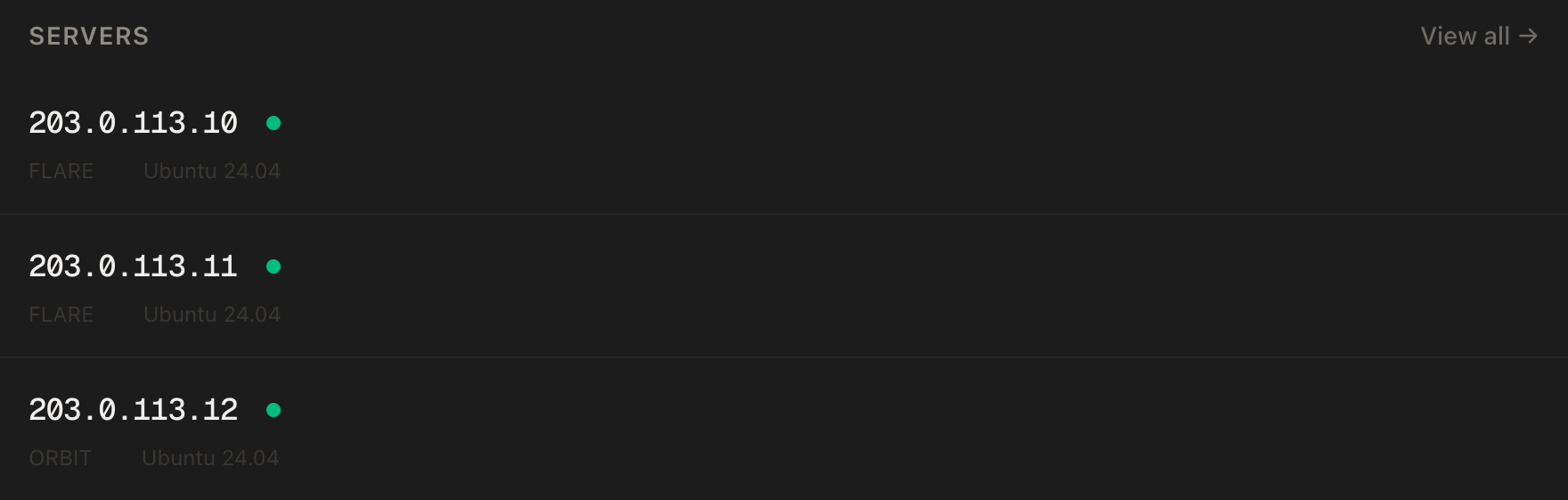
In the PrivateByte dashboard, open the store, choose Flare, pick Ubuntu 24.04, and deploy. Ready in a few minutes.
Step 2: Connect over SSH
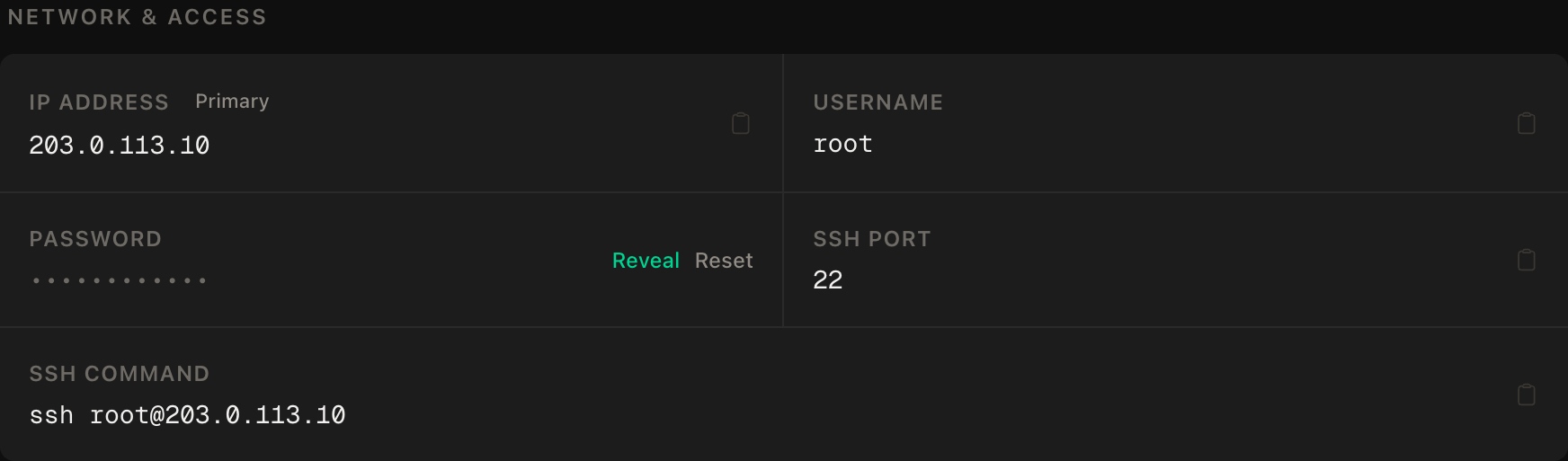
ssh root@YOUR_SERVER_IPWindows users: PowerShell has ssh built in, or use PuTTY. The dashboard also has a browser console if you'd rather install nothing.
ssh command.Step 3: System setup, then a non-root user
As root — installs are system-wide, the bot is not:
apt update && apt upgrade -y
apt install -y python3 python3-venv git
npm --version >/dev/null 2>&1 || { curl -fsSL https://deb.nodesource.com/setup_22.x | bash - && apt install -y nodejs; }
npm install -g pm2
adduser --disabled-password --gecos "" botuser
rsync --archive --chown=botuser:botuser ~/.ssh /home/botuser
Same pattern as all our bot guides: pm2 as the supervisor, botuser with no password and no sudo doing the actual running.
Step 4: Find your chat ID — you'll need it for the allowlist
Switch to the bot's user and set up the project:
su - botuser
mkdir -p ~/aibot && cd ~/aibot
python3 -m venv .venv
.venv/bin/pip install python-telegram-bot anthropic python-dotenv
Now get your numeric chat ID, because the allowlist speaks numbers, not usernames: message @userinfobot on Telegram and it replies with your ID. For a group, add your bot to the group and check the update logs later — or start with just your personal ID and add the group after.
Step 5: The secrets file
nano .envTELEGRAM_BOT_TOKEN=your-botfather-token
ANTHROPIC_API_KEY=your-console-key
ALLOWED_CHAT_IDS=123456789ALLOWED_CHAT_IDS is comma-separated for when you add more. Lock it down:
chmod 600 .envAnd do the API-side half now, not later: in the Anthropic Console, set a monthly spend limit. The allowlist controls who can spend; the cap controls how much. You want both, because they fail independently.
Step 6: The bot
nano bot.py:
import os
import anthropic
from dotenv import load_dotenv
from telegram import Update
from telegram.ext import Application, CommandHandler, ContextTypes, MessageHandler, filters

load_dotenv()

ALLOWED = {int(x) for x in os.environ["ALLOWED_CHAT_IDS"].split(",")}
MODEL = "claude-opus-5"          # or claude-sonnet-5 / claude-haiku-4-5 — see the table
SYSTEM = "You are a concise, friendly assistant in a Telegram chat. Keep answers short unless asked for depth."
HISTORY_LIMIT = 20               # messages kept per chat — bounds memory AND token spend

client = anthropic.AsyncAnthropic()   # reads ANTHROPIC_API_KEY from the environment
histories: dict[int, list] = {}

async def reset(update: Update, context: ContextTypes.DEFAULT_TYPE):
    if update.effective_chat.id not in ALLOWED:
        return
    histories.pop(update.effective_chat.id, None)
    await update.message.reply_text("Fresh start. What's on your mind?")

async def chat(update: Update, context: ContextTypes.DEFAULT_TYPE):
    chat_id = update.effective_chat.id
    if chat_id not in ALLOWED:
        return                       # silence, not an error — strangers get nothing to probe

    history = histories.setdefault(chat_id, [])
    history.append({"role": "user", "content": update.message.text})
    del history[:-HISTORY_LIMIT]

    try:
        response = await client.messages.create(
            model=MODEL, max_tokens=1024, system=SYSTEM, messages=history,
        )
        reply = next((b.text for b in response.content if b.type == "text"), "…")
    except anthropic.RateLimitError:
        reply = "I'm being rate-limited — give me a minute."
    except (anthropic.APIStatusError, anthropic.APIConnectionError):
        reply = "The AI side hiccuped. Try that again?"

    history.append({"role": "assistant", "content": reply})
    await update.message.reply_text(reply)

def main():
    app = Application.builder().token(os.environ["TELEGRAM_BOT_TOKEN"]).build()
    app.add_handler(CommandHandler("reset", reset))
    app.add_handler(MessageHandler(filters.TEXT & ~filters.COMMAND, chat))
    app.run_polling()

if __name__ == "__main__":
    main()
The parts that earn their lines:
- The allowlist check is the first thing in the handler, and it returns silence — an unauthorized user gets no error message to poke at, and you pay zero tokens for their attempt.
del history[:-HISTORY_LIMIT]caps memory per chat — which is also your cost control, because the whole history is sent with every request. Longer memory literally costs more per message; 20 is a sane default./resetclears a conversation — useful, and the cheapest button in the whole bot.- The error handling answers like a bot with manners instead of stack-tracing into your chat.
Step 7: Keep it alive with pm2
Still as botuser, from ~/aibot:
pm2 start .venv/bin/python --name aibot -- bot.py
pm2 save
pm2 startup
That last command prints one command that needs root: exit to your root session, paste it, then su - botuser back. Skip it and the bot won't survive a reboot — this is the same drill as our other bot guides, and it's still the most-skipped step in them.
Verify it works
The positive check: message your bot from your allowlisted account. It should answer, remember context across a couple of messages, and /reset should wipe the thread.
The negative control — the check that must fail: message the bot from a second Telegram account that isn't on the allowlist (or ask a friend). The bot must say nothing at all. Then check the Console usage page: that attempt should have cost zero tokens, because the handler returned before any API call. A bot that politely declines strangers is still billing you for the decline; this one doesn't.
Then the standard drill: pm2 status says online with restarts at 0, and after a reboot and a minute's wait, the bot answers again without you touching anything.
Troubleshooting
The bot answers nobody, including you. Your chat ID is wrong or the env didn't load. pm2 logs aibot --lines 30 — a KeyError means .env didn't load; silence with no errors usually means the allowlist doesn't contain the ID you're messaging from. Group IDs are negative numbers — include the minus sign.
It answers in private but not in your group. The group has its own chat ID (negative), which isn't on the allowlist yet. Also check the bot's privacy mode with BotFather — with privacy on, it only sees messages that mention or reply to it.
Replies cut off mid-sentence. That's max_tokens: 1024 doing its job as a cost ceiling. Raise it if you want longer answers, knowing it raises the per-message maximum spend by the same factor.
RateLimitError under normal use. New Console accounts start with modest rate tiers. It passes as your account ages; the bot already degrades politely in the meantime.
The bot forgot the conversation after a redeploy. Memory lives in a Python dict — a restart clears it by design. If persistent memory matters, write histories to a file or Redis; for a personal assistant, ephemeral is usually the feature, not the bug.
Costs are higher than expected. Check three dials in order: which model (MODEL — the one-line swap), how long the memory (HISTORY_LIMIT — sent with every message), and who's on the allowlist. The Console usage page attributes spend by key, which is why this bot deserves its own key.
Do it with an AI agent
If you'd rather hand this to Claude Code, Cursor, or another coding agent, don't paste the article at it. Articles are written for humans, and agents skim the warnings and lose the ordering. Copy this instead, and run it from your own machine with your agent able to SSH out.
Prompt for an AI agent
Build and deploy a Telegram bot with a Claude API brain on a fresh Ubuntu 24.04
VPS, running 24/7 under pm2, answering ONLY allowlisted chat IDs.

FILL IN BEFORE YOU START:
- SERVER_IP = <VPS IP from the PrivateByte dashboard>
- CHAT_IDS  = <comma-separated numeric Telegram chat IDs to allow>
- MODEL     = claude-opus-5 | claude-sonnet-5 | claude-haiku-4-5

WHAT TO DO:
1. SSH to root@SERVER_IP. Confirm Ubuntu 24.04.
2. As root: apt update && upgrade, install python3, python3-venv, git, Node 22
   (NodeSource) and pm2 globally. Create user "botuser" (no password, no sudo)
   and copy my SSH key to it.
3. As botuser, in ~/aibot: python venv, install python-telegram-bot, anthropic,
   python-dotenv.
4. Create .env with TELEGRAM_BOT_TOKEN, ANTHROPIC_API_KEY and
   ALLOWED_CHAT_IDS=CHAT_IDS. ASK ME to paste the two secrets into the file
   myself, then chmod 600. Never ask me to give the values to you.
5. Write bot.py: AsyncAnthropic client; the FIRST line of the message handler
   returns silently when effective_chat.id is not in the allowlist — before any
   API call, so unauthorized attempts cost zero tokens. Per-chat history capped
   at the last 20 messages. messages.create with model=MODEL, max_tokens=1024,
   a short system prompt. Typed error handling (RateLimitError -> polite retry
   message; APIStatusError/APIConnectionError -> generic apology). A /reset
   command that clears that chat's history.
6. pm2 start under botuser, pm2 save, then pm2 startup — run the printed
   command as root.
7. Tell me to set a monthly spend limit on this API key in the Anthropic
   Console, and WAIT for my confirmation before calling this done.

RULES:
- Never print, echo or log either token. To check they are set, check the file
  has the variable non-empty, never what it contains.
- The allowlist check must be the first statement in the handler and must
  return silence, not an error message.
- Use exactly the model id in MODEL — no date suffixes, no substitutions.
- Do not add web search, tools, or file access to the bot. Chat only.
- Nothing destructive. If ~/aibot or a pm2 process named "aibot" exists, STOP
  and ask.

VERIFY, AND SHOW ME THE OUTPUT OF EACH:
- "pm2 status" -> aibot online, restarts 0
- "pm2 logs aibot --lines 20" -> polling started, no repeating errors
- I message the bot from an ALLOWED account -> it answers, and a follow-up
  shows it remembered context. I will confirm.
- THE NEGATIVE CONTROL: I message it from a NON-allowlisted account -> the bot
  says NOTHING, and I confirm the Console usage page shows zero tokens for that
  attempt. A bot that spends money declining strangers fails this check.
- reboot, wait 60 seconds, "pm2 status" -> online again without help; I message
  it once more and it answers.

Do not tell me a step succeeded without showing the command output that proves
it. If a verification fails, stop and report the actual error. Do not retry
silently and do not improvise a workaround, especially around the allowlist or
the secrets file.
Two things in that prompt are worth stealing for your own agent work. The allowlist isn't described as a feature to add but as a position in the code — first statement, returns silence, before any spend — because an agent told "add an allowlist" will happily bolt it on after the API call, where it protects nothing but your feelings. And the negative control checks the bill, not just the behaviour: zero tokens for the stranger's attempt is the proof the gate sits where it claims to.
This guide stands on the shoulders of our plain Telegram bot guide — BotFather, tokens and pm2 in full detail — and the same skeleton runs a Discord bot if that's where your people are.
Deploy your VPS
A personal AI in your pocket, on your terms, for the price of a coffee a month plus what you actually use — and every design decision in it yours.
The Flare plan runs this bot and several of its siblings at once.
- Unmetered bandwidth, no overage
- Free DDoS protection
- Daily automated backups
- Browser console access
Common questions
How much does it really cost per month? The server is $5.99. API spend for a personal bot with a couple of users is typically single-digit dollars — short messages, short answers, bounded history. The spend cap you set in Step 5 makes "typically" into "at most".
Why Claude via API instead of running a local model? On a $6 VPS, frontier-quality answers only come from an API — local models at this size are a different (and slower) hobby, which we cover honestly in our Ollama guide. The API route costs per message and answers like the tool you actually wanted.
Can it see images or hear voice messages? The API supports images, and the bot can be extended to pass photos through — voice needs a transcription step first. Both are afternoon projects on top of this skeleton rather than rewrites.
Can I let a group of friends use it? Yes — add the group's (negative) chat ID to the allowlist. Everyone in that group shares one conversation history and, remember, one wallet: the cap is per-key, so generous friends are billed to you.
What happens to conversations if the server restarts?
They reset — memory is in-process by design. Persist to a file or Redis if you want continuity, but for a personal assistant the amnesia is often exactly what you want, and /reset exists for the times it isn't.