A self-hosted Forgejo Actions runner is the machine that runs your CI: tests, builds, deploys. Forgejo hosts the workflows; the runner does the work. This guide sets one up on its own VPS in about 30 minutes, and covers the part most tutorials skip: a runner is remote code execution you invited on purpose.
Using an AI coding agent? There's a ready-made prompt at the end of this guide. Copy that instead.
Why the runner gets its own box
Every workflow is a script. Whoever can push to a repo, open a pull request that triggers CI, or slip a bad dependency into your build gets to run commands on the runner. Forgejo's docs say so directly: the runner performs remote code execution, a significant threat to its host and network.
That decides the layout:
- A separate VPS from your Forgejo instance. Your forge holds every repo, deploy key and secret. If a job breaks out, it should land on a disposable machine with nothing on it. (Guide 18 said this in one line; this is the rest.)
- No secrets on the runner box. Forgejo injects workflow secrets at job time. The machine holds only its runner token.
- Nothing exposed inbound. The runner polls Forgejo over an outbound connection. It needs SSH for you and nothing else.
The docker.sock trap
Most CI jobs want Docker: build an image, run a test database. The tempting answer is to bind-mount the host's /var/run/docker.sock into the job. Don't. Anything that can talk to that socket can start a container with the whole host filesystem mounted, which is root on the machine. Forgejo's docs: no isolation, the host daemon is exposed, all host storage can be compromised, only for trusted users.
Three ways to give jobs Docker, in order of trust:
| Approach | Isolation | Catch |
|---|---|---|
Host socket (docker_host: automount) |
None. Jobs are root on the box. | Only for a runner that only you can trigger, on a throwaway machine. |
| Docker-in-Docker sidecar (this guide) | Jobs get a separate Docker daemon and storage. | The sidecar is privileged. Concurrent jobs can see each other's containers. Images are re-pulled into it. |
| LXC labels | Strongest of the three: each job gets its own daemon. | No service containers, no image caching. |
This guide uses the Docker-in-Docker sidecar, the setup the official docs ship. It is a containment layer, not a wall, because the sidecar runs privileged. Real safety comes from the separate box, no secrets, narrow registration, and ephemeral mode where you can use it.
What you'll need
- A PrivateByte VPS for the runner. We recommend Orbit ($7.99/mo: 2 vCPU, 4 GB RAM, 50 GB SSD). 4 GB survives a Docker build plus a test database. Flare ($5.99/mo: 1 vCPU, 2 GB RAM, 25 GB SSD) is fine for linting and small test suites.
- A running Forgejo instance you're an admin of. If you don't have one yet, start with self-hosting Forgejo.
- About 30 minutes.
Step 1: Deploy the runner VPS
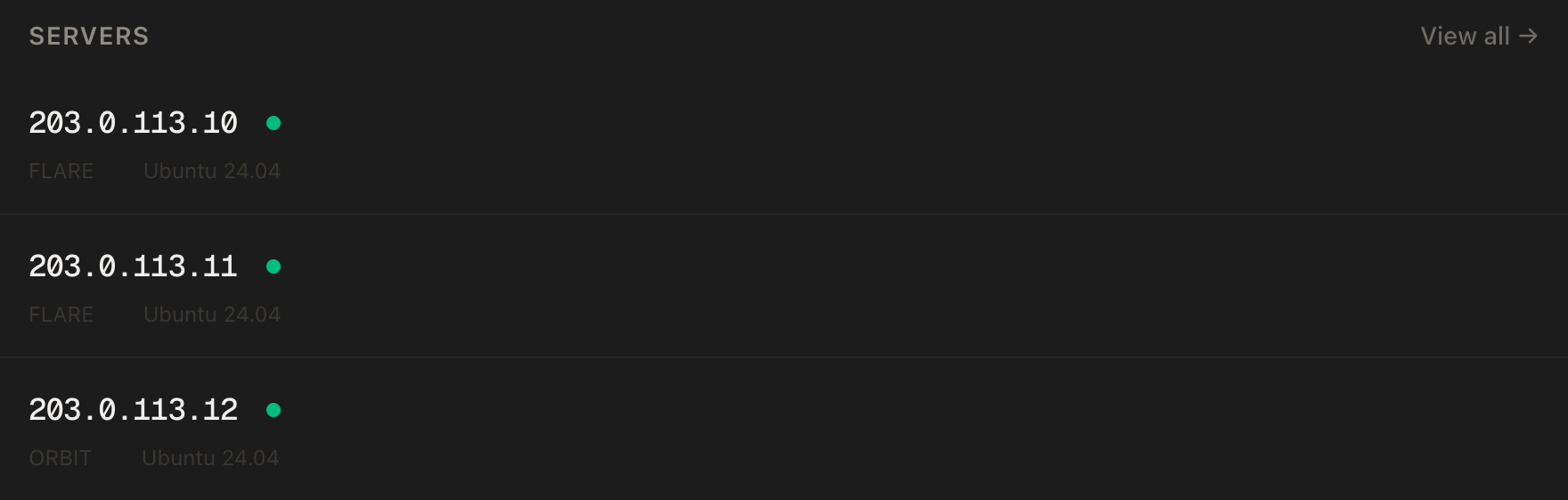
In the PrivateByte dashboard, open the store, choose Orbit, pick Ubuntu 24.04, and deploy. Ready in a few minutes. Use a fresh server, not your Forgejo one.
Step 2: Connect and install Docker
ssh root@YOUR_SERVER_IP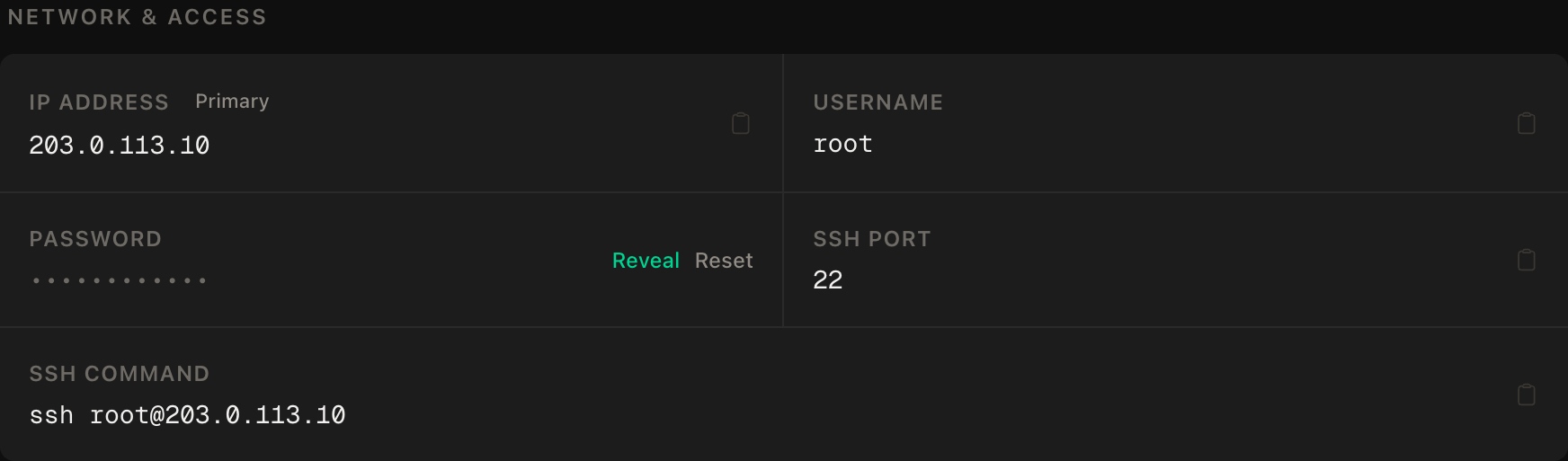
ssh command.apt update && apt upgrade -y
curl -fsSL https://get.docker.com | sh
systemctl enable --now dockerThen the firewall. SSH first, then enable. The runner only dials out, so nothing else opens:
ufw allow OpenSSH
ufw --force enable
ufw status
Step 3: Write the runner stack
mkdir -p ~/runner/data/.cache && cd ~/runner
chown -R 1001:1001 data
chmod 775 data/.cache
chmod g+s data/.cache
nano docker-compose.yml
services:
docker-in-docker:
image: docker:dind
container_name: docker_dind
privileged: true
command: ['dockerd', '-H', 'tcp://0.0.0.0:2375', '--tls=false']
restart: unless-stopped
runner:
image: data.forgejo.org/forgejo/runner:13
container_name: runner
depends_on:
- docker-in-docker
environment:
DOCKER_HOST: tcp://docker-in-docker:2375
user: 1001:1001
volumes:
- ./data:/data
restart: unless-stopped
command: forgejo-runner daemon --config runner-config.ymlThis follows Forgejo's own Docker example. Neither service publishes a port: the daemon on 2375 is unauthenticated and reachable only over the private compose network. The image is pinned to :13, so a major upgrade is your decision. The runner is not root and holds no host socket.
Generate the default config:
docker run --rm data.forgejo.org/forgejo/runner:13 forgejo-runner generate-config > data/runner-config.ymlStep 4: Register the runner
The docs now mark forgejo-runner register as deprecated; registration is done in the web UI.
In Forgejo, go to Site Administration → Actions → Runners (/admin/actions/runners) and create a runner. Choose the narrowest scope that works: a repository runner only runs that repository's workflows, an organisation or user runner covers more, an instance-wide one runs anything. The page shows a UUID and a token. Paste them into the server section of data/runner-config.yml:
server:
  connections:
    forgejo:
      url: https://git.yourdomain.com/
      uuid: PASTE-THE-UUID-HERE
      token: PASTE-THE-TOKEN-HERE
Treat the token like a password and keep the file owner-only (chmod 600 data/runner-config.yml). Anyone holding it can pose as your runner and receive your jobs.
Set the labels
Labels tell Forgejo which image each label uses. They go in runner.labels in the same file, as name:docker://image:
runner:
  capacity: 1
  labels:
    - "docker:docker://node:20-bookworm"
    - "ubuntu-latest:docker://node:20-bookworm"
A workflow uses runs-on: docker and the job runs inside a node:20-bookworm container. ubuntu-latest lets workflows copied from elsewhere run unedited. capacity: 1 means one job at a time.
Start it:
docker compose up -d
docker compose logs runner | tail -20
Step 5: Your first workflow
In a throwaway repo on your Forgejo, create .forgejo/workflows/ci.yaml:
on: [push]
jobs:
  hello:
    runs-on: docker
    steps:
      - uses: actions/checkout@v6
      - run: node --version && ls -la
Commit and push. In the repo's Actions tab the job should go from waiting to running to a green tick within a minute. Forgejo reads workflows from .forgejo/workflows; Gitea uses its own directory, so check which your instance reads.
uses: actions/checkout@v6 isn't fetched from GitHub. Shorthand names are prefixed with the instance's DEFAULT_ACTIONS_URL, default https://data.forgejo.org. For actions not there, use a full URL: uses: https://codeberg.org/user/action@tag.
Run it as a systemd service instead
Prefer no containers for the runner itself? Use the binary. Download it from the runner releases page, verify the GPG signature, put it at /usr/local/bin/forgejo-runner, then:
useradd --create-home runnerKeep the config at /home/runner/runner-config.yml (same server and labels sections) and create /etc/systemd/system/forgejo-runner.service:
[Unit]
Description=Forgejo Runner
After=docker.service

[Service]
ExecStart=/usr/local/bin/forgejo-runner daemon -c /home/runner/runner-config.yml
ExecReload=/bin/kill -s HUP $MAINPID
User=runner
WorkingDirectory=/home/runner
Restart=on-failure
TimeoutStopSec=infinity
RestartSec=10

[Install]
WantedBy=multi-user.target
systemctl daemon-reload
systemctl enable --now forgejo-runner
journalctl -u forgejo-runner -fThe catch: Docker access means adding the runner user to the docker group, and that group is root-equivalent. Fine on a dedicated throwaway VPS, poor anywhere else. The container route keeps the runner unprivileged.
Caching and resource limits
Caching. The runner stores build caches, never Forgejo. Caching is on by default and the compose file keeps its data in data/.cache. If cache steps hang under Docker-in-Docker, the job container probably can't reach the runner's cache server; set cache.host and cache.port.
Limits. Runner limits don't apply to containers your workflows create, so limit at the source: give the docker-in-docker service mem_limit: 3g and cpus: 1.5 in compose. Keep capacity at 1 until you've watched a few builds.
Security checklist
- Separate VPS, no secrets, no inbound ports beyond SSH.
- Narrowest registration scope that works.
- Never set
container.privileged: trueorcontainer.network: host, and skipdocker_host: automountunless only you can trigger CI. - Mind
pull_request_target. Those workflows can reach secrets; require review before outside contributors' workflows run. - Ephemeral runners take at most one job and are then removed (
--ephemeralonforgejo forgejo-cli actions register, run on the Forgejo server). Ideal for on-demand runners; on one always-on box they mean constant re-registering, so most small setups rely on the separate box.
Updates
Patch both Forgejo and the runner. Within the pinned major:
cd ~/runner
docker compose pull
docker compose up -d
Read the release notes before moving the major tag. Reclaim disk (the sidecar keeps its own image storage) with docker exec docker_dind docker system prune -af.
Verify it works
Online. Site Administration → Actions → Runners shows it Idle, with your labels.
A job passes. Push the Step 5 workflow and watch the tick.
Nothing exposed. From your local machine:
nmap -Pn -p 2375,2376 YOUR_SERVER_IPBoth must show closed or filtered. If 2375 answers, an unauthenticated Docker daemon is public: a ports: mapping crept in.
Troubleshooting
Runner Offline. Read docker compose logs runner. Usual causes: wrong url, mistyped UUID or token, or the box can't reach your Forgejo domain (curl -I it).
Job waits forever. No runner has that label. runs-on must match a label exactly.
Cannot connect to the Docker daemon. Check docker_dind is running and DOCKER_HOST is tcp://docker-in-docker:2375.
Permission denied on /data. The chown -R 1001:1001 data step was skipped.
Do it with an AI agent
To hand this to Claude Code, Cursor, or another coding agent, don't paste the article; agents skim warnings and lose ordering. Copy this instead, and run it from your own machine with an agent that can SSH out.
Prompt for an AI agent
Set up a Forgejo Actions runner on a fresh, dedicated Ubuntu 24.04 VPS
using Docker Compose and a Docker-in-Docker sidecar. This VPS is separate
from the Forgejo instance.

FILL IN BEFORE YOU START:
- RUNNER_IP    = <runner VPS IP from the PrivateByte dashboard>
- FORGEJO_URL  = <e.g. https://git.example.com/>
- The runner UUID and token come from ME (I create the runner in Forgejo's
  Site Administration -> Actions -> Runners). You never create them.

WHAT TO DO:
1. SSH to root@RUNNER_IP. Confirm Ubuntu 24.04. Confirm this is NOT the
   machine hosting Forgejo. If it is, STOP and tell me.
2. apt update && apt upgrade -y. Install Docker from https://get.docker.com.
3. Firewall, in THIS EXACT ORDER:
       a) ufw allow OpenSSH
       b) ufw --force enable
   Open no other port. The runner only connects outbound.
4. mkdir -p ~/runner/data/.cache, then chown -R 1001:1001 ~/runner/data,
   chmod 775 ~/runner/data/.cache, chmod g+s ~/runner/data/.cache.
5. Create ~/runner/docker-compose.yml with two services and NO published ports:
   docker-in-docker (docker:dind, privileged, command
   dockerd -H tcp://0.0.0.0:2375 --tls=false, restart unless-stopped) and
   runner (data.forgejo.org/forgejo/runner:13, DOCKER_HOST
   tcp://docker-in-docker:2375, user 1001:1001, volume ./data:/data,
   command "forgejo-runner daemon --config runner-config.yml").
6. Generate the config:
   docker run --rm data.forgejo.org/forgejo/runner:13 forgejo-runner generate-config > ~/runner/data/runner-config.yml
7. Tell me to create the runner in Forgejo and give you the UUID and token
   through a file or prompt I control. WAIT. Then write them into the
   "server: connections: forgejo:" block (url = FORGEJO_URL) of
   runner-config.yml, and set runner.labels to
   "docker:docker://node:20-bookworm" and "ubuntu-latest:docker://node:20-bookworm".
   Then chmod 600 the file.
8. docker compose up -d.
9. Tell me to push .forgejo/workflows/ci.yaml (runs-on: docker,
   uses: actions/checkout@v6, run: node --version) to a throwaway repo. WAIT.

RULES:
- Never print, echo or log the runner token. To check it is set, check the
  file is non-empty with wc -c or grep -c, never cat it.
- NEVER mount /var/run/docker.sock into the runner or into job containers.
  NEVER set container.privileged: true, container.network: host, or
  docker_host: automount. If a job "needs" Docker, the sidecar is the answer.
- NEVER publish ports 2375 or 2376 on the host. The Docker daemon there has
  no authentication.
- The ufw ordering in step 3 is not optional. Enabling before allowing
  OpenSSH locks me out.
- Nothing destructive. If ~/runner exists or containers are running, STOP
  and ask.
- Do not put secrets, deploy keys or other credentials on this box.

VERIFY, AND SHOW ME THE OUTPUT OF EACH:
- "docker compose ps" -> both containers running
- "docker compose logs runner | tail -20" -> connected, no auth errors
- "ufw status" -> only OpenSSH allowed
- "ss -tlnp | grep -E '2375|2376'" -> NOTHING listening on the host
- From MY machine: "nmap -Pn -p 2375 RUNNER_IP" -> closed or filtered
- Runner shows Idle in Forgejo with both labels. I will confirm.
- THE ROUND TRIP: the workflow from step 9 goes green. I will confirm.
- NEGATIVE CONTROL: a workflow with runs-on: no-such-label must stay waiting
  and never run. If it runs, the labels are wrong. Stop and tell me.
- reboot, wait 60 seconds, "docker compose ps" -> both back up without help.

Do not tell me a step succeeded without showing the command output that proves
it. If a verification fails, stop and report the actual error. Do not retry
silently and do not improvise a workaround. In particular, never "fix" a
Docker permission error by mounting the host socket.
Two guardrails are worth stealing. It bans the docker.sock shortcut by name, because an agent asked to "make docker build work" will reach for the socket mount. And it ends with a negative control, a job that must not run, which proves the labels mean what you think.
Once the runner is up, deploying a Node app with a domain and HTTPS is a natural thing for CI to ship to, and Uptime Kuma can watch both the forge and the runner from a third box.
Deploy your VPS
A runner justifies a small second server: builds on hardware you control, off the machine that holds your code. The Orbit plan is the honest fit: 4 GB of RAM covers a Docker build alongside a test database.
- Unmetered bandwidth, no overage
- Free DDoS protection
- Daily automated backups
- Browser console access
Common questions
Why not run the runner on the Forgejo server? CI jobs are arbitrary code and your Forgejo server holds repos, keys and secrets. Co-hosting makes one bad job a full compromise. A second small VPS is the cheapest fix.
Does this work with Gitea?
Forgejo's runner grew out of Gitea's act_runner and the workflow format is broadly compatible, but they are separate programs with different registration steps. Follow Gitea's docs for a Gitea server; the security advice here applies either way.
Is Docker-in-Docker safe? Safer than the host socket, not safe outright. The sidecar is privileged and concurrent jobs can see each other's containers, which is why the box has no secrets and is disposable.