Self-hosting your Git means your code, issues and CI hooks live on a machine you own — no rate limits, no plan tiers, no acquisition risk, private repos without asking anyone. Forgejo is the community-governed fork of Gitea: the same famously light Git forge, run by a nonprofit. It's genuinely comfortable on the cheapest VPS there is, and this guide gets it up with HTTPS in about 25 minutes — including the one detail that breaks most first installs.
Using an AI coding agent? There's a ready-made prompt at the end of this guide. Copy that instead of this article.
The detail every guide skips: port 22 is taken
A Git server wants to speak SSH — that's what git clone git@... is. But your VPS already runs an SSH server on port 22: the one you log in with. Two services can't share it.
So Forgejo's SSH lives on port 222, and that number follows the whole setup: it's published in Docker, allowed in the firewall, declared in Forgejo's config, and — the part people miss — it changes your clone URLs:
ssh://[email protected]:222/you/repo.gitMiss the port anywhere in that chain and you get the classic broken state: the web interface works perfectly and every git push fails. We'll wire it correctly at each step, then make it invisible with a two-line SSH alias at the end.
What you'll need
- A PrivateByte VPS. The Flare plan ($5.99/mo: 1 vCPU, 2 GB RAM, 25 GB SSD) is honestly plenty — a light Git forge is one of the workloads this class of software was born for. Big CI or dozens of users is Orbit territory; a personal or small-team forge is not.
- A domain name you control the DNS for.
- About 25 minutes. Every command is copy-paste.
Step 1: Deploy your VPS
In the PrivateByte dashboard, open the store, choose Flare, pick Ubuntu 24.04, and deploy. Ready in a few minutes.
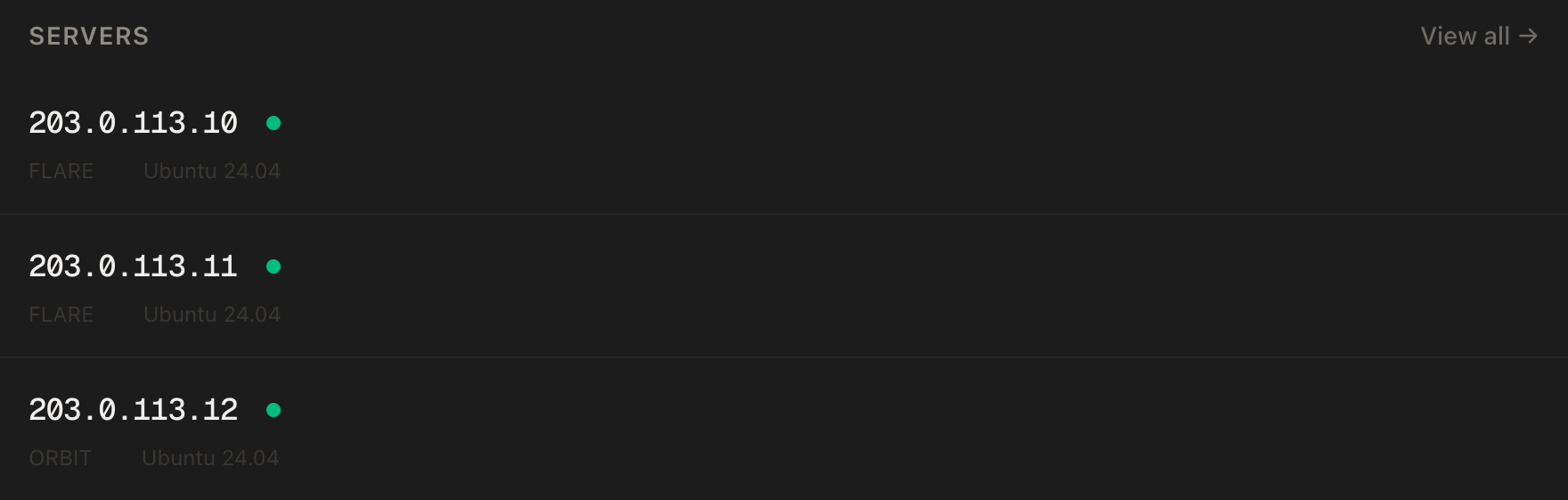
Step 2: Point your domain at the server
| Type | Name | Value |
|---|---|---|
| A | git |
your server's IP |
dig +short git.yourdomain.comThat must print your server's IP before you continue.
Step 3: Connect over SSH
ssh root@YOUR_SERVER_IPWindows users: PowerShell has ssh built in, or use PuTTY. The dashboard also has a browser console if you'd rather install nothing.
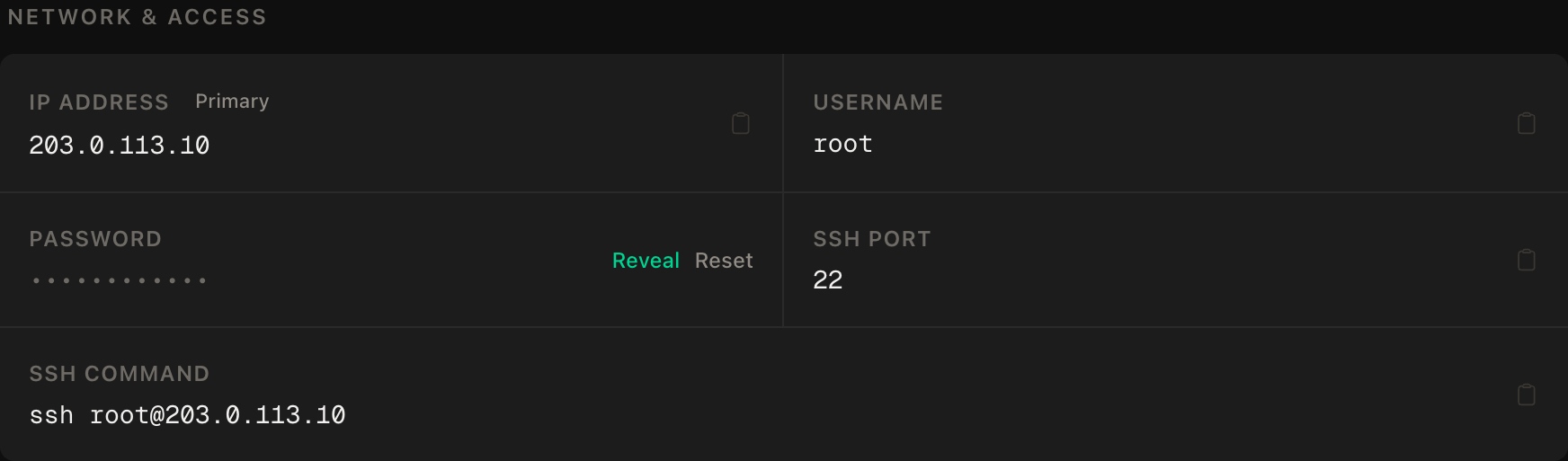
ssh command.Step 4: Install Docker
apt update && apt upgrade -y
curl -fsSL https://get.docker.com | sh
systemctl enable --now docker
docker --version
Step 5: Set up the firewall — including 222
SSH first, then the web ports, then Forgejo's SSH port, then enable:
ufw allow OpenSSH
ufw allow 80/tcp
ufw allow 443/tcp
ufw allow 222/tcp
ufw --force enable
ufw status
That 222/tcp line is the first appearance of the port from the top of this guide. Port 3000 — Forgejo's web port — stays closed; the web side goes through Caddy only.
Step 6: Write the configuration
mkdir -p ~/forgejo && cd ~/forgejo
nano docker-compose.yml
services:
forgejo:
image: codeberg.org/forgejo/forgejo:16
restart: unless-stopped
environment:
USER_UID: 1000
USER_GID: 1000
volumes:
- ./forgejo:/data
- /etc/localtime:/etc/localtime:ro
ports:
- "222:22"
caddy:
image: caddy:2-alpine
restart: unless-stopped
ports:
- "80:80"
- "443:443"
volumes:
- ./Caddyfile:/etc/caddy/Caddyfile:ro
- caddy_data:/data
- caddy_config:/config
volumes:
caddy_data:
caddy_config:Two things to notice. The image comes from Codeberg's registry, pinned to :16 — the current major version, so updates within it are routine and a major jump is a decision you make deliberately. And the ports: section maps only 222:22 — SSH must be a real public port because git connects to it directly, while the web side has no published port at all.
The Caddyfile:
nano Caddyfilegit.yourdomain.com {
reverse_proxy forgejo:3000
}Use your real hostname — Caddy reads this literally.
Step 7: Start it and run the initial configuration
docker compose up -d
docker compose ps
docker compose logs caddy | tail -20
Both containers running and a certificate obtained, then open https://git.yourdomain.com. You get Forgejo's one-time initial configuration page. Most defaults are right; four fields are not, and three of them are our port again:
| Field | Set it to |
|---|---|
| Server Domain | git.yourdomain.com |
| SSH Server Port | 222 |
| Forgejo Base URL | https://git.yourdomain.com/ |
| Administrator account | create it here, at the bottom, now |
The SSH port field is what makes Forgejo print correct clone URLs on every repo page — leave it at 22 and the UI will cheerfully hand you URLs that can't work. And create the admin account on this page rather than "the first registered user becomes admin" folklore: explicit beats implicit for the account that owns everything.
Then close the front door: Site Administration → Settings → Service, disable open registration. Confirm it in a private window — you should see a sign-in with no way to register.
Step 8: Add your key and push something
In Forgejo: your avatar → Settings → SSH/GPG Keys → add your public key (the same ~/.ssh/id_*.pub you use everywhere). Create a repo test in the UI, then from your local machine:
git clone ssh://[email protected]:222/you/test.git
cd test && echo "it works" > README.md
git add . && git commit -m "first push" && git push
That URL shape — ssh://, explicit :222 — is the one from the top of the guide. Now make it disappear. Add to ~/.ssh/config on your machine:
Host git.yourdomain.com
    Port 222
    User git
From then on, plain git clone [email protected]:you/repo.git works everywhere, the port living in one config file instead of every URL you'll ever type.
Verify it works
The push in Step 8 was the main verification — a full round trip through DNS, TLS, the SSH port and Forgejo's auth. Three checks remain:
Registration is really closed. Private window, https://git.yourdomain.com — no register option. You checked after saving; check once more now that you're not looking at the settings page. A forge with open registration on the public internet accumulates strangers.
The web port is not exposed. From your local machine:
curl -m 5 http://YOUR_SERVER_IP:3000This must fail. A timeout means the only web path is Caddy with TLS. If it answers, the compose file has grown a 3000:3000 mapping it shouldn't have.
It survives a reboot. reboot, wait a minute, then git pull in your test repo and reload the web UI. Both should work without you touching anything.
Troubleshooting
git clone hangs or gets connection refused, but the website works. The port, every time. Check the clone URL has :222 (or your SSH config alias does), ufw status shows 222, and the compose file maps 222:22.
Clone URLs on repo pages show port 22 or the wrong domain. The initial-config values need correcting: Site Administration → Settings, or edit ~/forgejo/forgejo/gitea/conf/app.ini (SSH_PORT, ROOT_URL) and docker compose restart forgejo.
Permission denied (publickey) on push. The key in your Forgejo settings isn't the one your git is offering. ssh -T ssh://[email protected]:222 shows which key gets tried; add the right one to your profile.
Certificate errors. Caddy couldn't complete the challenge: dig +short the domain, confirm 80/443 in ufw status, read docker compose logs caddy. Port 80 must be open — the challenge uses it.
Pushing a big repo fails partway. Push over SSH (this guide's default) rather than HTTPS — SSH has no request-size ceiling to trip. If you must use HTTPS, Caddy itself imposes no default body limit, so look at git's own http.postBuffer first.
You outgrew one user. Forgejo does organisations, teams and code review out of the box — no re-architecture needed. RAM only becomes a conversation when CI runners enter the picture; runners belong on a separate box anyway.
Do it with an AI agent
If you'd rather hand this to Claude Code, Cursor, or another coding agent, don't paste the article at it. Articles are written for humans, and agents skim the warnings and lose the ordering. Copy this instead, and run it from your own machine with your agent able to SSH out.
Prompt for an AI agent
Set up Forgejo (a self-hosted Git forge, Gitea fork) on a fresh Ubuntu 24.04
VPS, behind HTTPS, using Docker and Caddy, with git-over-SSH on port 222.

FILL IN BEFORE YOU START:
- SERVER_IP = <VPS IP from the PrivateByte dashboard>
- DOMAIN    = <the subdomain, e.g. git.example.com>

WHAT TO DO:
1. FIRST, run "dig +short DOMAIN" and confirm it returns SERVER_IP. If not,
   STOP — the certificate step will fail and everything after is wasted.
2. SSH to root@SERVER_IP. Confirm Ubuntu 24.04.
3. apt update && apt upgrade -y. Install Docker from https://get.docker.com.
4. Firewall, in THIS EXACT ORDER:
       a) ufw allow OpenSSH
       b) ufw allow 80/tcp
       c) ufw allow 443/tcp
       d) ufw allow 222/tcp     <- Forgejo's git-over-SSH port
       e) ufw --force enable
   Do NOT open port 3000.
5. Create ~/forgejo/docker-compose.yml with two services: forgejo
   (codeberg.org/forgejo/forgejo:16 — that registry and tag exactly,
   USER_UID/USER_GID 1000, volume ./forgejo:/data, /etc/localtime read-only,
   and ports mapping ONLY "222:22" — no web port) and caddy (caddy:2-alpine,
   80 and 443, ./Caddyfile read-only, named volumes for /data and /config).
6. Create ~/forgejo/Caddyfile containing:
       DOMAIN { reverse_proxy forgejo:3000 }
7. docker compose up -d
8. Tell me to open https://DOMAIN and complete the initial configuration, and
   list EXACTLY the fields that must not stay default: Server Domain = DOMAIN,
   SSH Server Port = 222, Base URL = https://DOMAIN/, and the administrator
   account created on that same page. WAIT for me to confirm.
9. Tell me where to disable open registration (Site Administration -> Settings
   -> Service) and to add my SSH public key to my profile. WAIT for me to
   confirm both.

RULES:
- The SSH port is 222 in four places — ufw, the compose ports mapping, the
  initial-config SSH Server Port, and every clone URL. If any check fails,
  suspect a mismatch among those four before anything else.
- The ufw ordering in step 4 is not optional. Enabling before allowing
  OpenSSH locks me out — and on this server that would also strand the forge.
- Never create repos, keys or extra users for me. Admin account and keys are
  mine to make.
- Nothing destructive. If ~/forgejo exists or containers are running, STOP and
  ask — the /data volume is the repos themselves.

VERIFY, AND SHOW ME THE OUTPUT OF EACH:
- "docker compose ps" -> both containers running
- "docker compose logs caddy | tail -20" -> certificate obtained
- "curl -sI https://DOMAIN" -> HTTP 200, TLS handshake succeeded
- "ss -tlnp | grep 222" -> listening
- THE ROUND TRIP, from MY machine after I add my key: I clone
  ssh://git@DOMAIN:222/<me>/test.git, commit, and push. I will confirm. This
  is the only check that proves the SSH chain end to end.
- THE NEGATIVE CONTROL, from MY machine: "curl -m 5 http://SERVER_IP:3000"
  -> MUST fail or time out. If it answers, the web port is exposed and the
  compose file is wrong. Stop and tell me.
- reboot, wait 60 seconds, then "docker compose ps" and a "git pull" from my
  machine -> both work without help.

Do not tell me a step succeeded without showing the command output that proves
it. If a verification fails, stop and report the actual error. Do not retry
silently and do not improvise a workaround — in particular, never "fix" a
failing clone by remapping Forgejo onto port 22.
Two things in that prompt are worth stealing for your own agent work. It names the four places one number must agree, so a failure becomes a checklist instead of a mystery — most "broken" self-hosted git is a port mismatch wearing a trench coat. And it forbids the catastrophic quick fix by name: an agent that "solves" the clone problem by giving Forgejo port 22 has just evicted your SSH access from the machine.
The Docker-and-Caddy pattern is the same one from self-hosting n8n, and once your code lives here, deploying a Node app with a domain and HTTPS is the natural next machine for it to ship to.
Deploy your VPS
Your own forge is one of the most satisfying pieces of a self-hosted stack: every repo, issue and release on hardware you control, for less than a private-plan subscription.
The Flare plan is the honest fit — this is the workload the phrase "runs on a potato" was coined for, and Flare is considerably better than a potato.
- Unmetered bandwidth, no overage
- Free DDoS protection
- Daily automated backups
- Browser console access
Common questions
Forgejo or Gitea? Functionally near-identical today — Forgejo forked from Gitea and stays drop-in familiar. The difference is governance: Forgejo is run by a nonprofit (the people behind Codeberg), which is the property self-hosters tend to be optimising for in the first place.
Can it replace GitHub for me? For code, issues, pull requests, releases, webhooks and a small team — comfortably. What you give up is the network: stars, discovery, drive-by contributors. Plenty of people mirror to GitHub for visibility and treat their forge as the source of truth.
What about CI? Forgejo Actions exists and speaks broadly GitHub-Actions-compatible workflows. Run the runner on a separate box from the forge — CI jobs are arbitrary code execution by design, and that's not a thing to co-host with your repos.
How do I back it up?
Everything lives in ~/forgejo/forgejo — repos, database, config. Stop-copy-start is a valid cold backup at this scale, PrivateByte's daily server backups cover the machine, and keep an off-server copy of anything you'd cry about. Git's distributed nature is your quiet extra copy: every clone is a backup of the code, though not of issues and settings.
Is 2 GB of RAM really enough? Yes — this class of forge idles around a hundred megabytes. The things that change the answer are CI runners and very large monorepos, and both deserve their own hardware anyway.