The most useful AI automation most people never build is also the simplest: a script that wakes up every morning, asks Claude to research something with live web search, and emails you the answer. No chat window, no framework, no agent loop — cron, forty lines of Python and an SMTP login. This guide builds it on a VPS in about 20 minutes, with the failure handling that makes it something you can forget about, which is the point.
Using an AI coding agent? There's a ready-made prompt at the end of this guide. Copy that instead of this article.
What you'll actually get
Pick a topic — "news about Kubernetes security this week", "new listings matching X", "what changed in the Anthropic API docs" — and every day at 07:00 an email arrives with a short, sourced brief. The research happens with Claude's built-in web search, so the script doesn't scrape anything; it asks a question and gets a cited answer. The cost is a few cents per report.
Why a VPS and not your laptop: cron only runs when the machine is on. A $5.99 box is on.
What you'll need
- A PrivateByte VPS. The Flare plan ($5.99/mo: 1 vCPU, 2 GB RAM, 25 GB SSD) — the script runs for a minute a day.
- An Anthropic API key from the Console, dedicated to this job, with a monthly spend limit set.
- An email account that allows SMTP with an app password — most providers do (look for "app passwords" or "SMTP credentials" in the mail settings). You'll need the SMTP host, port 587, the username and that app password.
- About 20 minutes.
Step 1: Deploy your VPS
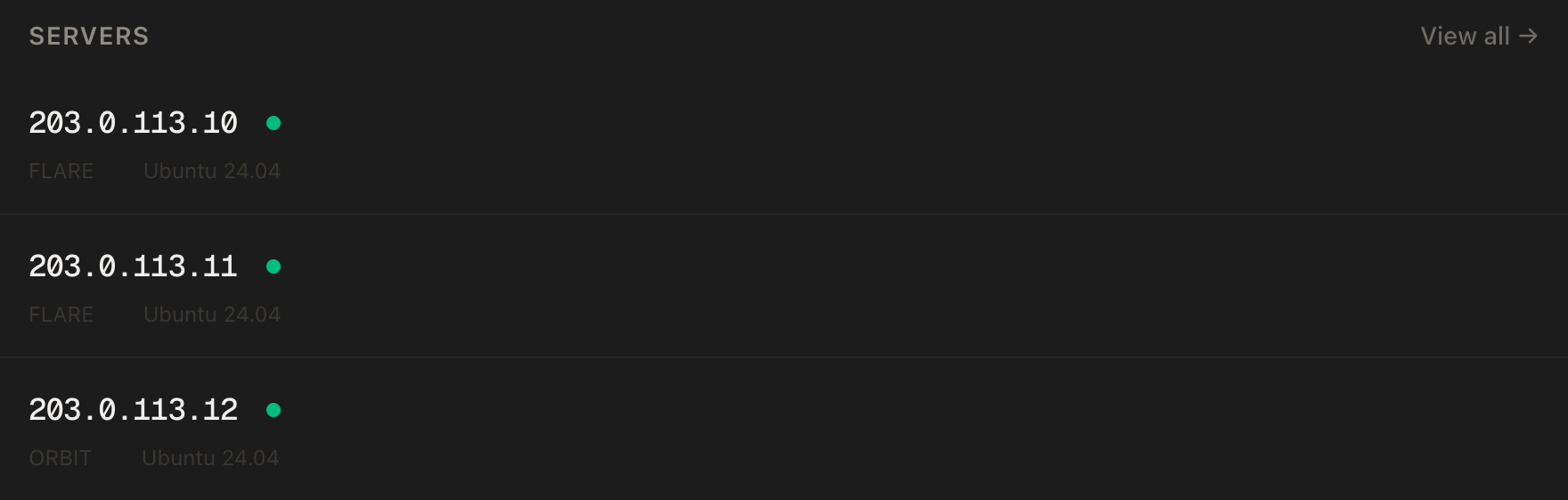
In the PrivateByte dashboard, open the store, choose Flare, pick Ubuntu 24.04, and deploy. Ready in a few minutes.
Step 2: Connect and set up a user for the job
ssh root@YOUR_SERVER_IP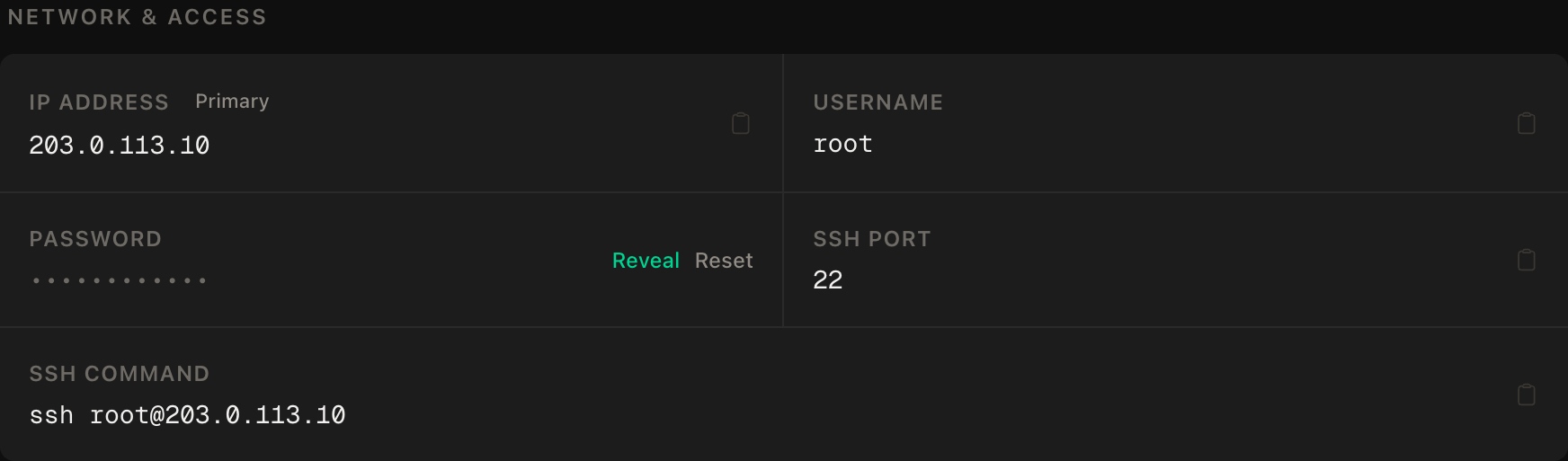
ssh command.apt update && apt upgrade -y
apt install -y python3 python3-venv
ufw allow OpenSSH
ufw --force enable
adduser --disabled-password --gecos "" reports
rsync --archive --chown=reports:reports ~/.ssh /home/reportsNothing listens, so the firewall is SSH only. The job runs as reports — no sudo, owns nothing but its own directory.
Step 3: The secrets file
As reports (su - reports):
mkdir -p ~/reports && cd ~/reports
nano .envANTHROPIC_API_KEY=sk-ant-...
SMTP_HOST=smtp.yourprovider.com
SMTP_PORT=587
SMTP_USER[email protected]
SMTP_PASS=the-app-password
MAIL_TO[email protected]chmod 600 .envStep 4: The script
python3 -m venv .venv && source .venv/bin/activate
pip install anthropic
nano report.py
import os, sys, smtplib, datetime
from email.message import EmailMessage
from pathlib import Path
import anthropic
# load .env ourselves — cron gives us almost no environment
for line in Path(__file__).with_name(".env").read_text().splitlines():
if "=" in line and not line.startswith("#"):
k, v = line.split("=", 1); os.environ.setdefault(k.strip(), v.strip())
TOPIC = sys.argv[1] if len(sys.argv) > 1 else "notable news in self-hosting and open-source infrastructure this week"
MODEL = "claude-opus-5"
today = datetime.date.today().isoformat()
client = anthropic.Anthropic()
messages = [{"role": "user", "content": (
f"Today is {today}. Research: {TOPIC}\n\n"
"Use web search. Write a brief for a busy reader: a two-sentence summary, "
"then 5-8 bullet points, each with the source URL in parentheses. Only "
"include things you actually found; if there's nothing new, say so plainly."
)}]
tools = [{"type": "web_search_20260209", "name": "web_search", "max_uses": 8}]
# a server-tool turn can pause; keep going until it ends for real
for _ in range(5):
resp = client.messages.create(model=MODEL, max_tokens=16000,
tools=tools, messages=messages)
if resp.stop_reason != "pause_turn":
break
messages.append({"role": "assistant", "content": resp.content})
body = "\n".join(b.text for b in resp.content if b.type == "text").strip()
if not body:
sys.exit("empty report — not sending")
msg = EmailMessage()
msg["Subject"] = f"Brief: {TOPIC[:60]} — {today}"
msg["From"] = os.environ["SMTP_USER"]
msg["To"] = os.environ["MAIL_TO"]
msg.set_content(body)
with smtplib.SMTP(os.environ["SMTP_HOST"], int(os.environ["SMTP_PORT"]), timeout=30) as s:
s.starttls()
s.login(os.environ["SMTP_USER"], os.environ["SMTP_PASS"])
s.send_message(msg)
print("sent", today, flush=True)Three things worth understanding. The .env is loaded by the script, because cron runs with almost no environment — the number one reason "it works when I run it, fails at 07:00". pause_turn is handled: a search-heavy turn can stop early with that reason, and the correct move is to append the content and call again, not to treat it as done. And an empty report exits non-zero instead of emailing you a blank — which, with the next step, means you get the error instead.
Run it once by hand to see the email arrive:
python report.py "news about WireGuard and self-hosted VPNs this week"Step 5: Schedule it with cron — and make failures loud
Still as reports:
crontab -e[email protected]
0 7 * * * cd /home/reports/reports && ./.venv/bin/python report.py >> run.log 2>&1 || echo "report failed — see /home/reports/reports/run.log"Two details carry this line. The full path to the venv's Python — cron doesn't know about activate. And the || echo after it: cron emails any output to MAILTO, so a failed run produces an email saying so, while a successful run (which prints nothing here because output goes to the log) stays silent. Silence means it worked is the monitoring model, and it's free.
0 7 * * * is 07:00 in the server's timezone; timedatectl shows which that is, and timedatectl set-timezone Europe/London (as root) changes it.
Verify it works
The manual run sends. Step 4's test email arrives with real, dated sources.
Cron actually fires. Temporarily set the schedule to two minutes from now, wait, and confirm the email arrives without you running anything. Set it back. This is the check most people skip and then discover on day three.
Failures are loud — the negative control. Break the SMTP password in .env on purpose, run the cron line by hand (cd ... && ./.venv/bin/python report.py ... || echo failed), and confirm you get failed on stdout — which cron would have emailed. Fix the password. Now you know a broken morning won't be a quiet one.
Cost is what you expect. After a few runs, the Console's usage page shows a few cents per report. If it's dollars, max_uses is doing less than you think, or the topic is enormous.
Troubleshooting
Works by hand, nothing at 07:00. Cron's environment. The venv path must be absolute, .env must sit next to report.py, and run.log will show the Python error. grep CRON /var/log/syslog (as root) confirms whether cron even tried.
SMTPAuthenticationError. The provider wants an app password, not your account password, and some need SMTP enabled explicitly in settings. Port 587 with STARTTLS is what the script uses; port 465 needs SMTP_SSL instead.
Email lands in spam. Sending from your own account to your own account is usually fine; if not, add the sender to contacts. For a "real" sender identity you'd set up a domain with SPF/DKIM — a different guide.
Report says "nothing new" every day. The topic is too narrow for a daily cadence, or the model is being honest. Widen the topic or run weekly (0 7 * * 1).
Report is huge. Constrain it in the prompt — "under 300 words" — and drop max_uses to 5. Shorter briefs are also cheaper.
RateLimitError in the log. A brand-new API account has low limits; one run a day should never hit them. If it does, the Console's rate-limit page is the place to look, and the SDK already retried twice before giving up.
Do it with an AI agent
If you'd rather hand this to Claude Code, Cursor, or another coding agent, don't paste the article at it. Articles are written for humans, and agents skim the warnings and lose the ordering. Copy this instead, and run it from your own machine with your agent able to SSH out.
Prompt for an AI agent
Set up a daily AI research brief on a fresh Ubuntu 24.04 VPS: a Python script
that asks Claude (with its built-in web search) about a topic and emails the
result over SMTP, scheduled with cron, failures emailed automatically.

FILL IN BEFORE YOU START:
- SERVER_IP = <VPS IP from the PrivateByte dashboard>
- TOPIC     = <what the daily brief should research>
- The ANTHROPIC_API_KEY and SMTP credentials are MINE to place in .env.
  You never see them.

WHAT TO DO:
1. SSH to root@SERVER_IP. Confirm Ubuntu 24.04.
2. apt update && apt upgrade -y; install python3, python3-venv.
3. Firewall: "ufw allow OpenSSH" FIRST, then "ufw --force enable".
4. Create user "reports" (no password, no sudo) with root's authorized_keys.
5. As reports: ~/reports with a venv at .venv, pip install anthropic.
6. Write ~/reports/.env containing ONLY the key names with empty values:
   ANTHROPIC_API_KEY=, SMTP_HOST=, SMTP_PORT=587, SMTP_USER=, SMTP_PASS=,
   MAIL_TO=. chmod 600. STOP and tell me to fill it in. WAIT.
7. Write ~/reports/report.py: loads .env itself (setdefault into os.environ),
   takes the topic from argv[1], calls client.messages.create with
   model="claude-opus-5", max_tokens=16000, tools=[{"type":
   "web_search_20260209", "name": "web_search", "max_uses": 8}], a prompt that
   includes today's date and asks for a two-sentence summary plus 5-8 sourced
   bullets; if stop_reason is "pause_turn", append resp.content as an
   assistant message and call again (max 5 times); join the text blocks; exit
   non-zero if empty; send via smtplib.SMTP(host, port) + starttls + login +
   send_message.
8. Run it once by hand with TOPIC and confirm with me that the email arrived.
9. crontab -e as reports: MAILTO=<MAIL_TO> and
   0 7 * * * cd /home/reports/reports && ./.venv/bin/python report.py "TOPIC"
   >> run.log 2>&1 || echo "report failed"

RULES:
- Never print, echo or log any value from .env. To check they are set, check
  each is non-empty from inside Python.
- Use the absolute venv Python path in the crontab; cron has no PATH to
  speak of and no activated venv.
- Do not add a retry loop around the whole script; the SDK already retries
  transient errors and a failing job should FAIL so cron emails me.
- Nothing destructive. If ~/reports exists or the crontab already has an
  entry, STOP and ask.

VERIFY, AND SHOW ME THE OUTPUT OF EACH:
- the manual run prints "sent <date>" and I confirm the email arrived with
  real, dated sources
- "crontab -l" as reports -> the MAILTO line and the schedule line
- a temporary schedule two minutes ahead fires WITHOUT a manual run (I confirm
  the email), then restored to 0 7 * * *
- THE NEGATIVE CONTROL: with SMTP_PASS deliberately wrong (I will change it),
  running the crontab command line by hand prints "report failed" — then I
  restore the password and you re-run to prove it sends again
- "python -c" check that every .env key is non-empty, printing only the names

Do not tell me a step succeeded without showing the command output that proves
it. If a verification fails, stop and report the actual error. Do not retry
silently and do not improvise a workaround.
Two things in that prompt are worth stealing for your own agent work. It forbids the "helpful" retry wrapper explicitly — an agent's instinct is to make the script robust, and here robustness would hide the one signal the whole design depends on, which is a loud failure. And the negative control is a real broken credential, not a simulated one: the only way to know your alerting works is to have seen it fire.
This is the smallest possible agent. When the job grows past one script, the OpenClaw agent is the next shape, and if you'd rather have the brief land in a chat than an inbox, the AI Telegram bot guide has the delivery half.
Deploy your VPS
A researcher that works every morning before you're up, for cents a day, on a box that never sleeps — the kind of automation that pays for its server in the first week.
The Flare plan is more machine than this job will ever need, which is the correct amount.
- Unmetered bandwidth, no overage
- Free DDoS protection
- Daily automated backups
- Browser console access
Common questions
Why cron and not a "proper" scheduler? Because the job is one command once a day, and cron has been doing exactly that reliably since before most of the alternatives existed. It also emails you on failure for free. When you need retries, dependencies or a dashboard, you've outgrown this guide — not before.
What does a report cost?
A few cents: a short prompt, a handful of searches, a few hundred output tokens on claude-opus-5. The spend cap on the key is there for the day you accidentally schedule it every minute.
Can I have several topics? One crontab line per topic, each passing its own argument. Or one run that takes a list — but separate emails are easier to skim, and easier to unsubscribe from by deleting a line.
Can it read pages, not just search?
Yes — add {"type": "web_fetch_20260209", "name": "web_fetch"} to tools and it can open the URLs it finds. Expect a bit more cost and a better brief.
Why not send it to Telegram or Slack instead?
Email is the delivery channel you already check and never have to set up. But the script is forty lines; swapping smtplib for a webhook is a five-line change, and our Telegram bot guides have the code.