DigitalOcean is the default answer for a lot of developers who need a Linux server, and for good reason: it is simple, well documented and has a managed product for almost everything. This comparison puts DigitalOcean Droplets next to PrivateByte VPS plans at matching vCPU and RAM, and looks at what you actually pay once transfer, backups and snapshots are added. All prices checked October 2026 on DigitalOcean's official pricing and documentation pages.
The short version
- Price per vCPU and RAM: at every matched size below, a PrivateByte plan costs roughly a third to a half of the equivalent Basic Droplet.
- Bandwidth: DigitalOcean includes a generous transfer allowance and charges $0.01 per GiB beyond it. PrivateByte bandwidth is unmetered, with no overage at all.
- Backups and snapshots: DigitalOcean charges for both. PrivateByte includes them on every plan.
- Regions and managed services: DigitalOcean is far ahead. It runs 16 datacenters across 13 regions and sells managed databases, Kubernetes, App Platform and object storage. PrivateByte runs plain VPS in Dallas, Amsterdam and London.
If you need a managed platform, DigitalOcean is the stronger choice. If you need a VPS with a predictable bill, keep reading.
Side-by-side: comparable plans
DigitalOcean figures are Basic Regular Droplets, monthly. PrivateByte figures are monthly prices (annual billing is cheaper still).
| Spec | DigitalOcean Droplet | PrivateByte plan |
|---|---|---|
| 1 vCPU, 2 GB RAM | $12/mo, 50 GiB SSD, 2,000 GiB transfer | Flare $5.99/mo, 25 GB storage, unmetered (100 Mbps port) |
| 2 vCPU, 4 GB RAM | $24/mo, 80 GiB SSD, 4,000 GiB transfer | Orbit $7.99/mo, 50 GB storage, unmetered (250 Mbps port) |
| 4 vCPU, 8 GB RAM | $48/mo, 160 GiB SSD, 5,000 GiB transfer | Comet $15.99/mo, 100 GB storage, unmetered (500 Mbps port) |
| 16 GB RAM | $96/mo (8 vCPU), 320 GiB SSD, 6,000 GiB transfer | Pulsar $27.99/mo (6 vCPU), 200 GB storage, unmetered (1 Gbps port) |
| Transfer overage | $0.01 per GiB outbound | None |
| Backups | +20% of Droplet price (weekly) or +30% (daily) | Included |
| Snapshots | $0.06 per GB per month | Included |
| Regions | 16 datacenters, 13 regions | Dallas, Amsterdam, London |
| Managed DB / Kubernetes / object storage | Yes | No |
Two honest caveats about that table. First, DigitalOcean gives more disk at most sizes: 80 GiB against our 50 GB at the 2 vCPU / 4 GB level, for example. If storage is your constraint, compare on disk as well as CPU and RAM. Second, the 16 GB row is not an exact match: the $96 Droplet has 8 vCPU against Pulsar's 6. It is the closest Basic Regular size with the same RAM.
Bandwidth: generous allowance vs no meter
DigitalOcean's transfer story is better than its reputation. Each Droplet comes with an allowance (4,000 GiB on the $24 plan), allowances are pooled across all Droplets on your team, and overage is $0.01 per GiB. For most web apps you will never see a transfer charge.
Where it changes is sustained outbound traffic: media delivery, game servers, backups pushed off-site, download mirrors, scraping, or anything that serves large files. A worked example on the 2 vCPU / 4 GB Droplet: push 10,000 GiB out in a month and the 6,000 GiB above the allowance costs $60, on top of the $24 Droplet. Pooling helps if you run other Droplets with unused allowance, and allowance does not roll over between months.
PrivateByte does not meter transfer. Each plan has a fixed port speed (100 Mbps on Flare up to 1 Gbps from Pulsar upward), and you can use it without a per-GB charge or an overage line on the invoice. The trade-off is that your throughput is capped by the port rather than by a bill, so pick the plan whose port matches your peak traffic.
Backups and snapshots
On DigitalOcean, backups are an add-on priced as a percentage of the Droplet: 20% for weekly backups or 30% for daily. On the $24 Droplet that is $4.80 or $7.20 a month extra. DigitalOcean also offers usage-based backup plans priced per GiB. Snapshots, the manual point-in-time images you take before a risky upgrade, cost $0.06 per GB per month for as long as you keep them.
On PrivateByte, backups and snapshots are included with every plan at no extra cost. That matters less for the money than for the habit: when snapshots are free, people take one before every upgrade, which is when you need one.
Putting it together for the mid-size case, a 2 vCPU / 4 GB Droplet with daily backups is $31.20 a month before snapshots or overage. Orbit is $7.99 with backups and snapshots included.
DDoS protection
PrivateByte includes DDoS protection on every plan at no extra cost. DigitalOcean's pricing pages do not list DDoS protection as a priced item, so check its current documentation for what is covered on Droplets if this matters for your workload. We are not making a claim either way about their coverage here.
Regions
DigitalOcean runs 16 datacenters across 13 regions, including New York, San Francisco, Toronto, London, Amsterdam, Frankfurt, Bangalore, Singapore and Sydney. If your users are in Asia-Pacific or India, or you need several regions for redundancy, DigitalOcean covers ground PrivateByte does not.
PrivateByte offers three locations: Dallas (US), Amsterdam (Europe) and London (UK). That suits audiences in North America and Europe; it is not the right fit for a latency-sensitive service in Sydney or Singapore.
Managed products
This is DigitalOcean's biggest advantage, and it is a real one:
- Managed Databases from $15/month for PostgreSQL, MySQL, MongoDB, Kafka, Valkey and OpenSearch, with daily backups and automated failover.
- App Platform from $0/month: push code and let the platform build, run and scale it.
- Kubernetes (DOKS) from $12/month with a free control plane.
- Spaces object storage from $5/month, including 250 GiB of storage and 1 TiB of outbound transfer, with a built-in CDN.
PrivateByte does not sell managed databases, managed Kubernetes or object storage. You get a VPS with root access and run what you need yourself. For many workloads that is fine: a single Postgres container, a Coolify install or a Docker Compose stack on one server is less to operate than it sounds. See self-host Coolify on a VPS for a Heroku-style deploy flow on your own box, or deploy a Node app with HTTPS for the plain approach. But if you want someone else to handle database failover at 3am, that is a DigitalOcean product, not ours.
Day-to-day experience
Both providers deploy a server in about a minute. PrivateByte VPS deploys in under 60 seconds and comes with a browser VNC console for when SSH is not an option, custom ISO uploads if you want your own OS image, a migration tool for moving an existing server in, and a Telegram bot for checking and managing servers from your phone.
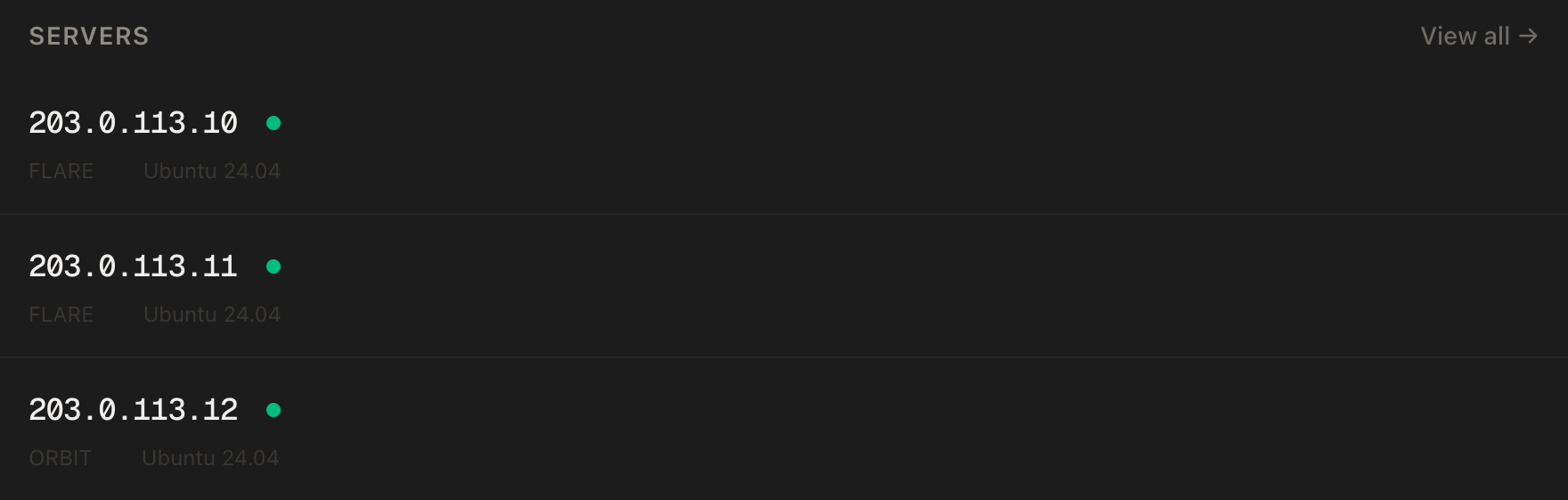
DigitalOcean has a polished control panel, a mature API, a Terraform provider, a CLI (doctl) and one of the largest libraries of community tutorials on the web. If your team already scripts infrastructure against DigitalOcean, that tooling is a genuine reason to stay.
When DigitalOcean is the better choice
- You need regions we don't have. Asia-Pacific, India, Canada, or multiple US coasts.
- You want managed services. Managed Postgres with failover, managed Kubernetes, a PaaS, or S3-compatible object storage with a CDN.
- You are building on its ecosystem. Existing Terraform,
doctlscripts, VPC setups and load balancers. - You need more disk per dollar at small sizes, or the smallest possible server (its $4 plan).
- You want an enterprise vendor relationship with formal support tiers and a large company behind it.
When PrivateByte is the better choice
- You want the most vCPU and RAM for the money. 2 vCPU / 4 GB is $7.99 against $24.
- Your traffic is heavy or unpredictable. Unmetered bandwidth means no overage line, ever.
- You want backups without thinking about it. Backups and snapshots are included, not a 20–30% surcharge.
- Your users are in North America or Europe, where Dallas, Amsterdam and London cover you.
- You are comfortable running your own stack on a VPS with root access, a browser console and custom ISOs.
If you are weighing other options too, see Vultr vs PrivateByte, Linode vs PrivateByte, AWS Lightsail vs PrivateByte and our roundup of DigitalOcean alternatives.
Moving from DigitalOcean
Most Droplet workloads move cleanly: deploy a PrivateByte VPS with the same OS, copy your data and config across (or use the migration tool), test, then switch DNS. Keep the Droplet running until the new server has served real traffic for a day or two. Common candidates are side projects, game servers like a Minecraft server, and private networking like a WireGuard VPN server, where bandwidth and price matter more than managed extras.
- Unmetered bandwidth, no overage
- Free DDoS protection
- Free backups and snapshots
- Browser console access
Common questions
Is PrivateByte cheaper than DigitalOcean? At matched vCPU and RAM, yes. A 2 vCPU / 4 GB Droplet is $24 a month; PrivateByte Orbit is $7.99. DigitalOcean gives more disk at that size. Prices checked October 2026.
Does DigitalOcean charge for bandwidth? Each Droplet includes a transfer allowance, pooled across your team. Outbound traffic beyond it costs $0.01 per GiB. PrivateByte bandwidth is unmetered with no overage.
Are backups included on DigitalOcean? No. Percentage-based backups cost 20% (weekly) or 30% (daily) of the Droplet price, and snapshots are $0.06 per GB per month. Both are included on PrivateByte.
Does PrivateByte have managed databases or Kubernetes? No. PrivateByte sells VPS with root access. If you need managed databases, Kubernetes or object storage, DigitalOcean offers them.
Where are PrivateByte servers located? Dallas (US), Amsterdam (Europe) and London (UK). DigitalOcean runs 16 datacenters across 13 regions.